dsh-cli
Verified@askdkc/dsh-cli · v0.12.0 · MIT
Interactive terminal interface for DeepSeek Harness agents, sessions and tools.
Install
dsh plugin add @askdkc/dsh-cli Confirm the layer applied with dsh --profile default --dump-config — see the install guide.
Source
Tags
Readme





dsh-cli
An interactive terminal UI plugin for DeepSeek Harness.
This is an independently developed fork of dsh-TUI by chimney, maintained by dkc. Releases and development decisions are made in this repository. Compatibility with DeepSeek Harness remains a separate requirement.
Preview
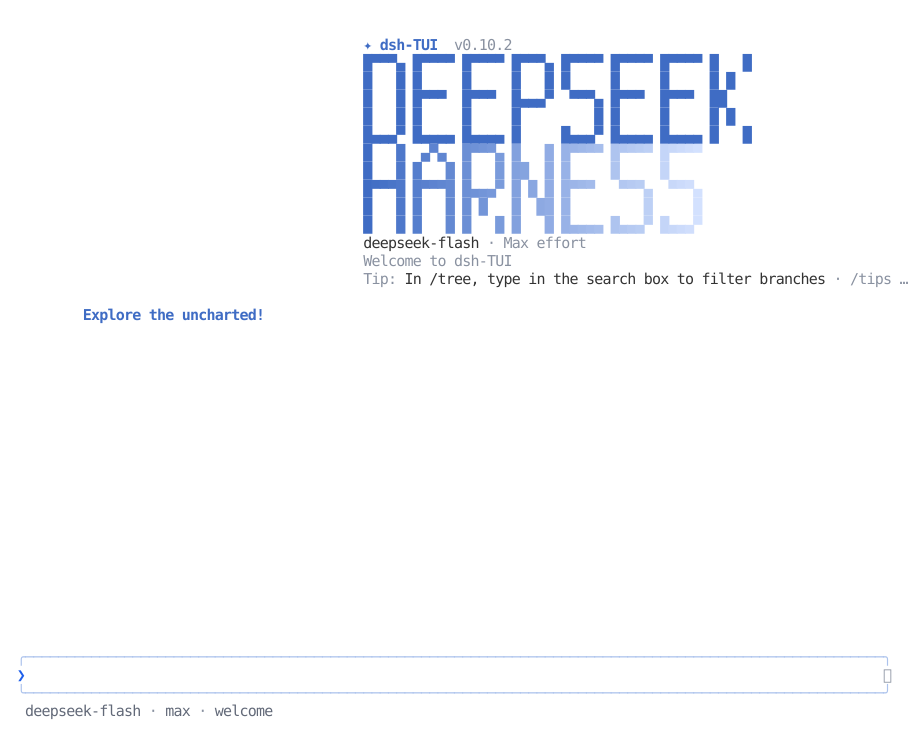
Highlights
- Streaming Markdown, tool cards, images, Mermaid diagrams, and keyboard completion.
- A pixel whale, live work status, context bar, TPS gauge, and clickable timeline.
- Session management with resume, fork, rewind, background work, and export.
- DSH presets, skills, MCP, goals, subagents, provider authentication, and extensions.
- Virtualized rendering and bounded caches for long sessions.
Quick Start
Requires Node.js ^22.19 || >=24, pnpm 11, a
DeepSeek Harness source
checkout with dependencies installed, and DEEPSEEK_API_KEY. The main
compatibility target is DSH 0.1.7-rc.2.
The dsh-auth/ source is tracked in this repository. Clone recursively for the
remaining submodules; in an existing checkout, run
git submodule update --init --recursive before installation. Builds use the
checked-out auth source and do not fetch dsh-auth-fork.
git clone --recurse-submodules https://github.com/askdkc/dsh-cli.git
cd dsh-cli
pnpm install --frozen-lockfile
pnpm build
node scripts/with-publish-manifest.mjs npm pack --ignore-scripts
TARBALL="$PWD/askdkc-dsh-cli-$(node -p "require('./package.json').version").tgz"

cd ~/DIR/TO/deepseek-harness
pnpm dsh plugin --profile dsh-cli add "$TARBALL"
pnpm dsh --profile dsh-cli
Replace ~/DIR/TO/deepseek-harness with your checkout path. The first interactive
launch registers dsh-cli; open a new shell, then run it from your project directory.
To update this fork, rebuild and reinstall the tarball. /update uses the registry.
For PATH setup and install issues, see Getting started.
Use
Enter sends, Tab completes, Ctrl+Enter interrupts and sends, and double
Esc rewinds. Press ? for shortcuts.
The working-status line follows each accepted request in English, Japanese, or
Chinese. Ambiguous short requests keep that session's previous progress language;
/lang controls the rest of the interface separately.
/resume opens the session manager; /auth connects providers and /model
selects a model. /bg keeps a session running until the TUI exits. See
Interaction and commands for the full reference.
To import Claude Code, Codex, OMP, zcode, or Grok Build conversations, run
dsh-cli migrate to see available histories, then
dsh-cli migrate <agent> [--dry-run]. Tool traffic is not imported.
See Session migration.
Documentation
- Getting started · VS Code
- Interaction · Configuration · Themes
- Architecture and limitations · All docs
- Plugin development · Contributing
Acknowledgments
The pixel whale's 22 hand-drawn frames and idle animations come from dsh-ui-whale by @lhh010 (BSD-3-Clause). Thank you for the art and inspiration 🐋💜
Community projects and companion tools: Friends' links.
License
MIT. The original copyright notice for chimney is retained; dkc's copyright notice covers the fork's independent development.