cliproxyapi-plus
Verifiedcliproxyapi-plus · v0.4.0 · Web UI
Manage a local CLIProxyAPIPlus server, YAML configuration, Qoder and Codex credentials, live quota, and runtime logs.
Install
dsh plugin add cliproxyapi-plus Confirm the layer applied with dsh --profile default --dump-config — see the install guide.
Source
Published to npm without a public repository. Inspect the package contents before installing.
Tags
Readme
CLI Proxy
A native DeepSeek Harness panel for a local CLIProxyAPIPlus checkout.
Features
- Reads and edits
config.yamlwith a real CodeMirror 6 YAML editor, validation, external-change detection, and atomic.bakbackups. One text engine owns highlighting, selection, and the caret, avoiding overlay drift. - Shows handled requests, success rate, and failures in a compact dashboard. Request trends switch between the last hour and the last 200 minutes while preserving the upstream 10-minute buckets, with keyboard-accessible bars and a data table.
- Retains collected request buckets in the current Harness Profile across proxy stops and Host restarts. The dashboard advances the rolling window while offline and shows the last collection time. History is isolated by configuration path and proxy endpoint.
- Provides credential cards with provider and status filters, request history, quota balances, searchable model lists, and JSON file details with sensitive fields redacted before transport.
- Qoder quota separates package Credits and Shared Add-on Credits, each with used/total, remaining balance, and its own usage bar. The package reset date and plan name appear when supplied. When Qoder omits a total but supplies both used and remaining Credits, their sum provides the capacity; a remaining balance alone leaves capacity unknown. The panel queries the full Qoder quota API through the proxy using the selected credential and a token placeholder; OAuth tokens stay inside the proxy. Automatic reads share a 30-second cache, and Refresh quota always requests fresh data. Failed reads preserve the previous values.
- Starts and stops a configurable server command through the Harness subprocess service.
- Codex quota uses the selected credential to read plan, renewal, Credits balance, available reset count and expiry dates, plus 5-hour, weekly, monthly, code-review and additional usage windows when supplied. Optional subscription/reset failures preserve the core usage data. Reset credits are displayed without consuming them.
- Detects Qoder and Codex authentication from
oauth.auth-dir. Select either or both Authentication CLI clients in Runtime settings. One-click authentication appends--qoder-loginor--codex-loginto the saved start command for selected clients with missing, expired, invalid, or incomplete credentials, or an explicit backend sign-in requirement. Valid clients are skipped. Commands run sequentially (Qoder, then Codex), with current-client progress, clickable login links and a stop action. Failure or cancellation stops the queue. The proxy can keep running throughout. Action banners stay in their originating tab and dismiss automatically after 30 seconds. - Shows local configuration, non-sensitive account metadata, service health, and bounded runtime logs without signing in to the official management panel.
- Uses a DSH credential record for official management API access. Plugin-started servers receive the same
MANAGEMENT_PASSWORD. Passwords never enter snapshots or agent results. - Exposes the same Host operations through the
cliproxyapi_plusagent tool.
The official management page remains available as an external link. The plugin does not recover or bypass its management password. The overview API omits tokens, management secrets, and authentication JSON. The file-details operation returns redacted JSON only.
Screenshots
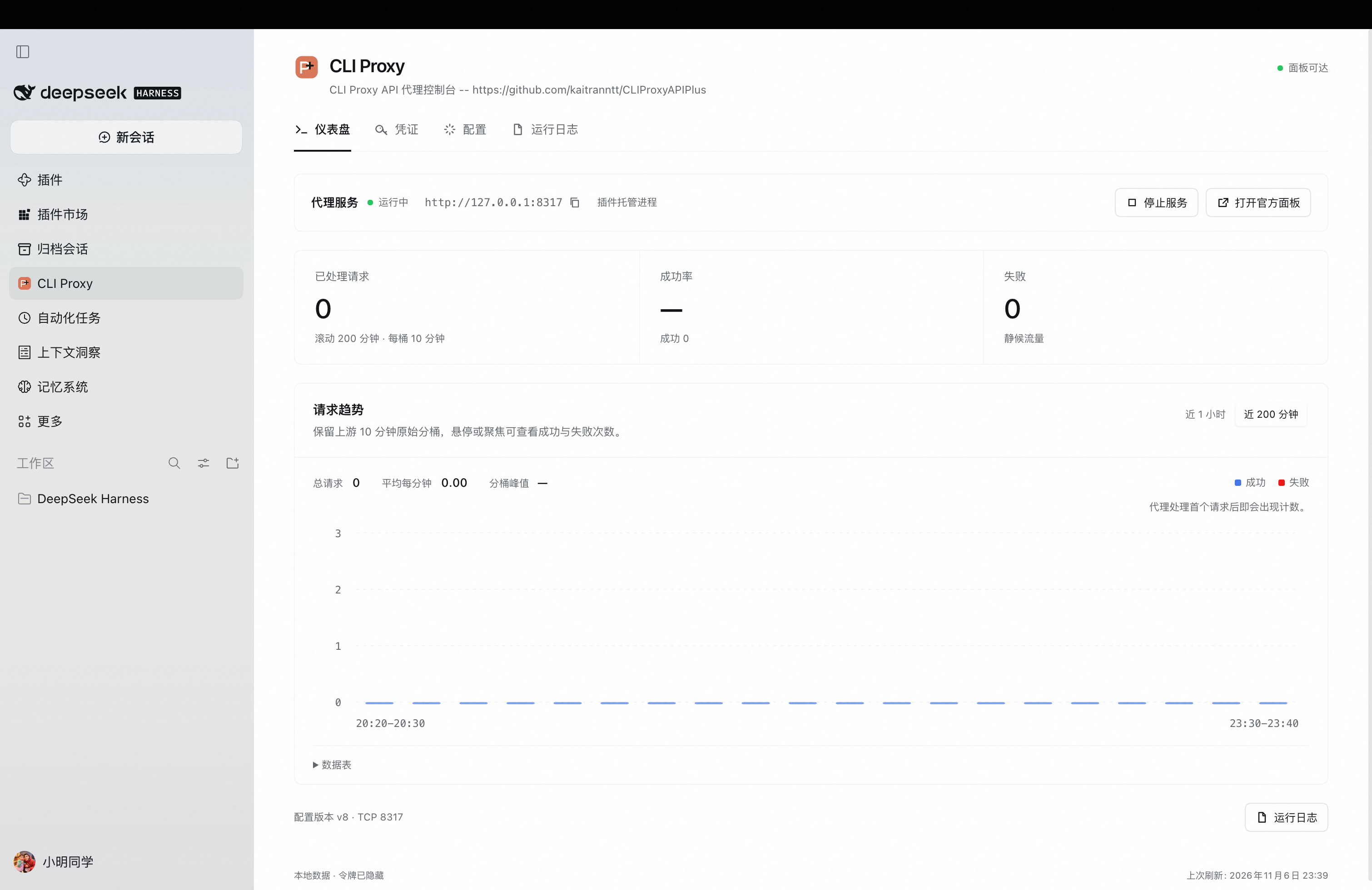
Dashboard
Start and stop the local proxy, check connection status, and inspect request counts and success/failure trends.
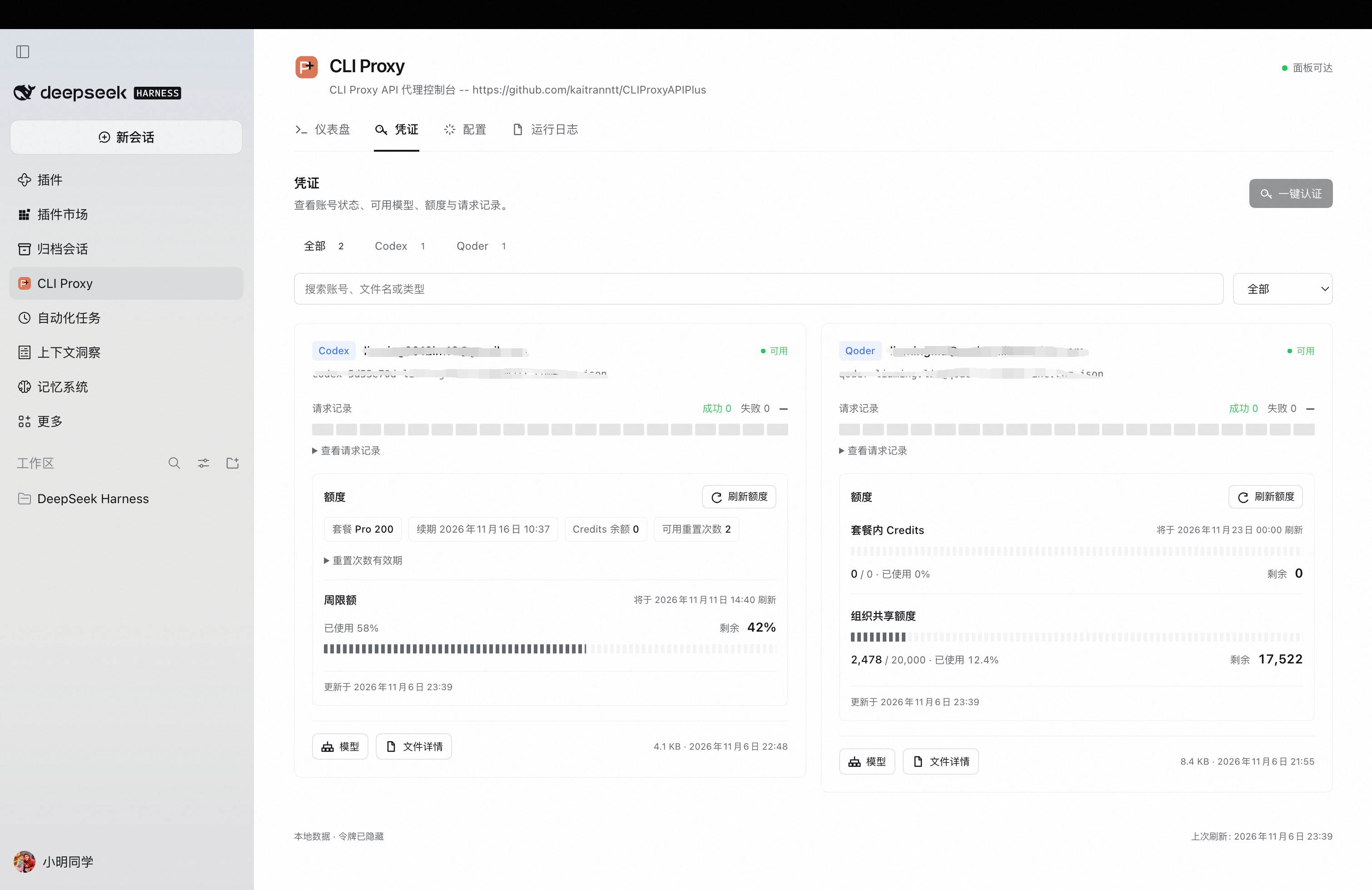
Credentials and quota
View Codex and Qoder accounts, refresh quota, inspect request history, and open available models or credential file details.
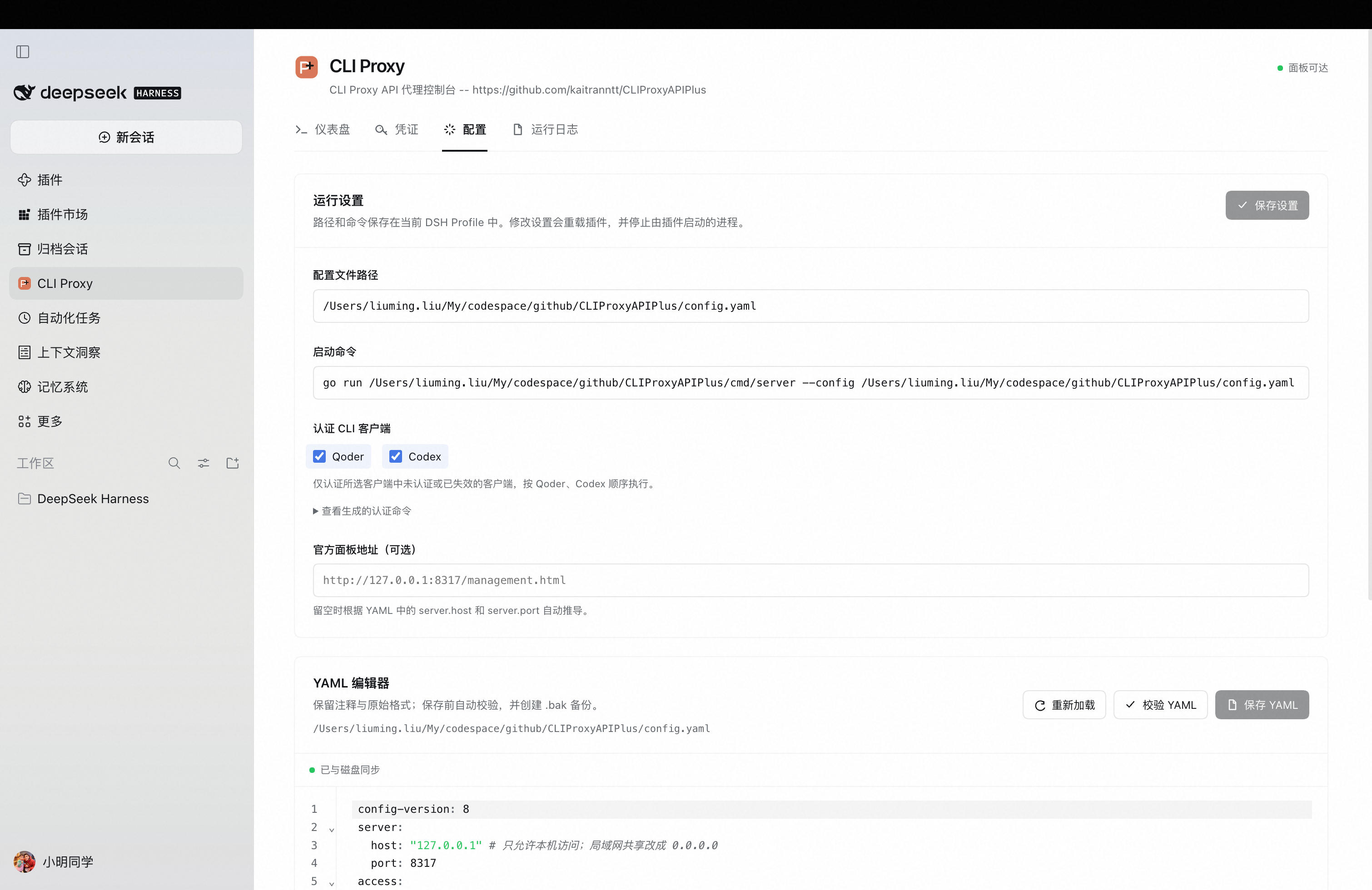
Configuration
Save the configuration path and start command, choose authentication CLI clients, preview generated login commands, and edit YAML. The command field grows as text wraps.
Defaults
Configuration path and start command default to empty; no authentication CLI client is selected initially. Set these in Configuration → Runtime settings and click Save settings. Saved paths, commands and client selections remain editable and are restored from the current Harness Profile after restarting Harness. Fields can be saved independently or cleared explicitly.
The optional official-panel URL is editable in the same section. Legacy authCommand settings with recognized --qoder-login or --codex-login flags infer the initial selections until authClients is saved explicitly. The old arbitrary authentication command is no longer executed; login commands always derive from startCommand. Saving plugin settings reloads the plugin and stops plugin-owned processes. Nothing starts automatically unless autoStart is explicitly enabled in the plugin configuration. An externally managed server is shown as connected and its port is reserved from the panel's start action.
Automatic model providers
CLI Proxy creates qoder (Qoder) and codex (Codex) providers from the proxy's usable credentials and fills their model lists. Models from multiple accounts of the same client are combined and deduplicated using the proxy's route IDs. Qoder uses OpenAI Chat Completions and Codex uses OpenAI Responses through the configured proxy.
In Configuration → Model provider sync, choose periodic or one-time sync, change the check interval, or select Sync now. Periodic sync runs in the Host every 5 minutes by default, including while the panel is closed. Starting the proxy and completing authentication also trigger periodic-mode sync. One-time mode runs once on each plugin activation, with up to 30 seconds of cold-start readiness retries. Later retries are available through Sync now. The modelSyncIntervalMinutes setting accepts whole minutes from 1 to 35791, or 0 for one-time mode.
The proxy address comes from YAML. The first non-empty client API key in access.api-keys (or the legacy api-keys list) is validated and saved through Harness Credentials. A missing key is reported in the sync status. Providers and credential references persist in the current Profile. Existing qoder and codex provider configurations are overwritten. Connection, authentication, model-query, and partial-account failures retain the last successful configuration for the affected client. The authentication-client checkboxes continue to control login commands. Each successful Qoder sync also persists a normal retry policy with three additional attempts, exponential delays starting at 2 seconds, a 10-second per-wait cap, and ±10% jitter. Codex uses its existing default policy. The Qoder policy is restored by subsequent syncs, including after Host restarts.
The Host agent tool supports sync_providers for the same manual synchronization. A writable Profile and the standard settings, credentials, and llm-pi-ai services are required for provider sync.
Successful synchronization records each provider's model count and last successful time in the current Profile. These remain visible after a Host restart and during later connection failures, including in one-time mode. The latest synchronization error is displayed alongside the retained successful state.
Install
In the Harness Plugin Manager, install the npm package cliproxyapi-plus and enable it. For local development, select the package directory from this repository.
Develop
pnpm install --ignore-scripts
pnpm test
pnpm run test:browser
pnpm run check
pnpm run pack:check
The test suite uses temporary files and fake subprocesses; it does not start the real proxy or modify the real config.yaml.
Security model
The UI invokes fixed Host operations using paths and commands from saved configuration. Credential requests accept only a JSON filename. Models, file details, and quota access use authenticated management endpoints. Authentication scanning ignores symlinks and returns an allowlist of non-sensitive metadata. Runtime logs stay in the local panel. The agent snapshot tool replaces log bodies with a panel pointer.
This plugin manages only processes it started. It does not claim ownership of an externally launched process using the same port.
Transient upstream recovery
Authentication validity and request scheduling are shown separately on credential cards. Server-reported cooldowns identify the affected model or entire credential, show the upstream HTTP status, and count down to the server deadline. The panel refreshes when the deadline expires. A scheduling cooldown alone does not require a new login. Disconnected credentials show an unconfirmed request state.
For a locally managed proxy using v8 YAML, the following values align the transient cooldown with the Qoder retry policy and retain bounded diagnostic logs. The cooldown applies to all providers. Explicit upstream recovery hints can produce a longer wait.
routing:
  retry:
    request-retry: 0
    max-retry-interval: 0
  cooldown:
    transient-error-cooldown-seconds: 5
observability:
  logs:
    logging-to-file: true
    logs-max-total-size-mb: 100
    error-logs-max-files: 50
The Runtime logs tab reads the latest 300 application log lines through the authenticated management API, redacts configured API keys and management credentials, and falls back to captured process output when file logging is disabled. During a connection failure it keeps the last loaded file logs. Qoder rejection logs include request ID, model, status, and time spent waiting for response headers. Cooldown logs include scope, reason, retry deadline, and remaining seconds. Persistent upstream failures can still exhaust the retry budget.