devbits-web-search
Verifieddevbits-web-search · v0.1.0 · MIT · Web UI
Web search for local models in DeepSeek Harness. DuckDuckGo by default, optional SearXNG and API providers.
Install
dsh plugin add devbits-web-search Confirm the layer applied with dsh --profile default --dump-config — see the install guide.
Source
Tags
Creators
Readme

DevBits Web Search
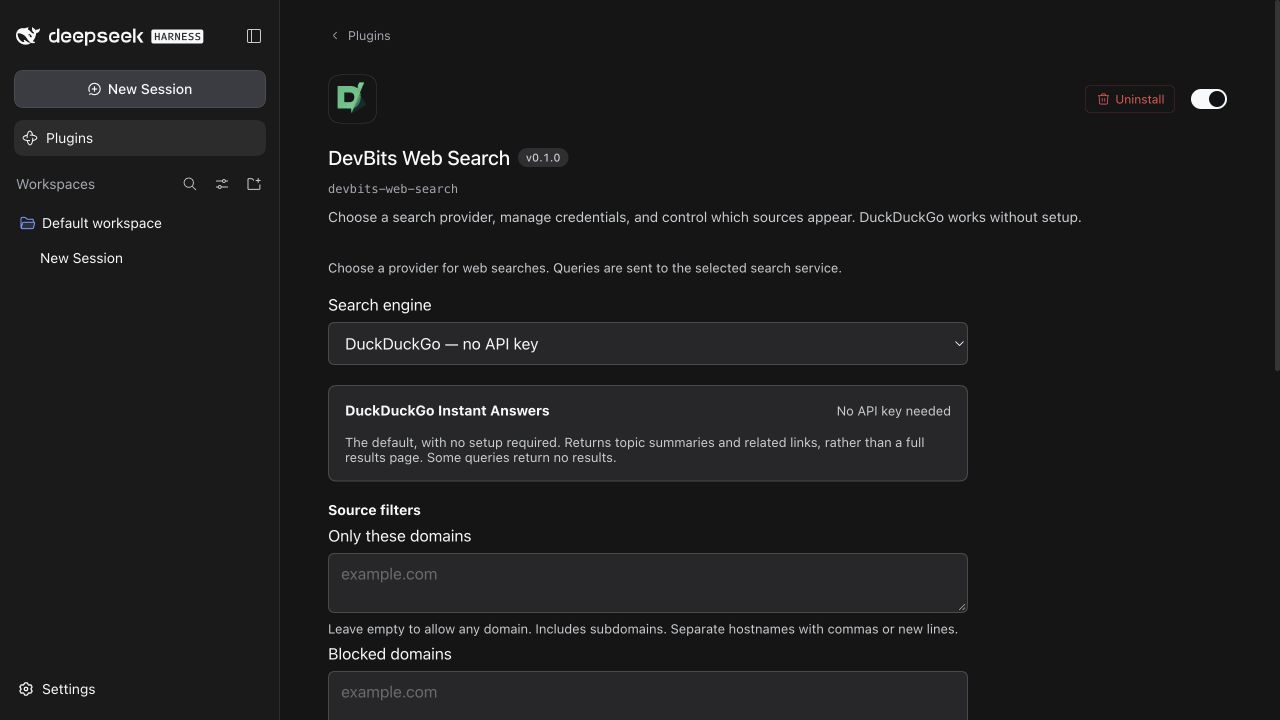
Web search for local models in DeepSeek Harness. Start with DuckDuckGo Instant Answers, or connect Brave, Tavily, Exa, Google, or your own SearXNG instance. Choose a provider and manage credentials in the Harness UI.
Free and open source. No search API key is needed to get started. DuckDuckGo provides topic summaries and related links; use another provider for broader web search coverage.
Installation · Settings · SearXNG · Troubleshooting · DevBits
What you get
- Search through Harness's native
web_searchtool, with source links and excerpts. - Switch providers without losing their saved credentials.
- Allow or block domains, including subdomains, and filter by date where supported.
- Test your setup from the settings page, with clear connection, quota, and authentication errors.
- Set request limits shared by chats and tests. Searches never retry or switch providers automatically.
Install
Requires Node.js 22.12+, DeepSeek Harness, and a model that supports tool calls. Tested with Harness 0.1.7-rc.2; its plugin APIs are still in developer preview. The plugin works with your configured model and does not need a DeepSeek model API key.
From Harness
Open Plugins → Add plugin and enter:
devbits-web-search
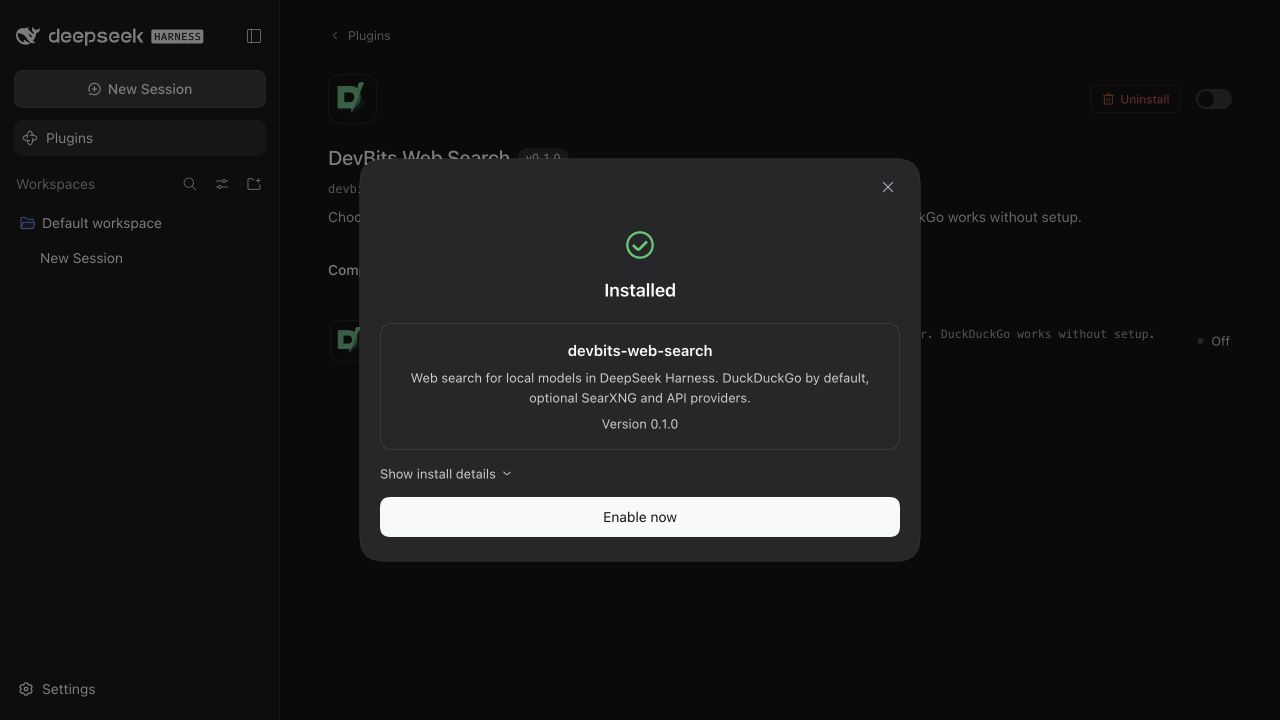
Keep Official npm registry selected, then click Install → Enable now and open DevBits Web Search.
From the terminal
Install into the profile you use, then restart Harness:
npx @deepseek-ai/dsh plugin --profile web add devbits-web-search
npx @deepseek-ai/dsh web
If you use another profile, replace web with its name. Copying files into ~/.dsh/plugins or running npm install alone does not enable a Harness plugin.
From GitHub
To install directly from the source repository, enter https://github.com/devbitsxyz/devbits-web-search in Add plugin, or run:
npx @deepseek-ai/dsh plugin --profile web add github:devbitsxyz/devbits-web-search
The plugin ships plain JavaScript and needs no build step. For a local checkout, see Contributing. Saved provider settings apply to the next search without a restart.
Your first search
- Open Plugins → DevBits Web Search. Enable it if disabled.
- Leave DuckDuckGo selected and click Test search. The example query,
Ada Lovelace, needs no key or account. - In a chat, ask your tool-capable model to search for a topic and include sources. Standard and Code presets expose the native web tools; custom presets may need
web_searchenabled.
A successful test confirms provider access. It cannot guarantee that a particular model will choose to search. Harness's existing web_fetch tool opens result pages.
Search providers
| Provider | What you need | Coverage |
|---|---|---|
| DuckDuckGo (default) | Nothing | Instant Answers and related links. Some queries return no results. |
| Brave Search | API key | Web results from Brave's index. |
| Tavily | API key | Web results with relevant excerpts. |
| Exa | API key | Web results with page highlights. |
| SearXNG | Your instance URL; optional authentication | Results from the engines configured on your server. Setup guide. |
| Google Custom Search | API key and search engine ID | For eligible existing accounts. Closed to new customers. |
Enter keys in the plugin settings, save, and run Test search. No environment variables are required. Paid providers may charge for API access; local request limits are not a billing cap.
Privacy and limits
Queries go to the selected search service, even when your model runs locally. SearXNG also forwards queries to its configured engines. Search credentials do not grant access to private websites or signed-in browser sessions.
Keys are stored in the local Harness profile and hidden from settings responses. Profile storage is not encrypted by this plugin; protect profile files and backups. Results contain external content, and source links do not guarantee an answer is correct.
Read the settings reference for domain rules, date support, and request limits. If setup fails, start with troubleshooting.
Development
See Contributing for local tests, the JavaScript API for use outside Harness, and Releasing for package validation.