token-usage
Verified@dsh-agent-toolkit/token-usage · v0.5.3 · MIT · Web UI
DeepSeek Harness plugin: per-day token usage statistics — 13-week heatmap, stacked daily chart, /token-usage command
Install
dsh plugin add @dsh-agent-toolkit/token-usage Confirm the layer applied with dsh --profile default --dump-config — see the install guide.
Source
Tags
Creators
Readme
@dsh-agent-toolkit/token-usage
DeepSeek Harness plugin: per-day token usage statistics — 13-week heatmap, stacked daily chart, /token-usage command.
DeepSeek Harness(dsh)插件:按日/按小时计量 token 用量。
- 13 周活动热力图(点击跳单日)+ 趋势范围查询(单日按小时/多日按天堆叠图,按模型/按项目/压缩聚合),会话标题栏右上角「Token 用量」打开
/token-usage [YYYY-MM-DD]命令:今日 + 近 7 日,或指定日期- JSON API:
/dsh-agent-toolkit/api/usage/daily?date=、/dsh-agent-toolkit/api/usage/range?days=或?from=&to=(web 模式) - 用量缺失的样本经 tokenMeter 启发式估算,估算量单列
截图
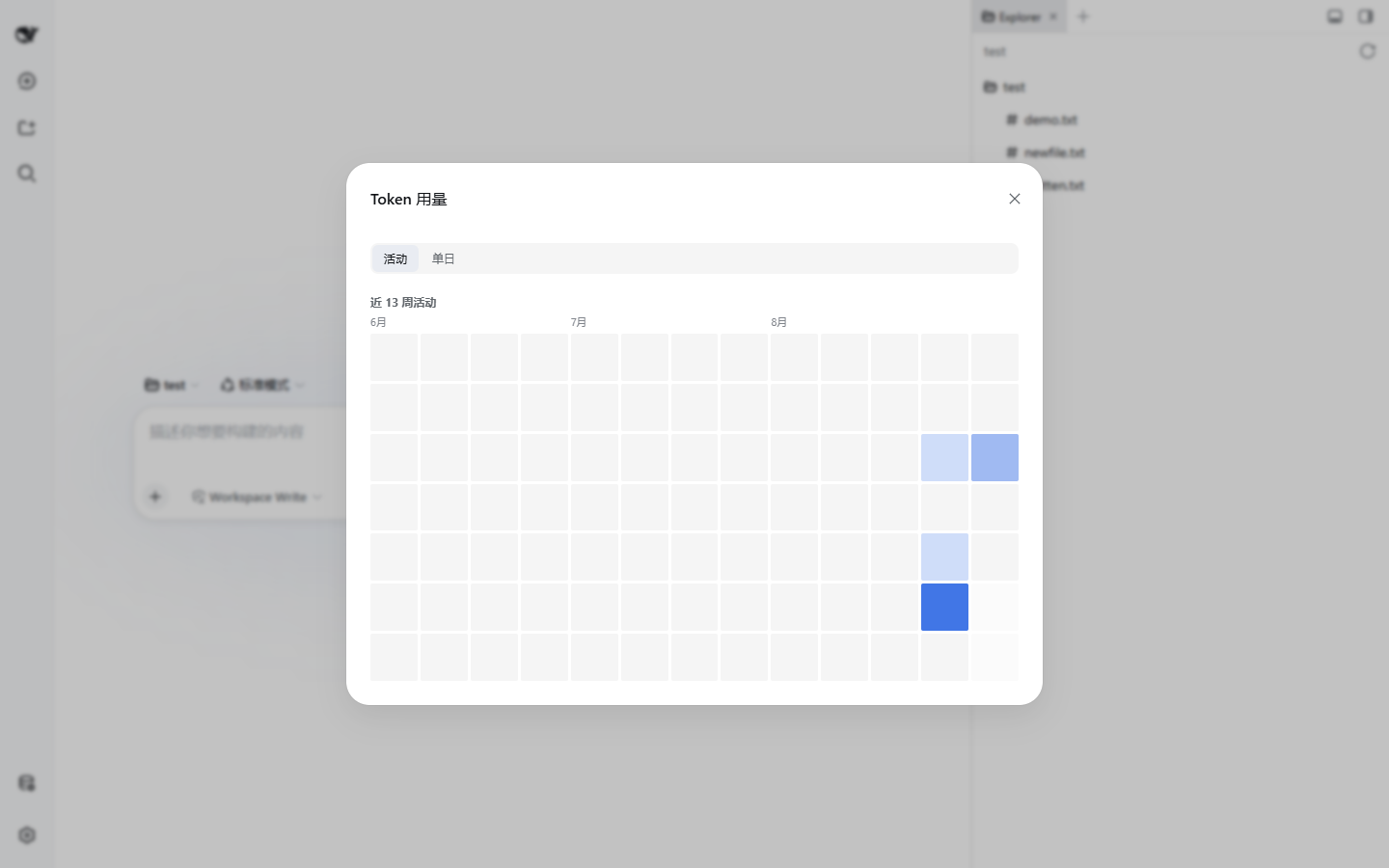
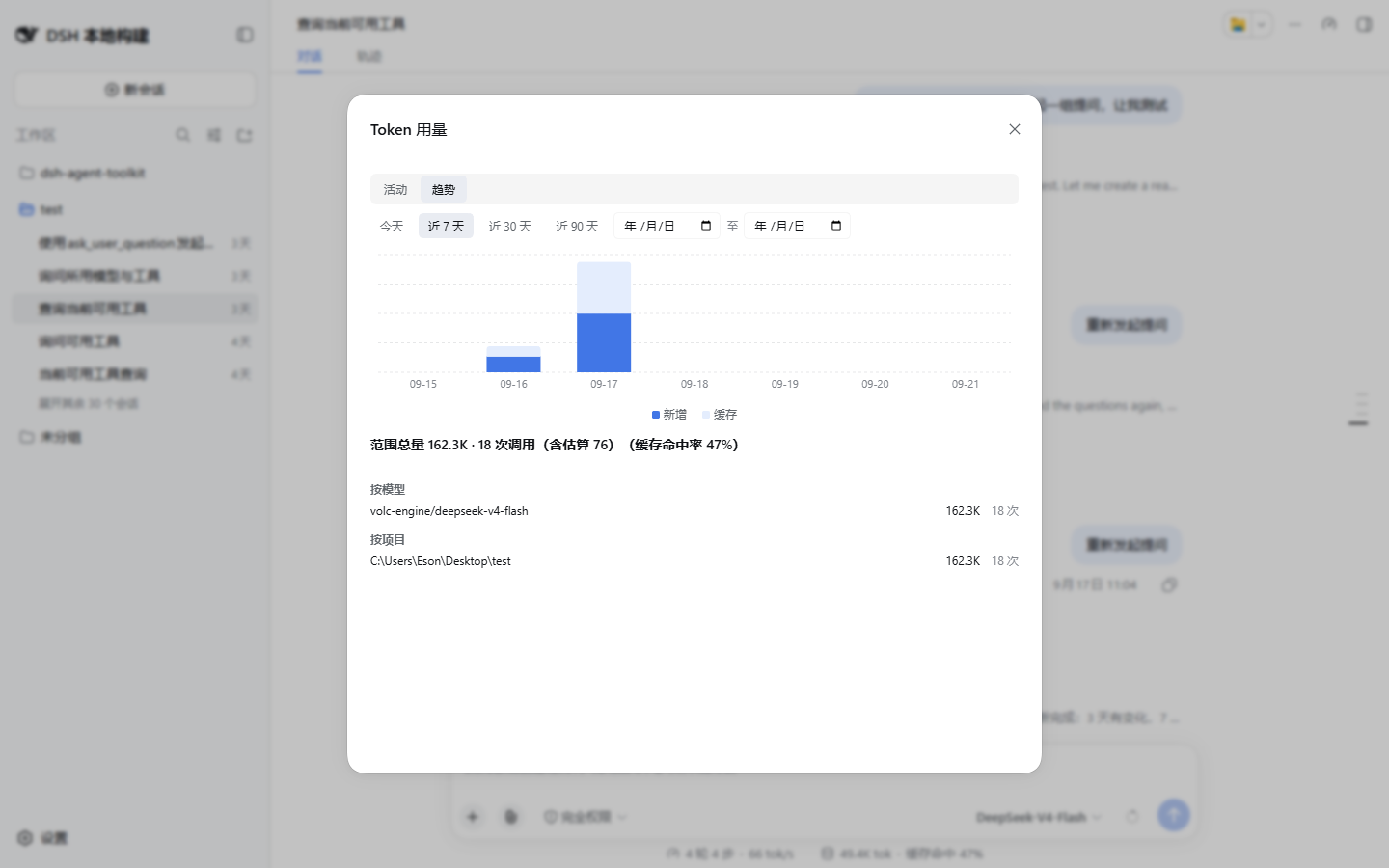
安装
dsh plugin --profile <profile 名> add @dsh-agent-toolkit/token-usage
--profile 为必填项;profile 是 $DSH_HOME/profiles/<name>(默认 ~/.dsh/profiles/<name>)下的目录。包自带 cordis.patch.yml(bundles 层),装进 profile 后自动激活。
与 dsh-agent-toolkit 二选一:
dsh-agent-toolkit已内置本插件全部功能(Agent 注册表/分层提示词/委派/飞书 bots + token 用量)。 两者同时安装时,后到实例会自动停用用量功能(不重复计量、不注册/token-usage命令与面板),先到者完整工作;仍建议只装其一。
配置
- id: '@dsh-agent-toolkit/token-usage'
  config:
    timezone: Asia/Shanghai   # 默认值;按日/按小时聚合的时区
修改配置触发 HMR 热替换,无需重启。
运行前提
- 宿主注入服务:
storageDomain、tokenMeter、commands(webServer可选,headless/CLI 下 API 自动不注册)。 - peer dependency:
@deepseek-ai/cordis^4。
从 0.2.x 升级
0.3.0 起本包重写为 dsh-agent-toolkit workspace 的用量模块,存储域 token_usage 不变,历史数据保留。
0.1.x/0.2.x 已废弃(deprecated)。
License
MIT