dsh-daruma
Verifieddsh-daruma · v0.1.10 · MIT · Web UI
Daruma resilience plugin for DeepSeek Harness — detects model-request failures and fails over to another channel to keep long tasks alive.
Install
dsh plugin add dsh-daruma Confirm the layer applied with dsh --profile default --dump-config — see the install guide.
Source
Tags
Creators
Readme
dsh-daruma
Daruma resilience plugin for DeepSeek Harness — detects model-request failures and fails over to another channel to keep long tasks alive.
How it works
dsh-daruma is a native Cordis plugin. It sits downstream of the in-box
dsh-llm-retry on the agent/request-error waterfall: retry owns the
same-channel retry budget, and when it gives up it delegates (via next()) to
daruma. daruma then:
- records the failure against the current channel's circuit-breaker state;
- when the channel trips (
failureBudgetconsecutive failures, or a terminal code likeQUOTA/INVALID_CREDENTIAL/CONTEXT_WINDOW_EXCEEDED), it arms the next routable channel (the user-chosen backup first, then the configured chain) and returns{ kind: 'retry' }; - on the retry turn, the
agent/requestwaterfall swaps the request config onto the armed channel — dropping the caller'sreasoningEffortwhen that target does not advertise the level (see below); - appends one JSON line per decision to the audit log (see below).
A failover target has to accept the request. DSH validates an explicit
reasoningEffort against the target's own capability and refuses the
request before any provider I/O; that refusal is raised outside
agent/request-error, so a swapped request carrying an effort the target
cannot take kills the turn without ever reaching the provider — the failover
channel never dispatches, and the channel that is actually broken keeps looking
healthy. daruma therefore reads the target's model metadata on every swap: a
supported effort is kept, an unsupported (or unresolvable) one is dropped so
the target can use its own default, and the drop is logged —
dsh-daruma: mt::glm-5.3 does not accept reasoning effort "high" …. Every
other field (maxTokens, temperature, stop sequences) is passed through
untouched.
Self-healing: the host exposes no request-success event, so success is
inferred — an agent whose previous model request never tripped
agent/request-error earns its channel a success record at the next
agent/pre-step or agent/turn-stopping. The circuit closes and the failure
counter resets; tripped channels never linger as zombie COOLDOWN entries.
Channel health persists to ~/.dsh/daruma/channel-health.json, so a tripped
channel stays cooled-down across restarts.
Visible failover notices in the conversation
Older builds appended a daruma/failover session event on each channel
switch, and the web client renders that as a small row inside the
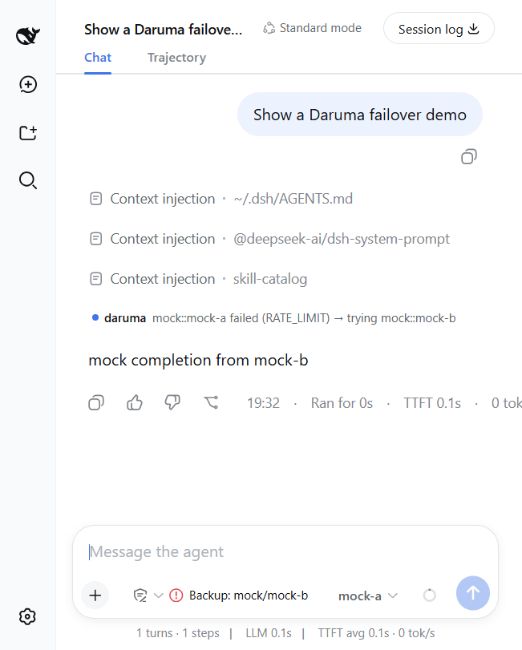
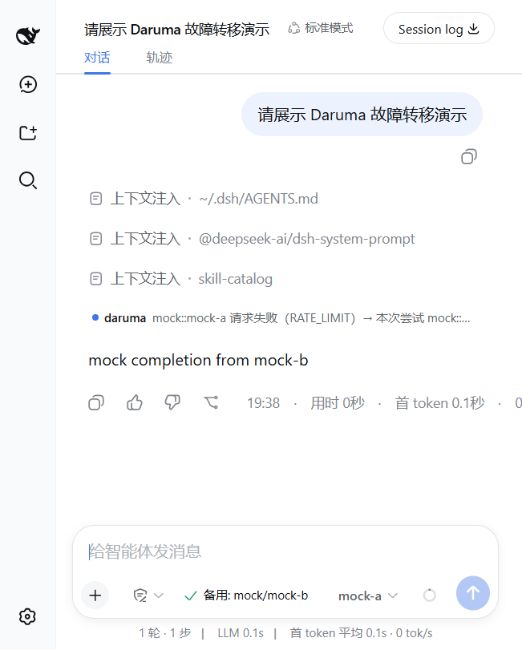
conversation (mt::glm-5.3 failed (RATE_LIMIT) → trying mt::deepseek-v4-flash, budget usage on hover; a red-dotted give-up row when
recovery is exhausted). Current builds do not append it. The host cannot mark
a plugin event ignorable, and a session containing an unmarked daruma/*
event fails to load. New switches are recorded only in the audit log.
Usage screenshots / 使用截图
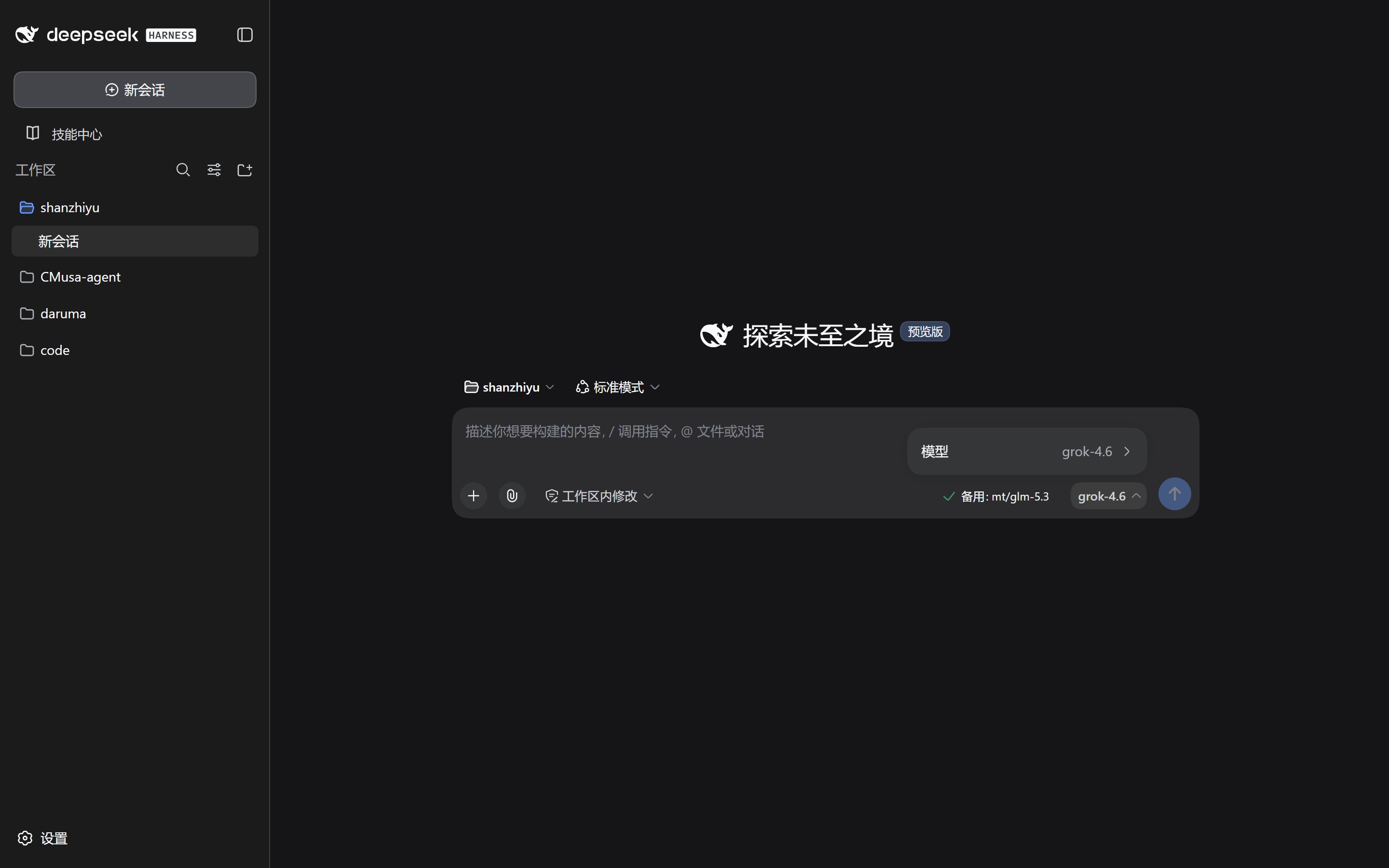
Captured from live DSH Web sessions: the composer and the channel picker on a
real mt provider, the failover row from the mock-a → mock-b demo flow.
The images are linked by absolute URL on purpose: npm's web UI does not resolve
relative README image paths, so a ./assets/… link renders broken on the
package page (it still works on GitHub). The copies shipped in the tarball
(files) are for readers of the package itself.
English
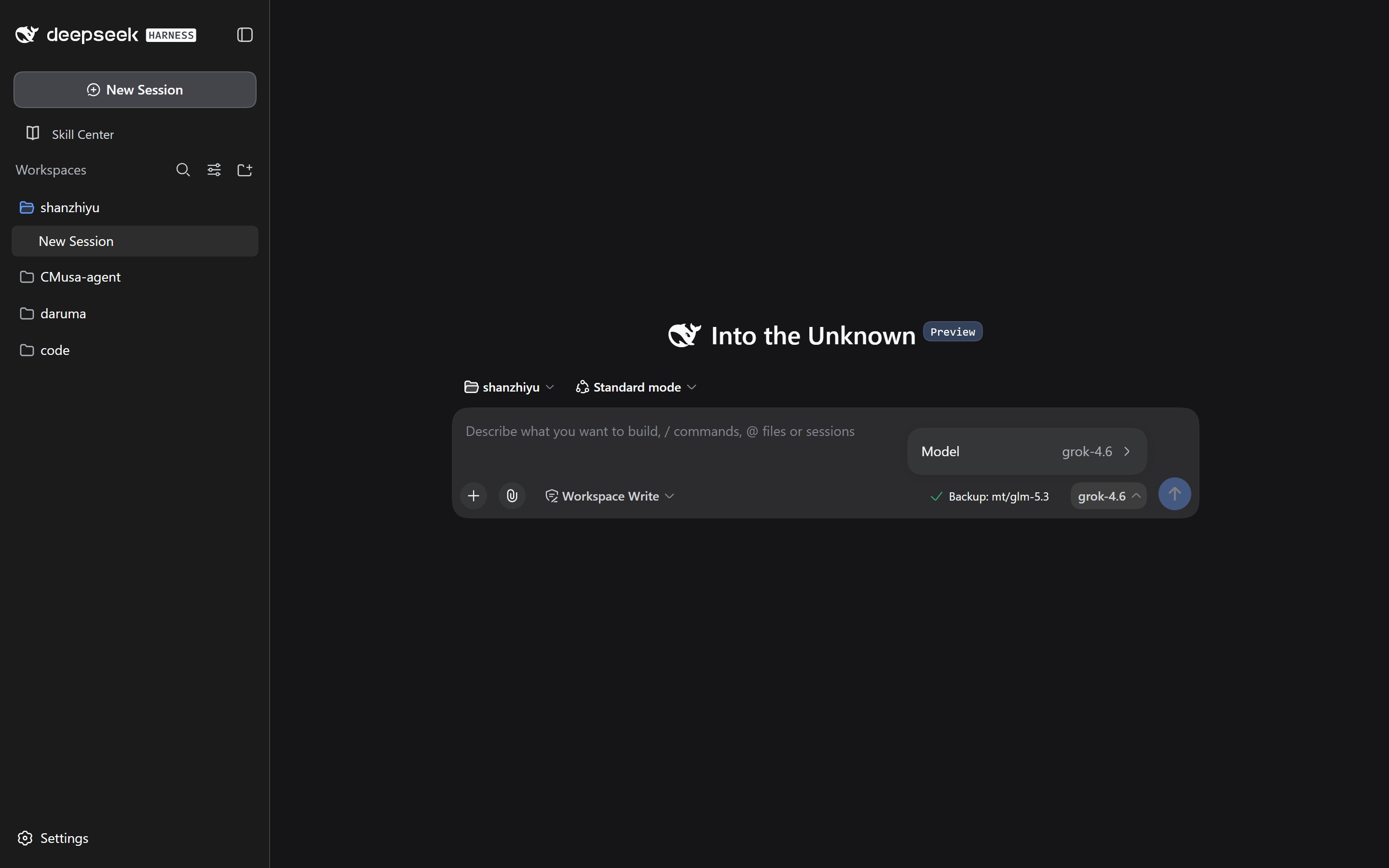
The composer. The daruma control sits at the right end of the tool row, next
to the model selector, and shows the armed backup channel (Backup: mt/glm-5.3):

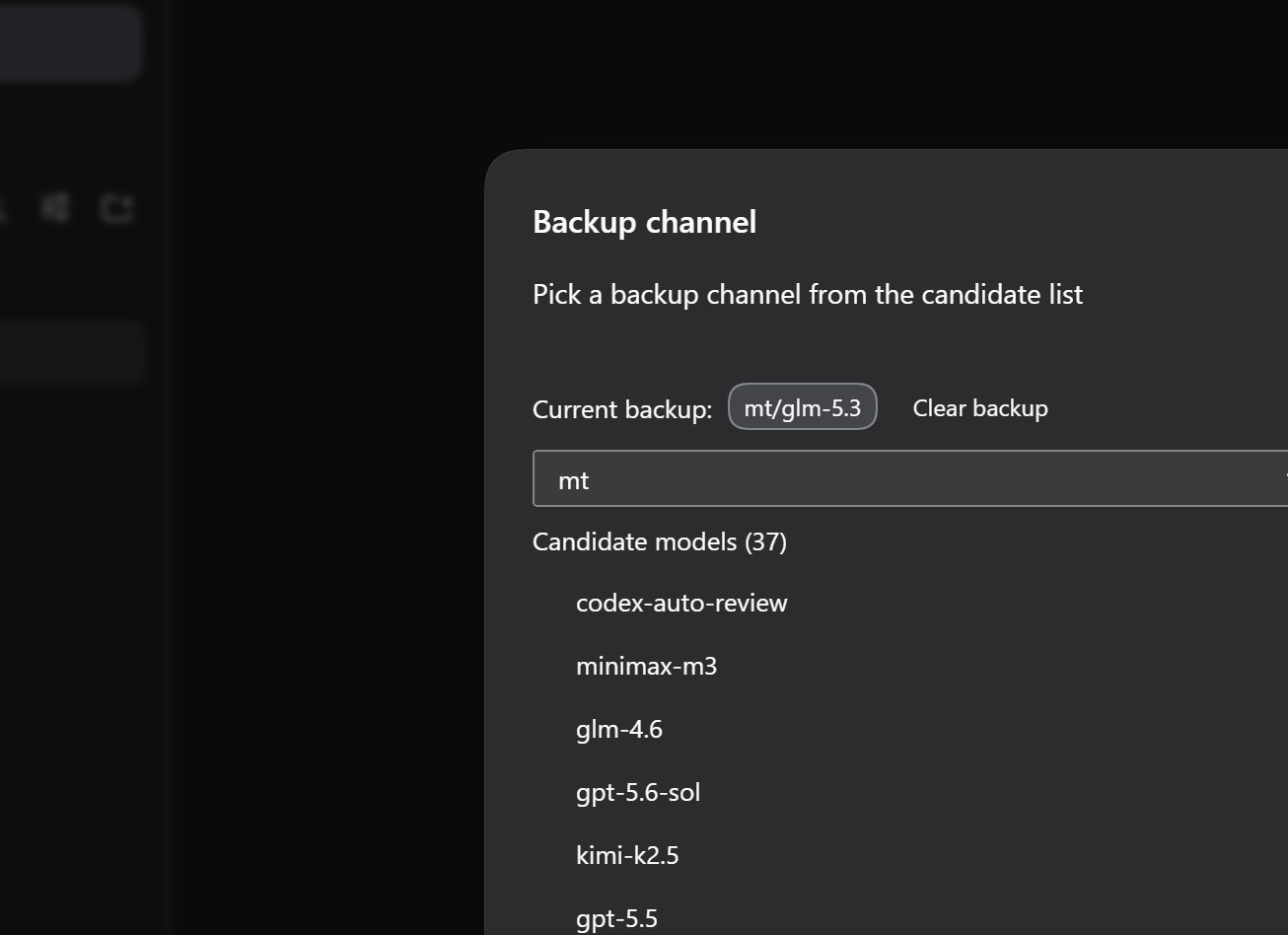
Picking a backup channel. Clicking the control opens the picker: the current backup, a provider box, and the candidates discovered from that provider's adapter:
The model selector the control sits next to:
A failover notice rendered inline in the conversation, right where the switch happened:
中文
输入框。 daruma 控件在工具行最右端、模型选择器旁边,显示当前已设置的备用渠道
(备用: mt/glm-5.3):

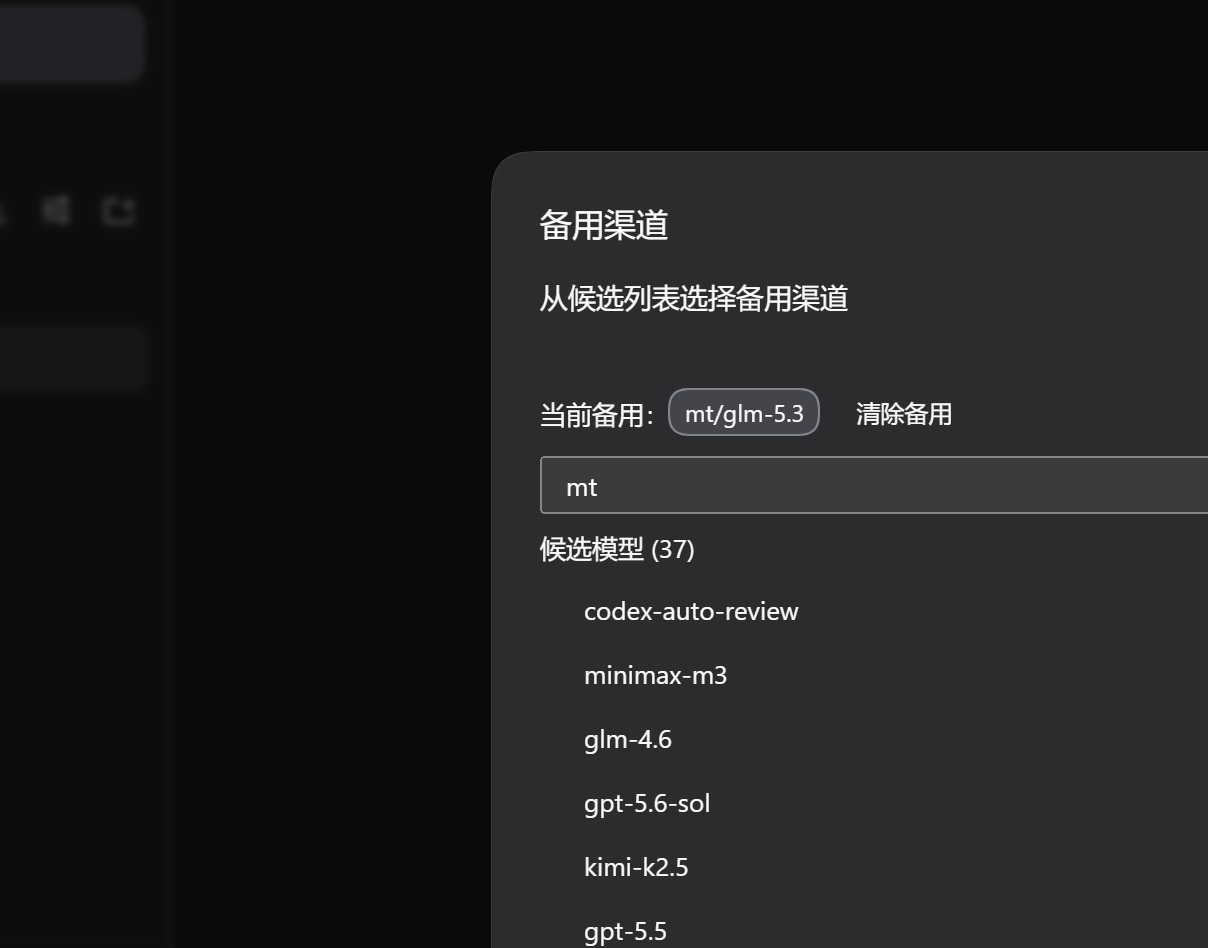
选择备用渠道。 点开控件即出现选择面板:当前备用、provider 输入框,以及从该 provider 适配器发现的候选模型:
模型选择器(控件就在它旁边):
切换提示,直接渲染在会话流里发生切换的位置:
Audit log
Every failover / give-up / boot decision is appended to
~/.dsh/daruma/failover-log.jsonl (rotates at 2 MiB to one .1 generation;
write failures are swallowed — a lost line never breaks recovery):
{"kind":"boot","t":1788860215489,"pid":38660,"channels":["mt::glm-5.3","mt::deepseek-v4-flash","mt-cc::claude-3-5-haiku-latest"],"failureBudget":3,"cooldownMs":30000,"giveUpBudget":8}
{"kind":"failover","t":1788850743199,"agentId":"session-2c50…","from":"mt::glm-5.3","to":"mt::deepseek-v4-flash","reason":"RATE_LIMIT","turn":1,"step":1,"failoverCount":1,"giveUpBudget":8}
{"kind":"give-up","t":1788850876140,"agentId":"session-295a…","from":"mt::deepseek-v4-flash","reason":"no-routable-fallback","turn":1,"step":1,"failoverCount":1,"giveUpBudget":8}
reason is the failure code for failovers (RATE_LIMIT, QUOTA, …) or the
give-up cause (give-up-budget-exhausted / no-routable-fallback);
failoverCount / giveUpBudget capture the budget state at the decision.
Install
dsh plugin --profile web add dsh-daruma   # from npm
# or from a checkout:
dsh plugin --profile web add link:./packages/daruma-core link:./packages/dsh-daruma
Configure
Add a dsh-daruma entry to your profile's cordis.patch.yml (or rely on the
bundle defaults) with an ordered failover chain:
- id: dsh-daruma
  name: dsh-daruma
  config:
    channels:
      - provider: mt
        model: glm-5.3
      - provider: mt
        model: deepseek-v4-flash
      - provider: mt-cc
        model: claude-3-5-haiku-latest
    failureBudget: 3     # consecutive failures before a channel trips
    cooldownMs: 30000    # how long a tripped channel stays unroutable
    giveUpBudget: 8      # per-agent failover budget before giving up
    # stateFile: /path/to/isolated/health.json   # REQUIRED for test profiles
    # logFile: /path/to/isolated/failover-log.jsonl
Each channel is a { provider, model } pair reachable by the LLM adapter
registry (same names you use in the settings model selector).
⚠️ Every chain channel must exist in your
settings.yamlproviders — a channel whose provider is missing gets armed on failover, burns one budget slot, and fails again. And test/mock profiles must isolatestateFile, or mock channels pollute the production health records.
Development
pnpm --filter dsh-daruma build
pnpm --filter dsh-daruma test
Host compatibility boundary
Recovery decisions are not written into the session log. session.append
cannot mark a plugin event ignorable, and a harness that does not know
daruma/failover or daruma/give-up refuses to load any session containing
one. The JSONL audit log is the durable record. The client still registers a
conversation definition for those two types, so a session written by an older
build can render them when its host accepts the log.
src/host-capabilities.ts records optional host surfaces (RPC and conversation
event registry) so client integrations can remain capability-driven as DSH
releases evolve.
The web transport is bound late, from an injection callback
(src/host-mount.ts): the host's dsh-client-connection provides its
connection service synchronously through 0.1.0-rc.x, but awaits browser-auth
setup first on 0.1.5-rc.1/0.1.5-rc.2, so the service may not exist yet when
this plugin's apply runs. Reading it with a synchronous ctx.get('connection')
skipped the /dsh-daruma RPC channel — and with it the status dock and backup
picker — on those hosts, so the mount waits for the service and records the
capability snapshot at that point. Hosts without a web transport (headless)
simply never fire the callback.
Known host limitation: on
0.1.5-rc.1/0.1.5-rc.2the channel still cannot register — those hosts droppedwebServerfrom the connection plugin's own inject list whilerpc.handle()registers its route through the service context, so every caller getscannot get property "webServer" without inject. daruma logs that failure loudly and keeps failover working; the panel needs the host fix. Seedocs/aegis/evidence/2026-09-11-latest-harness-compat.md.
DSH 0.2.x is supported alongside 0.1.x. The backup can also be chosen from
Settings → Backup channel, and the control beside the composer updates as soon
as that change is saved. On 0.2.x the selection is stored in
backup-channel.json next to the channel-health file.