dsh-esp32agent
Verifieddsh-esp32agent · v0.1.3 · MIT
DeepSeek Harness plugin: see and drive a real iPhone through an ESP32 Agent (Handsy) board. Adds the esp32agent MCP server and the handsy skill.
Install
dsh plugin add dsh-esp32agent Confirm the layer applied with dsh --profile default --dump-config — see the install guide.
Source
Tags
Creators
Readme
DeepSeek Harness 的 ESP32 Agent 插件
English · 简体中文
一个 DeepSeek Harness(dsh)插件,让 Agent 通过 ESP32 Agent(Handsy)板子看到并操作一部真实的 iPhone。它包含:
esp32agentMCP 服务器(npx -y esp32agent mcp):screenshot、tap、longpress、swipe、type_text、press_key、press_button、device_info,以及保存的意图和历史记录。工具在 dsh 里显示为mcp__esp32agent__<tool>。handsy技能:「看一眼 → 做一步 → 再看」的循环、怎么保存做成功的流程,以及安全规则。
▶ 看演示视频 · ⚡ 在浏览器里烧录固件 · 📖 设置指南
基于 Henry Yuan 的 ESP32 iPhone Agent(MIT)。
快速上手
准备板子。 Seeed Studio XIAO ESP32S3(标准版,8 MB 闪存 / 8 MB PSRAM),接好天线;再准备一根短的 USB-C 数据线(Lightning 接口的 iPhone 需要 Lightning 转 USB 相机转换器)。见硬件购买指南。
在浏览器里烧录固件(Chrome 或 Edge,板子用 USB 连电脑):handsy.tech/zh/install?build=testflight。需要固件 v0.2.3 或更新版本(v0.2.2 只能走蓝牙)。
配对电脑:把板子插到 iPhone 上,三分钟内运行(电脑需要 Node.js 18+ 和
ffmpeg):npx -y esp32agent pair设置 iPhone:连接板子的 Wi-Fi 热点(
npx -y esp32agent net会显示热点名和密码),打开控制中心 → 屏幕镜像 → ESP32 Agent,再开启设置 → 辅助功能 → 触控 → 辅助触控。 可选:运行npx -y esp32agent net join,让板子改连家里的 Wi-Fi,dsh 的命令和截图就走 Wi-Fi,不再走蓝牙。安装插件,然后重启
dsh web:dsh plugin --profile web add dsh-esp32agent # 或者直接从 GitHub 安装 dsh plugin --profile web add "github:onehumanbeing/esp32-iphone-agent#main&path:/integrations/dsh"在 dsh 里试一个小任务:
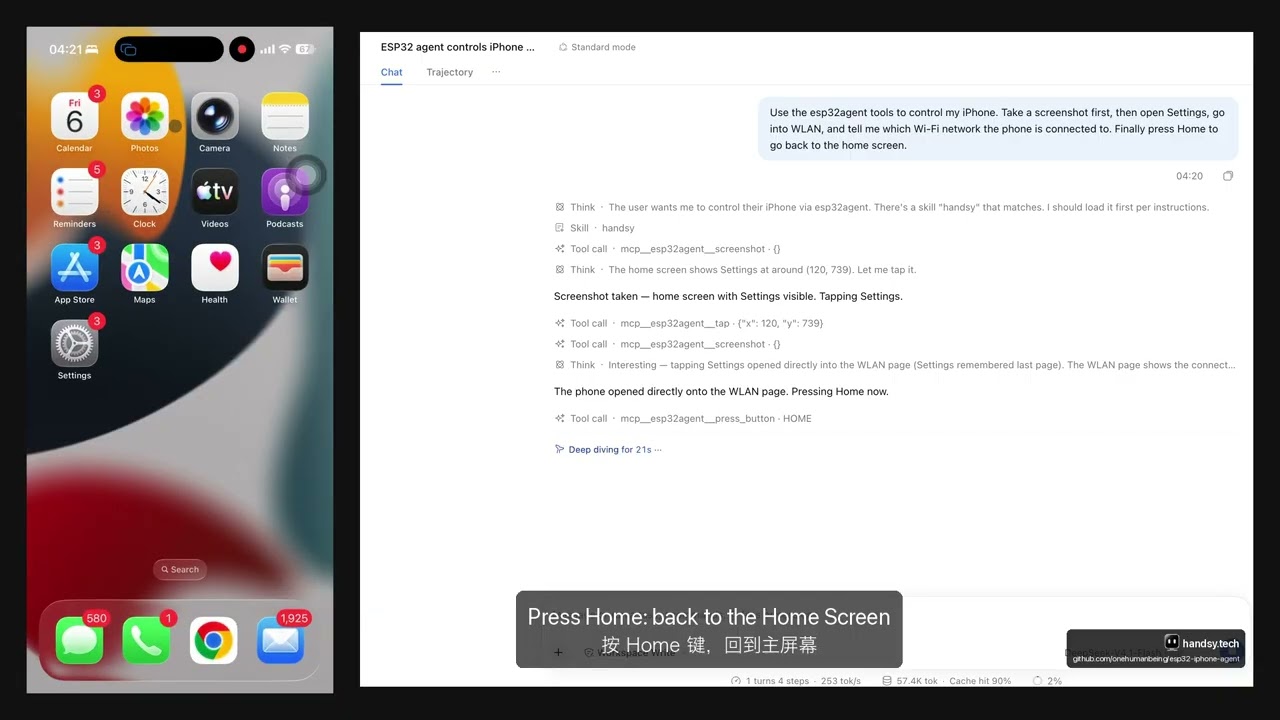
Use the esp32agent tools to control my iPhone. Take a screenshot first, then open Settings, go into WLAN, and tell me which Wi-Fi network the phone is connected to. Finally press Home.
完整设置、排错和所有命令见 handsy.tech/zh/docs/cli。
检查插件是否已加载(换成你自己的 profile 名):
dsh --profile web --dump-config | grep esp32agent
有多块板子时,启动 dsh 前把 ESP32AGENT_DEVICE 设为板子的 ID;插件会把它传给 MCP 服务器(dsh 会丢掉其余继承的环境变量)。
安全
dsh 对 MCP 工具没有逐步确认,而这些工具操作的是一部真实的手机。handsy 技能要求 Agent 在花钱、发消息、打电话、删除数据或修改安全设置之前先问你,并把密码和验证码交给你本人输入。在给 Agent 开放式任务之前,请先看一遍这个技能。
开发
skills/handsy/SKILL.md 是仓库根目录 skills/handsy/SKILL.md 的副本(npm 包无法引用自己目录以外的文件)。改了其中任何一个,都要运行 ./check-skill-sync.sh。
dsh plugin --profile test add link:$PWD