dsh-everforest
Verifieddsh-everforest · v0.2.1 · MIT · Web UI
Everforest color themes (Dark/Light × Hard/Medium/Soft) for DeepSeek Harness Web/Desktop.
Install
dsh plugin add dsh-everforest Confirm the layer applied with dsh --profile default --dump-config — see the install guide.
Source
Tags
Creators
Readme
🌲 Everforest for DeepSeek Harness
English | 中文
Everforest 是一套以绿色为基调、温暖柔和的护眼配色。
本项目为 DeepSeek Harness(DSH)带来深色 / 浅色主题,基于
sainnhe 原创的 Everforest 方案。


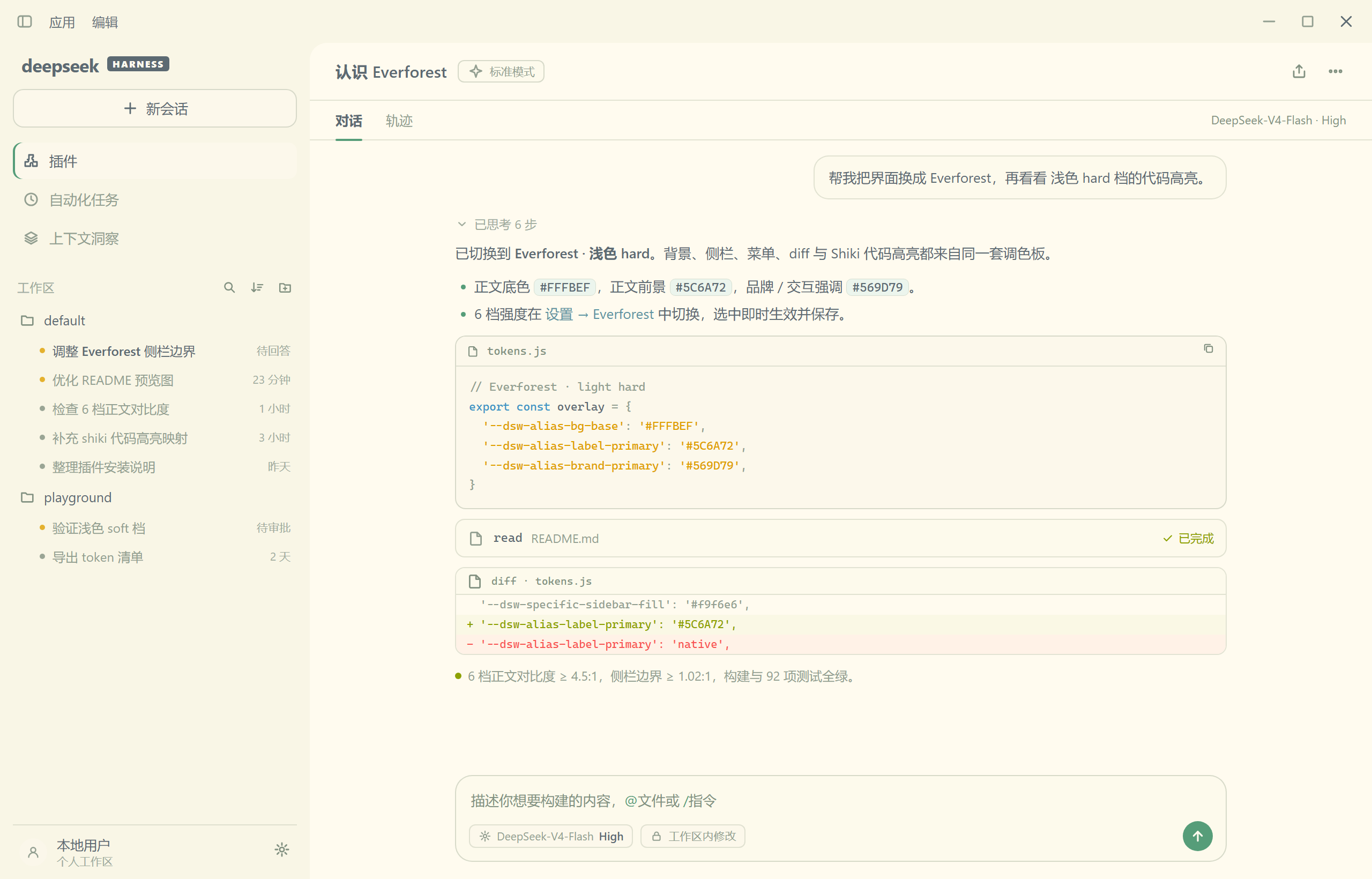
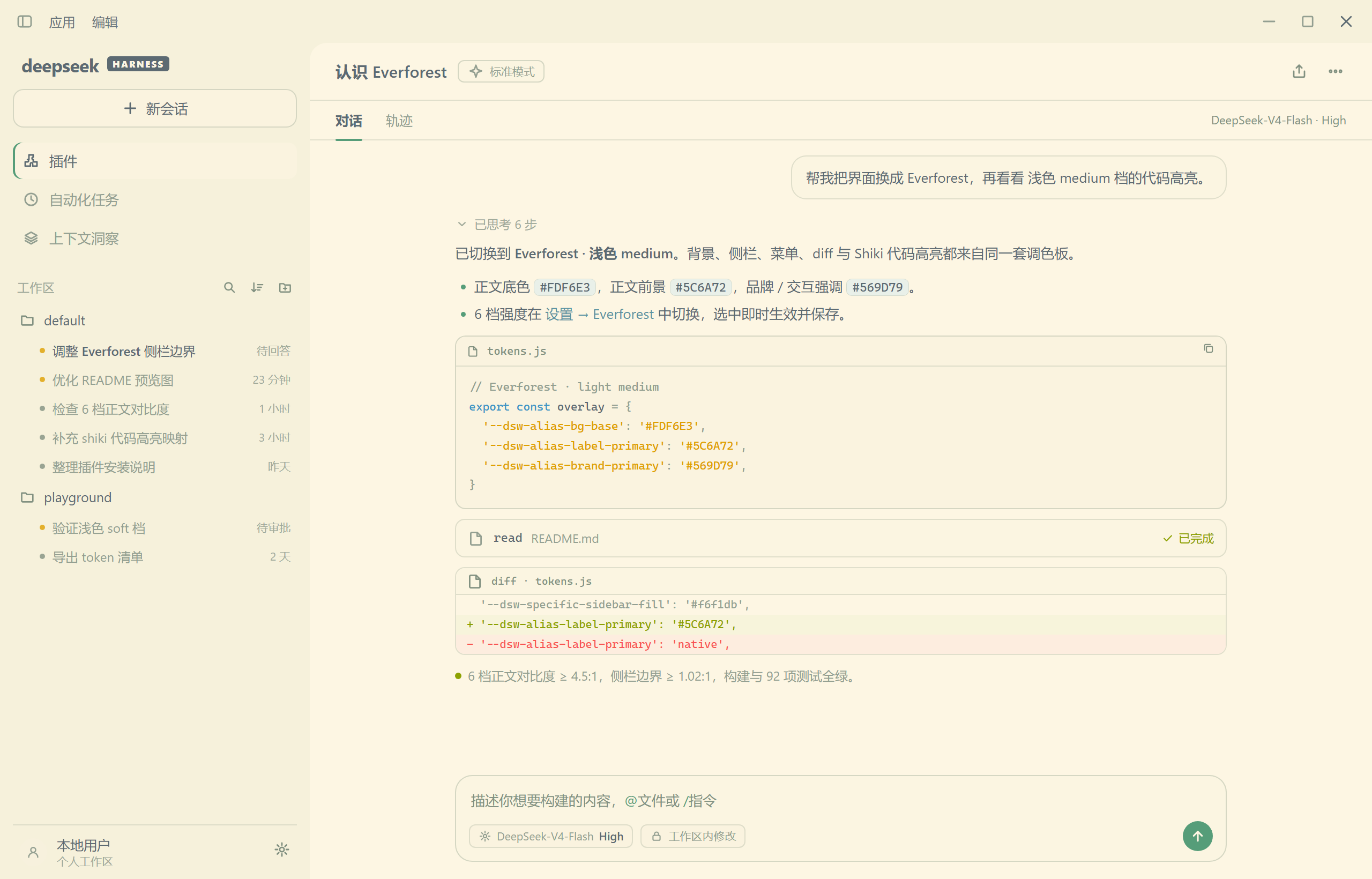
提供深色 / 浅色 × 硬 / 中 / 软共 6 档配色,默认对齐 Everforest Enchanted(深色 Soft / 浅色 Hard)。
预览
| 深色 Dark | 浅色 Light | |
|---|---|---|
| 硬 Hard | 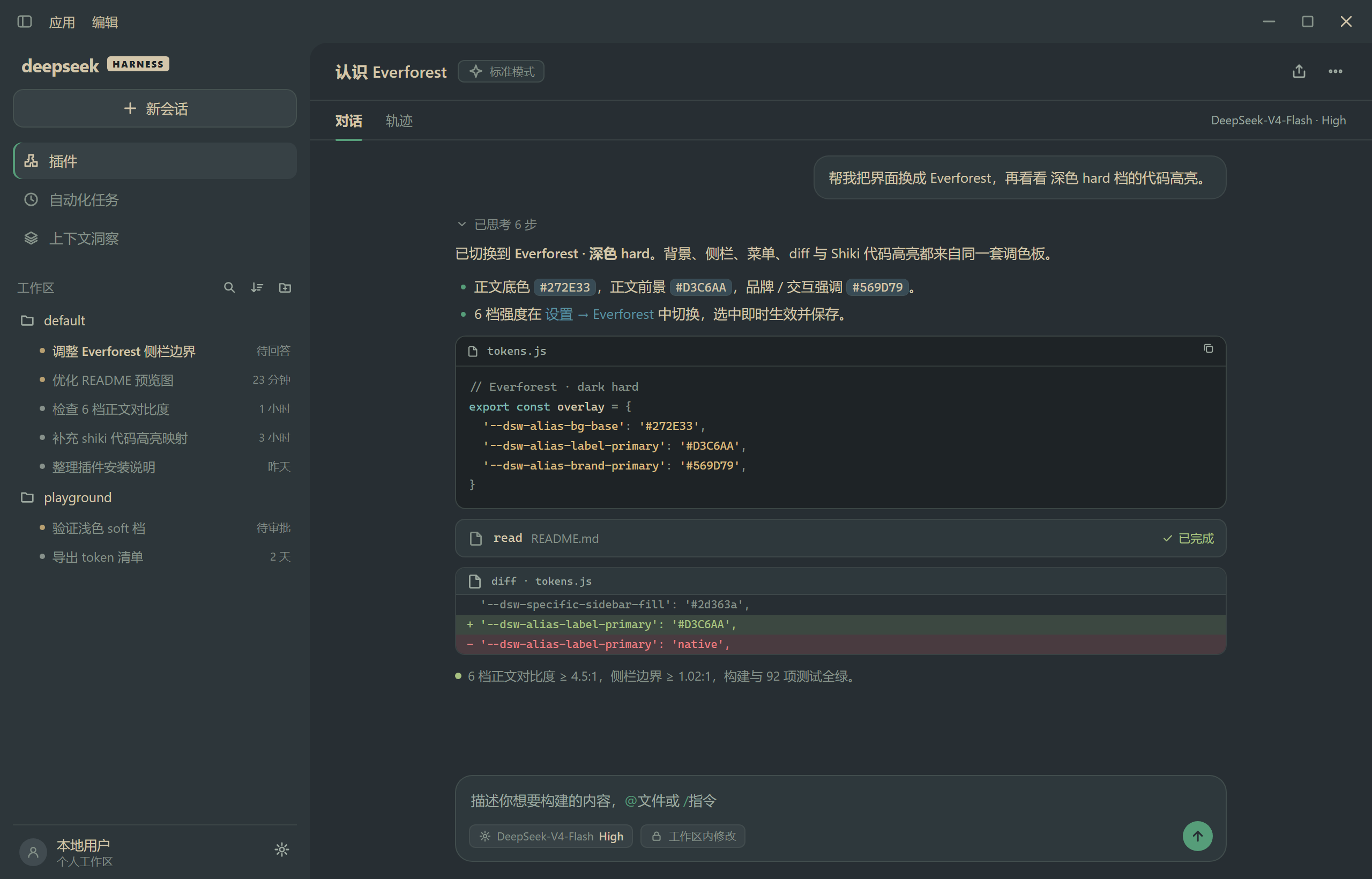 |
 |
| 中 Medium | 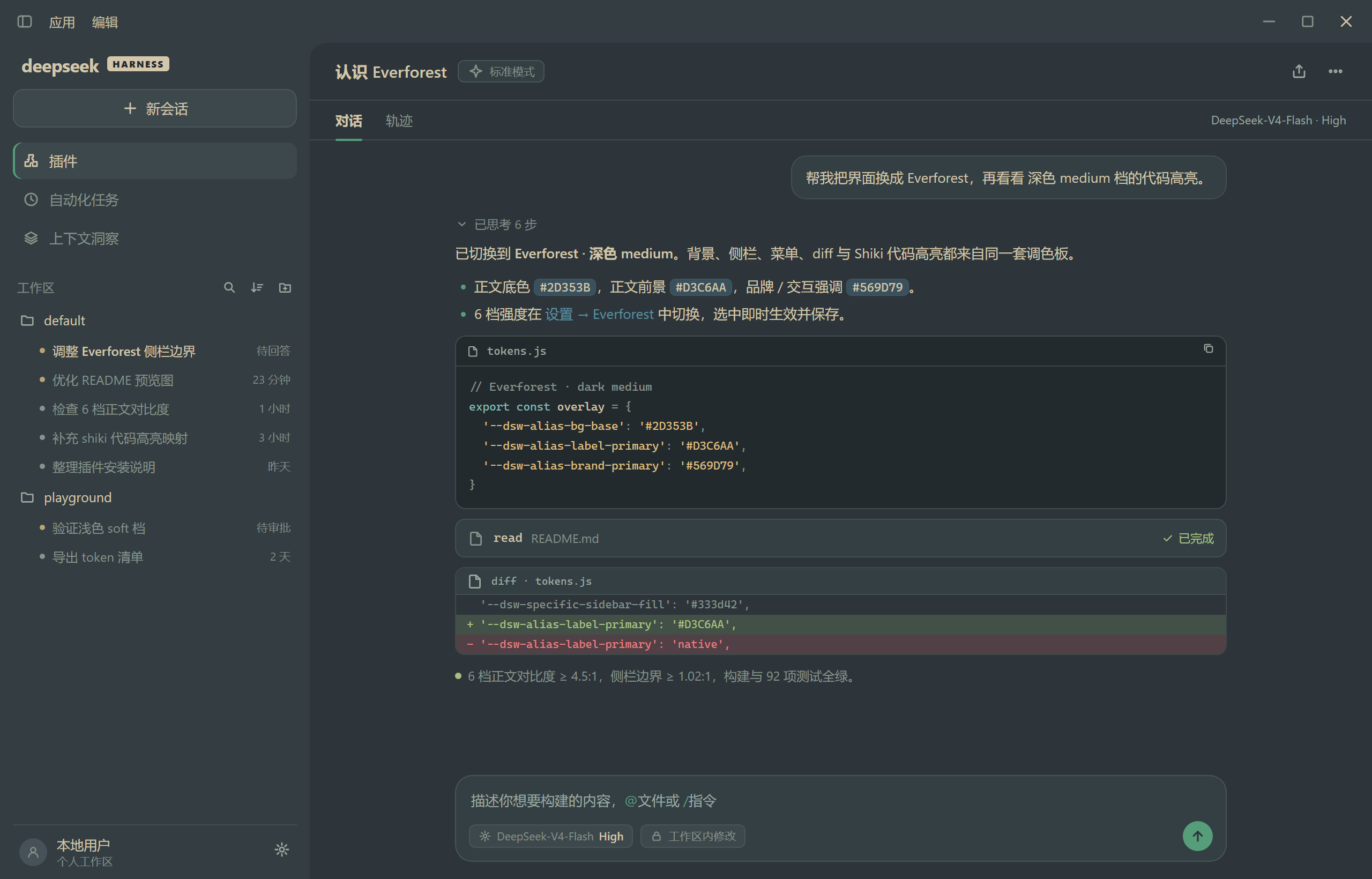 |
 |
| 软 Soft | 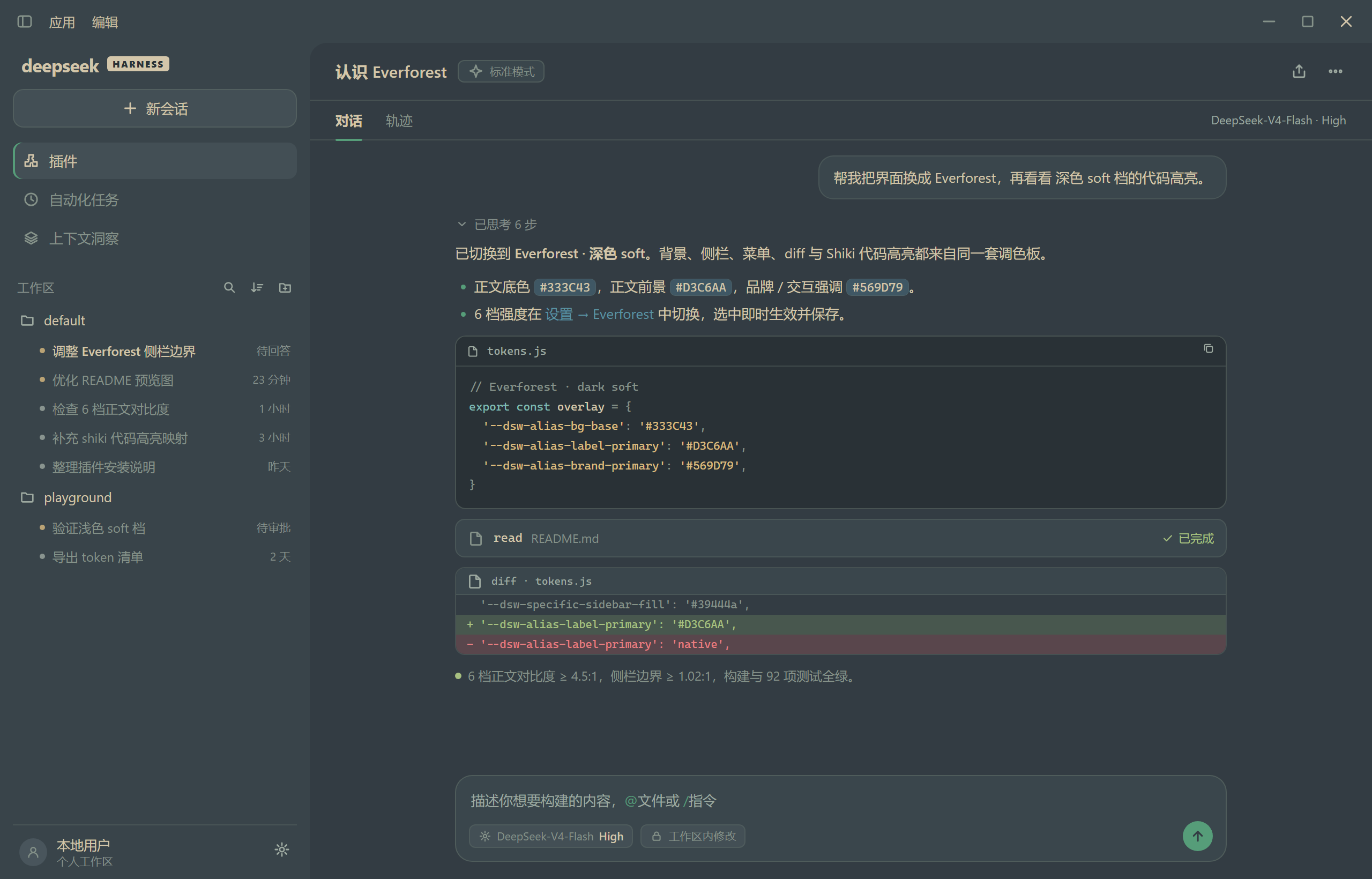 |
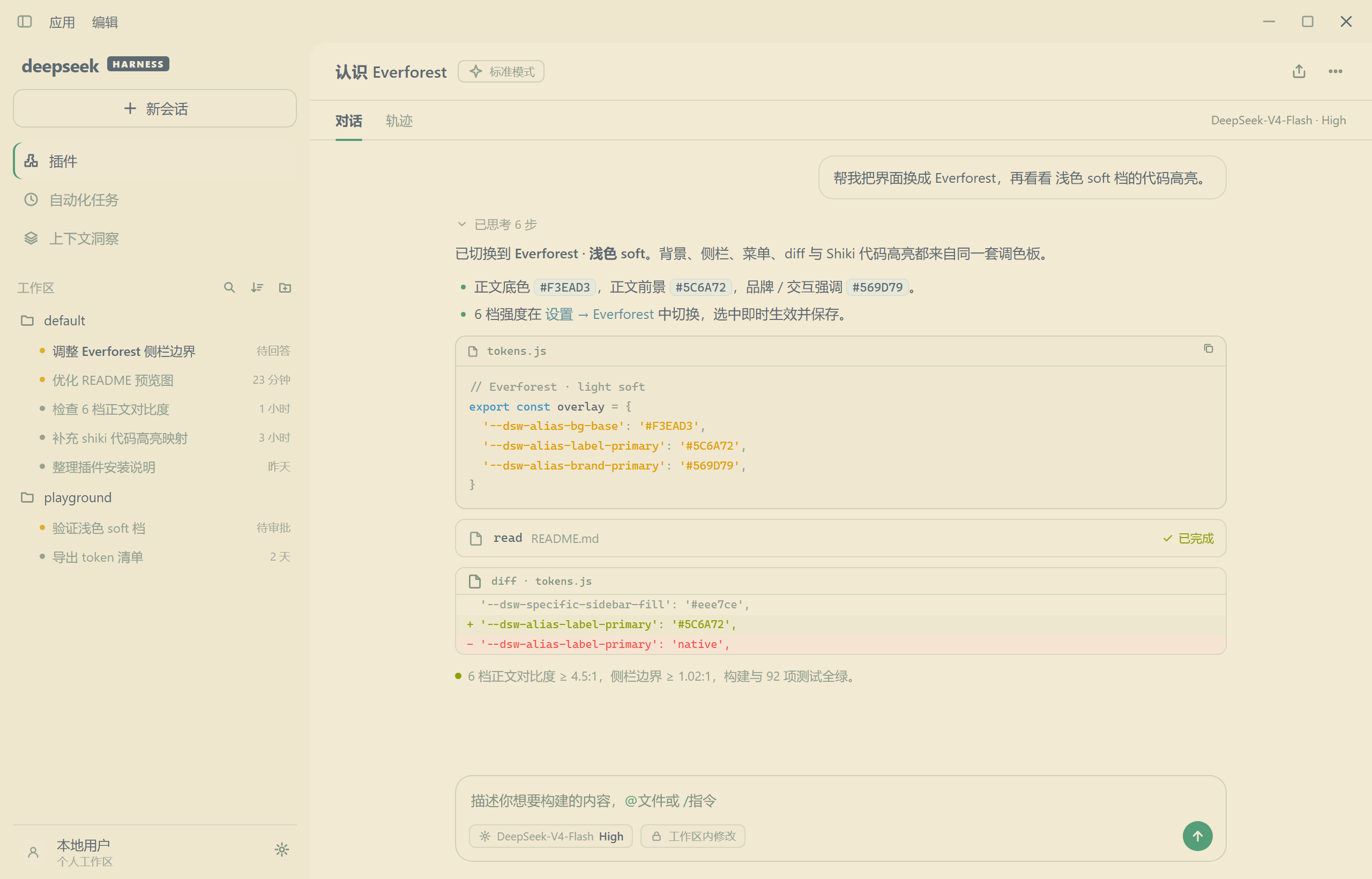 |
预览图按各档实际配色渲染的界面示意。默认:深色 Soft / 浅色 Hard。
安装
在 DSH 的插件管理页打开 Add plugin → Install a third-party plugin,输入 dsh-everforest 安装;本地开发时也可以直接选择本仓库目录。或由 Agent 调用 plugin_manager 的 install_bundle(目标 dsh-everforest)。
使用
- 打开 Settings → Everforest:顶部是「跟随系统 / 深色 / 浅色」外观控制,下面是 6 张色卡(深色 / 浅色各 3 档强度)。
- 选中即时生效并保存;默认深色 Soft / 浅色 Hard。
- 点另一深浅色组的色卡会同时切换 DSH 外观(写入全局外观偏好);「跟随系统」可恢复自动跟随。
- 同一地址打开多个标签页时,强度选择会实时同步。
- 「恢复默认」只重置深浅强度,不改写 DSH 的全局外观偏好。
- 中英文文案随 DSH 语言切换。
兼容性
- 目标 DSH 0.2.1-rc.2;
engines.dsh为>=0.2.1-rc.2 <0.3.0-0。 - 仅通过
--dsw-*/--shiki-*token 覆盖配色,不改组件样式;DSH 升级若 token 改名,缺失项退回原生配色(不会白屏)。 - 完整 token 清单见 docs/reference/token-inventory.md。
说明
- 配色数据取自 sainnhe 的 Everforest(6 套背景色阶)与 Everforest Enchanted(默认配对、header 色、UI 语义),见 docs/reference/palette.md。
- 浅色档的正文表面向
bg0提亮 25% 并做对比度守卫(正文 ≥ 4.5:1);侧栏与内容卡保留可辨边界。 - 未覆盖:终端 ANSI 16 色、brand / 文件图标 artwork、逐级标题彩色。首帧已覆盖:Host 半部在 Client 加载前注入当前配色,Web 的 loading 页 / 首帧(含 loading 动效的 spinner 环与进度弧)即为 Everforest,Electron 冷启动最多 1 帧原生色。详见 docs/design.md 与 docs/reference/contrast.md。
License
MIT(本插件)。配色数据来自 Everforest(Copyright (c) 2019 sainnhe)与 Everforest Enchanted(Copyright (c) 2023 FireIsGood),二者均为 MIT,署名见 THIRD_PARTY_NOTICES.md。