dsh-feishu-notifier
Verifieddsh-feishu-notifier · v0.2.2 · MIT · Web UI
Send DeepSeek Harness interaction and turn notifications to a Feishu bot
Install
dsh plugin add dsh-feishu-notifier Confirm the layer applied with dsh --profile default --dump-config — see the install guide.
Source
Tags
Readme
dsh-feishu-notifier
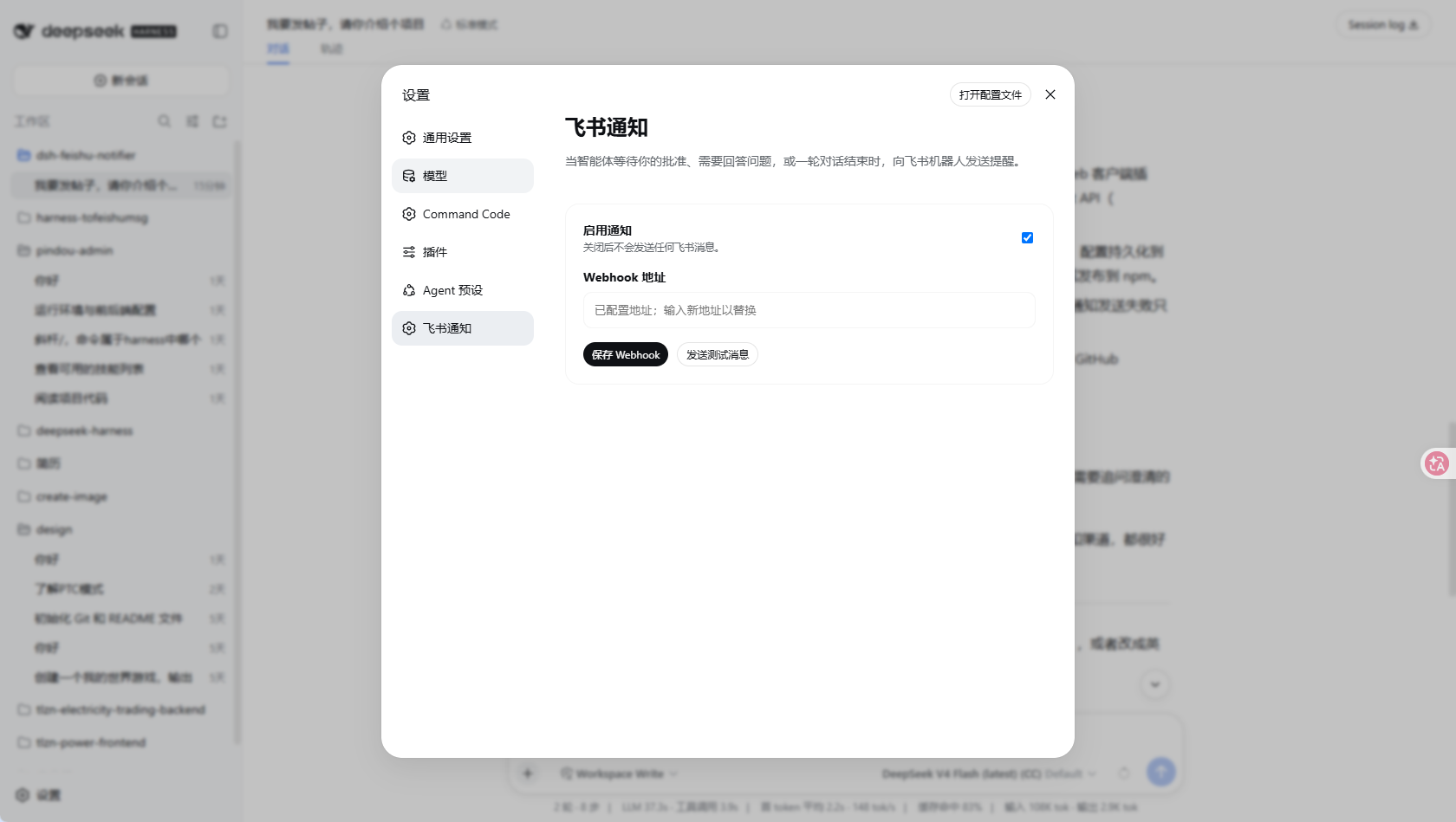
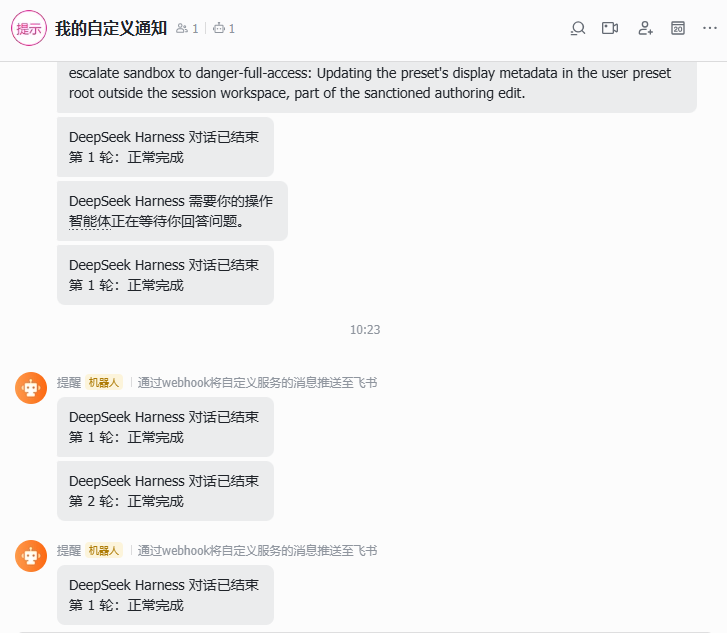
一个 DeepSeek Harness Bundle:当智能体请求用户批准、等待用户回答问题或确认计划,以及一轮对话结束时,向飞书机器人发送文本通知。
使用要求
- DeepSeek Harness
0.1.7-alpha.1或兼容版本。 - Node.js
22.19+。 - 在 Web 设置中配置飞书自定义机器人 Webhook。
本地开发
pnpm install
pnpm run typecheck
pnpm run smoke
pnpm run build
pnpm pack:check
pnpm run smoke 会用桩上下文加载 lib/index.js 与 lib/client.js,校验通知分发、设置契约(volatile 字段与 secret 脱敏)以及 settings.section 注册,可在升级 DSH 后快速回归。
构建会生成:
lib/index.js:Node/Cordis Loader 入口;lib/client.js:Web 浏览器插件入口。
从 npm 安装
将插件发布到 npm 后,用户可以直接使用以下命令安装到 web Profile:
dsh plugin --profile web add dsh-feishu-notifier
dsh --profile web
如果使用源码方式运行 DeepSeek Harness,则将 dsh 替换为 pnpm dsh:
pnpm dsh plugin --profile web add dsh-feishu-notifier
pnpm dsh --profile web
启动后打开:
设置 → 飞书通知
填写飞书机器人 Webhook,点击“保存 Webhook”,然后点击“发送测试消息”验证连接。
配置通过 DSH 的 settings 服务写入当前 Profile 的补丁文件,通常是 ~/.dsh/profiles/<profile>/cordis.patch.yml。真实 Webhook 不会包含在 npm 包中,每位用户都需要配置自己的地址。
从 GitHub 安装
建议使用 release tag 或 commit SHA,确保安装内容可复现:
pnpm dsh plugin --profile demo add github:blooming-fang/dsh-feishu-notifier
从 GitHub 安装时会执行 prepare 构建插件。只应安装可信仓库中的代码;pnpm 可能要求在 Profile 的 workspace 配置中加入 allowBuilds 授权。
通知事件
插件会发送以下通知:
- 用户审批请求(
approval/request瀑布事件); ask_user_question用户问题请求;exit_plan_mode计划确认请求;turn/end对话轮次结束事件,并将完成、错误、取消、分叉和中断原因转换为可读文本。子代理(session.header.origin === 'subagent')的轮次结束不会触发通知。
Webhook 属于敏感设置(Config 中声明为 role('secret')),保存后不会返回给浏览器。不要把真实 Webhook 地址提交到 GitHub 或发布到 npm。
从 0.1.x 升级
DSH 0.1.7-alpha.1 用 settings 服务的配置表单取代了旧的 ctx.settings.register scope API。本插件 0.2.2 已完成适配:
- 配置项改为
volatile字段,设置服务就地更新,插件无需重新挂载即可读到最新值; - 浏览器端改用
ctx.configForms读写命名空间feishu-notifier,Webhook 仍为只写字段; - 测试消息仍由插件自己的 Host 路由
POST /api/feishu-notifier/test发送; @deepseek-ai/schemastery改为直接依赖:.volatile()需要>=3.18.3,而 Profile 使用nodeLinker: hoisted+autoInstallPeers: false,peer 依赖不会被安装。
升级后如果旧的 ~/.dsh/settings.yaml 已迁移为 settings.yaml.imported,请打开“设置 → 飞书通知”重新填写一次 Webhook。