dsh-plugin-folder-sessions
Verifieddsh-plugin-folder-sessions · v0.1.0 · MIT · Web UI
DSH plugin: the New Session button creates a fresh session workspace folder under a configurable root, and renaming an auto-created workspace renames its folder too.
Install
dsh plugin add dsh-plugin-folder-sessions Confirm the layer applied with dsh --profile default --dump-config — see the install guide.
Source
Tags
Creators
Readme
dsh-plugin-folder-sessions

A DSH Desktop plugin that makes New Session mean "a brand-new folder for this session" instead of "reuse an existing workspace" — while keeping the workspace + button exactly as DSH ships it.
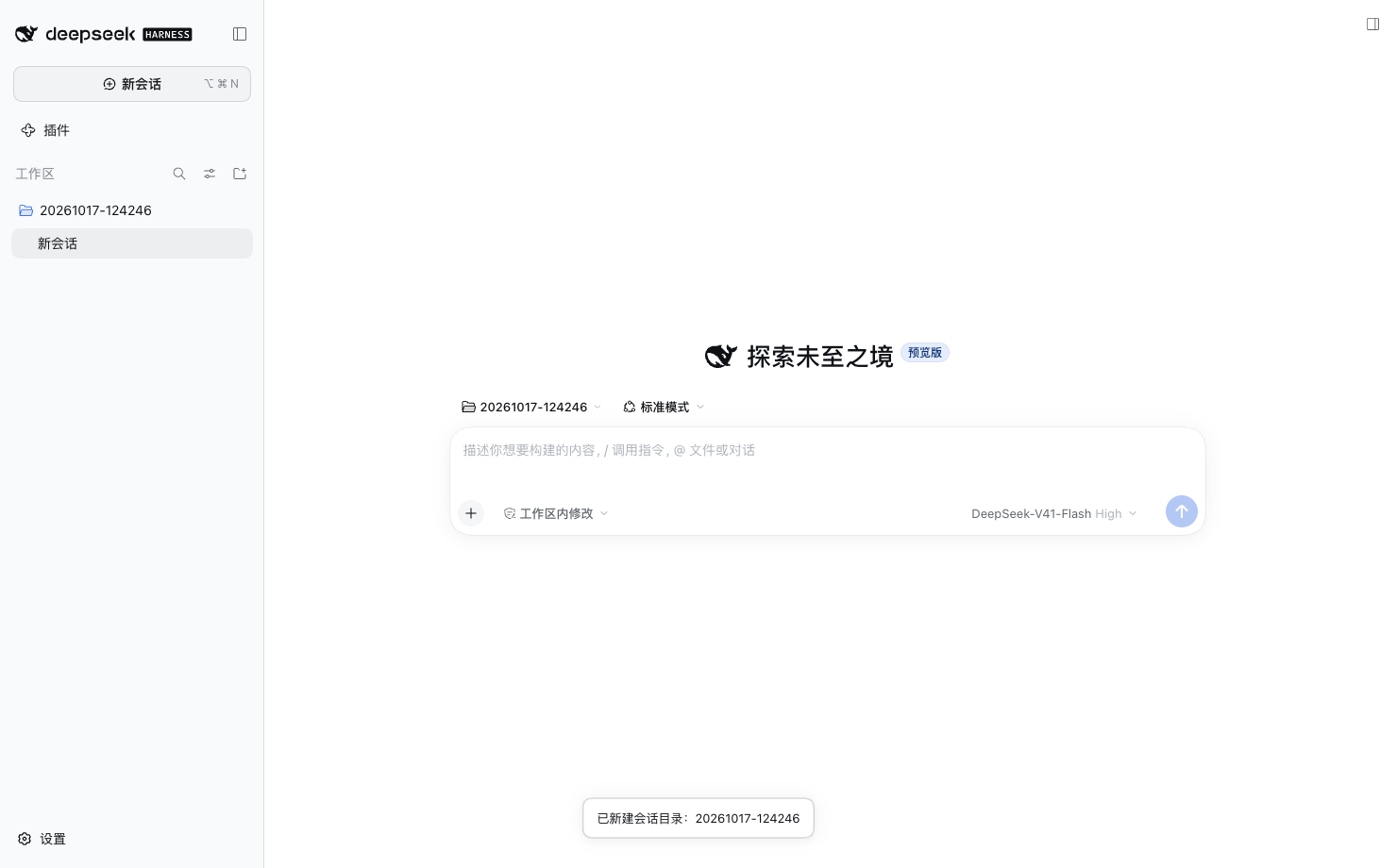
- New Session (sidebar button, top-left header button,
Cmd+N) creates<root>/YYYYMMDD-HHmmssunder a configurable root, registers it as a workspace, and opens a session whose cwd is that folder. - Workspace “+” bubble keeps stock behavior: create (or reuse a blank) session inside that workspace. Scheduling / agent-preset internals that also call the same service are untouched.
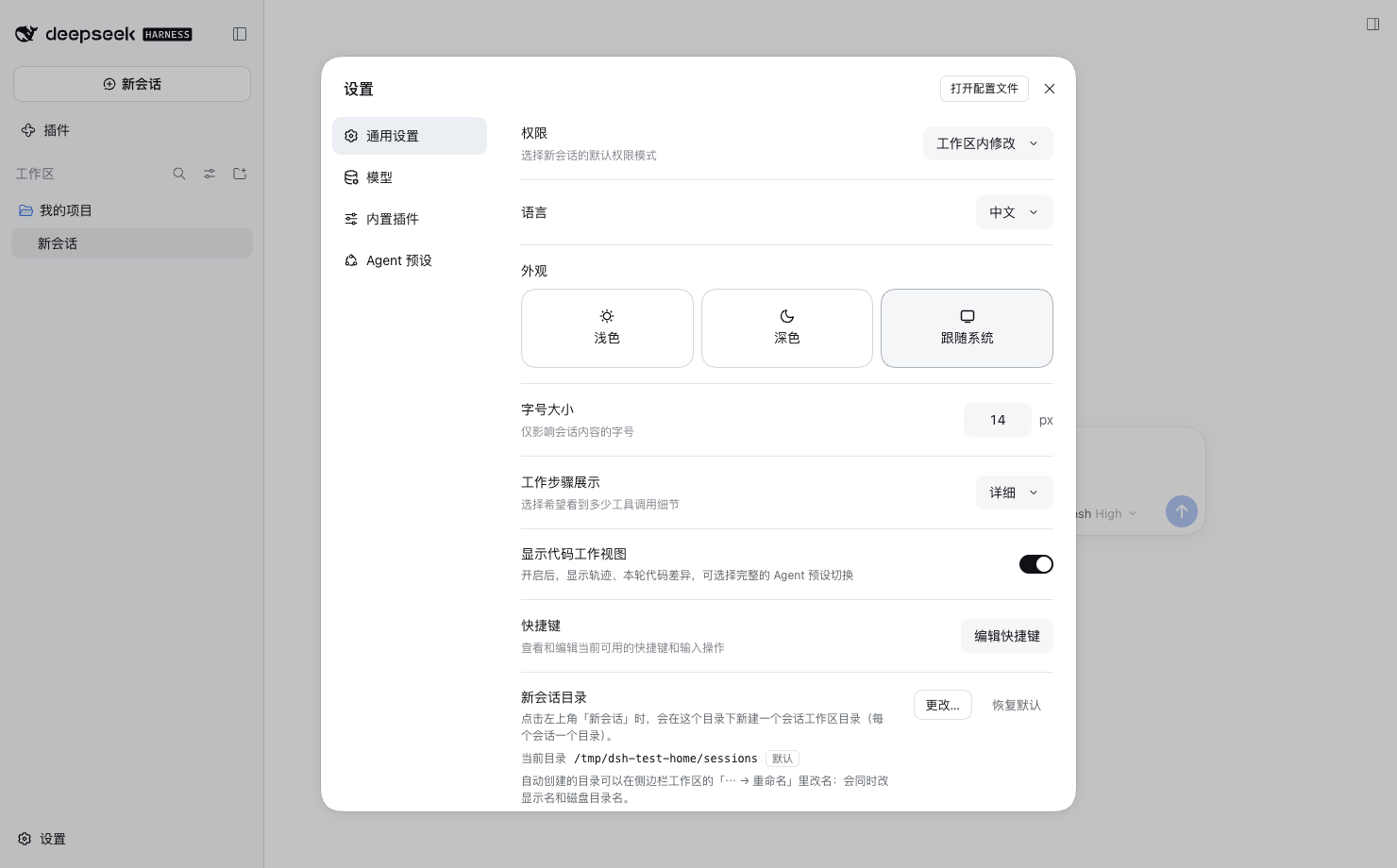
- Settings → General → New session folder: view/change the root with the native
directory picker, or restore the default (
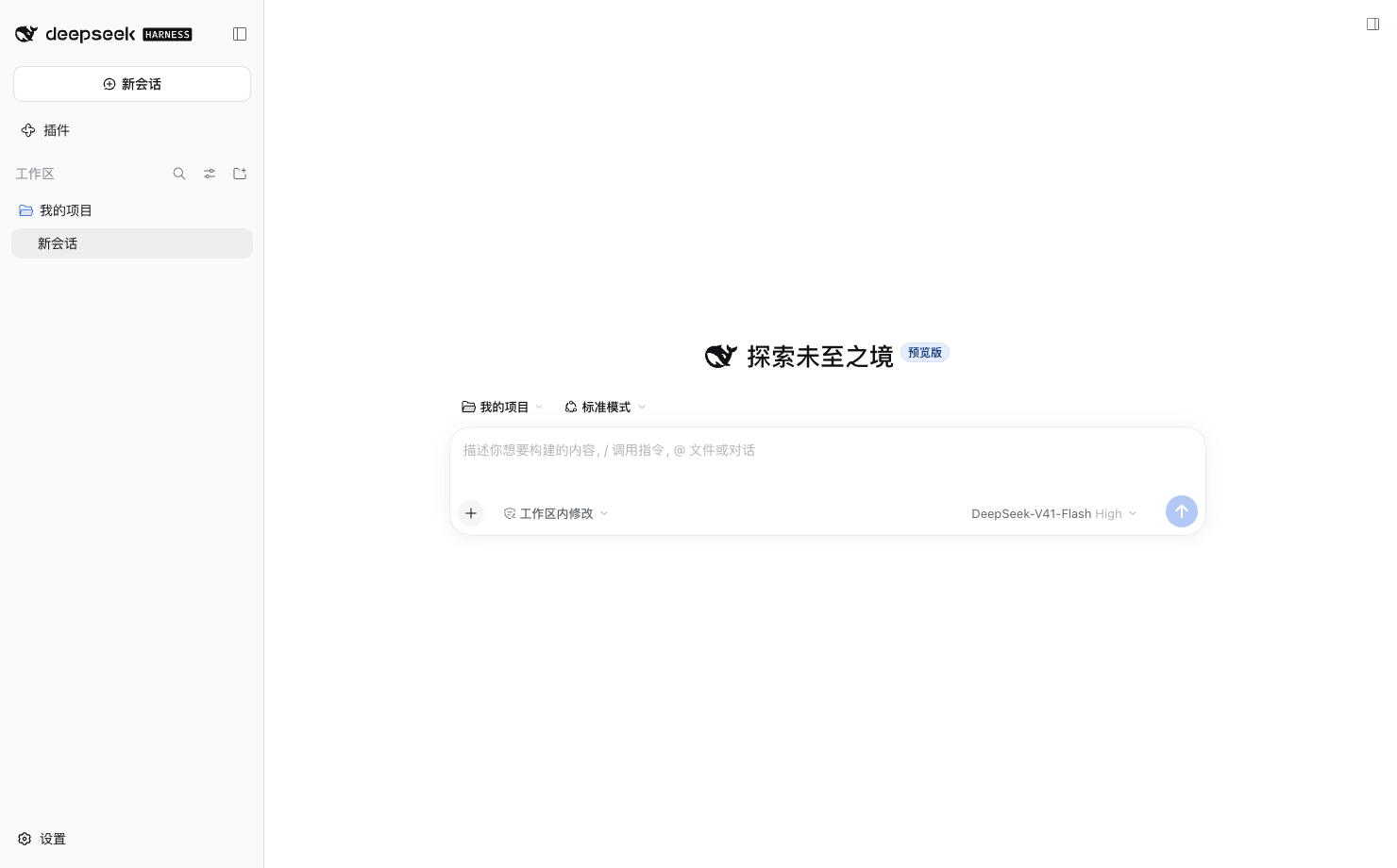
~/dsh-sessions). - Renaming an auto-created workspace (
⋯ → Rename) renames the on-disk folder and the display name. Non-managed workspaces still get the stock title-only rename.
| Rename workspace = rename folder | Settings row |
|---|---|
 |
 |
Compatibility
- Target runtime: DSH Desktop 0.2.0-rc.2 (
hostProtocolVersion4). Declared peer range:@deepseek-ai/dsh >=0.2.0-rc.2 <0.3.0. - Hosted-web / desktop web surface. The plugin ships both halves:
- Host half (
index.js,host/): zero bare imports, four same-origin HTTP routes. - Client half (
client.js): hand-writtenwindow.__ModuleLoader__bundle that only requires thereactplatform seed — no bundled framework, no second runtime.
- Host half (
- Verified end-to-end against the real 0.2.0-rc.2 runtime in an isolated
DSH_HOME(Playwright + headless Edge): see docs/evidence.
Install
Through DSH (recommended)
DSH Desktop → Plugins page → install by one of:
| Channel | What to enter |
|---|---|
| npm (after publishing) | dsh-plugin-folder-sessions or [email protected] |
| GitHub | github:kgw1/dsh-plugin-folder-sessions#v0.1.0 (tag must contain prebuilt client.js) |
| Local tarball | absolute path to dsh-plugin-folder-sessions-0.1.0.tgz |
The plugin manager runs pnpm in the profile, selects the bundle, and applies its patch. Fully quit and reopen DSH afterwards (the desktop profile reads its patch layer at process start). Uninstall from the same page; removing the bundle leaves your config and session folders untouched.
Development / local-path install (repo checkout only)
git clone https://github.com/kgw1/dsh-plugin-folder-sessions.git && cd dsh-plugin-folder-sessions
node scripts/build-client.mjs   # rebuild client.js after editing src/client
node scripts/deploy.mjs         # backup + append an absolute-path entry to ~/.dsh/profiles/desktop/cordis.patch.yml
# fully quit and reopen DSH, then:
node scripts/verify.mjs         # HTTP smoke test against http://127.0.0.1:19387
node scripts/deploy.mjs is a developer convenience only; published installs should
go through the DSH plugin page.
Migrating from the dev install: if the profile patch already contains the absolute-path entry written by
scripts/deploy.mjs(entry idfolder-sessions), remove that- insert:block before selecting the bundle in the Plugins page — otherwise both the path row and the bundle row compose two entries with the same id. The dev entry is recognizable by itsname: '/absolute/path/index.js'.
Configuration
Settings → General → New session folder → Change…, or edit
$DSH_HOME/folder-sessions.json (default ~/.dsh/folder-sessions.json):
{
  "version": 1,
  "baseDir": "/Users/you/dsh-sessions",
  "knownRoots": ["/Users/you/dsh-sessions"]
}
baseDir— where new per-session folders are created. Missing directories are created recursively;~/is expanded.knownRoots— every root this plugin has managed. Kept so workspaces created under an older root remain renamable after you switch roots.- The profile
config.baseDiron the installed bundle row is used as the initial value when the JSON file is absent.
Behavior notes
New Session flow
POST /folder-sessions/api/directories→ host creates a unique folder under the root (YYYYMMDD-HHmmss,-2/-3on collision).- Client calls the public workspaces service:
create({ path }), thenopenWorkspace(id)→ DSH creates the session with that cwd and navigates to it.
Failures are surfaced with a toast. If the host routes are missing (plugin half not loaded), the click silently falls back to stock DSH behavior.
Rename flow (why it touches the registry)
DSH 0.2.0-rc.2 has no public "update workspace path" API, and a session's cwd is written into its header at creation. The plugin therefore:
- renames the real directory;
- leaves a compatibility symlink at the old path so already-created sessions keep resolving their cwd (renaming again updates the chain);
- updates
workspaceRegistry's session-path index and record (path+title). Clients receive the normal workspaceupsertframe, so the sidebar title updates.
All registry internals are probed before use; on a runtime where they changed, the plugin degrades to title-only rename instead of touching the disk. Do not delete the compatibility symlink while old sessions may still be reopened.
HTTP API (host half)
All routes are exact matches under /folder-sessions/api and are served before the
browser-auth fallback (same-origin fetch from the GUI needs no token):
| Method | Path | Body | Purpose |
|---|---|---|---|
| GET | /config |
— | current root / default / config path |
| POST | /config |
{ baseDir } |
validate + create + persist root |
| POST | /directories |
{ name? } |
create a unique session folder |
| POST | /rename |
{ workspaceId, title } |
rename managed folder + title |
| GET | /health |
— | plugin/version/routes/registry diagnostics |
Development
npm run build      # regenerate client.js from src/client/index.js (id read from package.json)
npm test           # 64 node:test cases (host config/dirs/HTTP + client logic + bundle contract)
npm run check      # build + syntax checks
npm run pack:local # npm pack into dist/
Layout:
index.js                  host plugin entry (name / inject / apply; zero bare imports)
host/config.js            config file (atomic writes, defaults, ~ expansion)
host/dirs.js              session-dir creation; directory rename + registry sync/fallback
host/http.js              named routes, JSON handling, fail-soft mounting
src/client/index.js       browser half source (ESM, unit-testable)
client.js                 generated __ModuleLoader__ bundle (committed)
scripts/build-client.mjs  bundle builder
scripts/deploy.mjs        dev-only absolute-path profile install
scripts/verify.mjs        post-restart HTTP health probe
tests/                    node --test suite
docs/evidence/            real-runtime E2E screenshots
Publishing
Requires an npm account and package ownership of the name:
npm run check && npm test
npm publish --access public
# GitHub channel: git tag v0.1.0 && git push --tags (tag must contain built client.js)
The package declares dsh.bundle.patch, so the DSH plugin manager treats it as an
installable bundle and picks it into dsh.profile.bundles automatically.
中文说明
DSH Desktop 插件:把左上角「新会话」从“复用已有工作区”改成“在指定根目录下新建一个会话 目录并在其中开新会话”;工作区行右侧的「+」气泡保持原生行为。
- 安装:DSH 侧边栏 插件 页面 → 输入 npm 包名 / GitHub 地址 / 本地 tgz 绝对路径; 安装后完全退出并重开 DSH。
- 配置:设置 → 通用 → 「新会话目录」,默认
~/dsh-sessions。 - 改名:自动创建的工作区用
⋯ → 重命名会同时改显示名与磁盘文件夹名;旧路径保留 兼容软链接,已创建的会话仍可用。 - 卸载:插件页移除即可,配置与会话目录保留。
License
MIT. See LICENSE.