dsh-plugin-look-up
Verifieddsh-plugin-look-up · v0.3.0 · MIT · Web UI
Full macOS Dictionary entries inside DSH chat, with UK/US pronunciation: select a word and read the complete entry, offline.
Install
dsh plugin add dsh-plugin-look-up Confirm the layer applied with dsh --profile default --dump-config — see the install guide.
Source
Tags
Readme
dsh-plugin-look-up
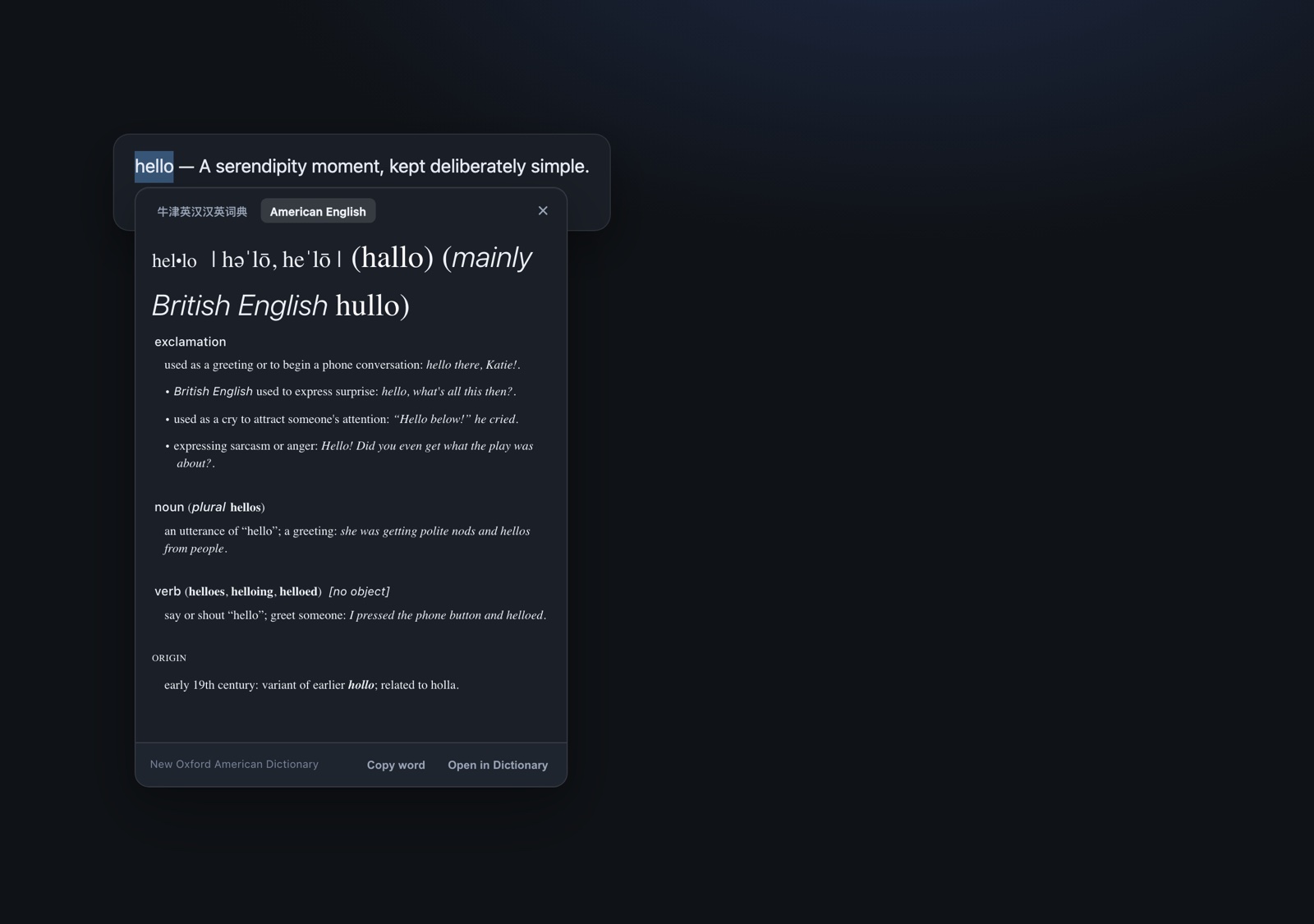
macOS Look Up inside DeepSeek Harness chat: select a word in any message, read the complete Dictionary.app entry in a card anchored to the selection — senses, examples, grammar labels, etymology, the dictionary's own typography — and hear it in UK or US pronunciation.
Everything comes from the dictionaries you already have installed in Dictionary.app. No network, no API key, no accessibility permission.
What you get
- Full entries, not a summary. The card renders the same HTML entry and the same
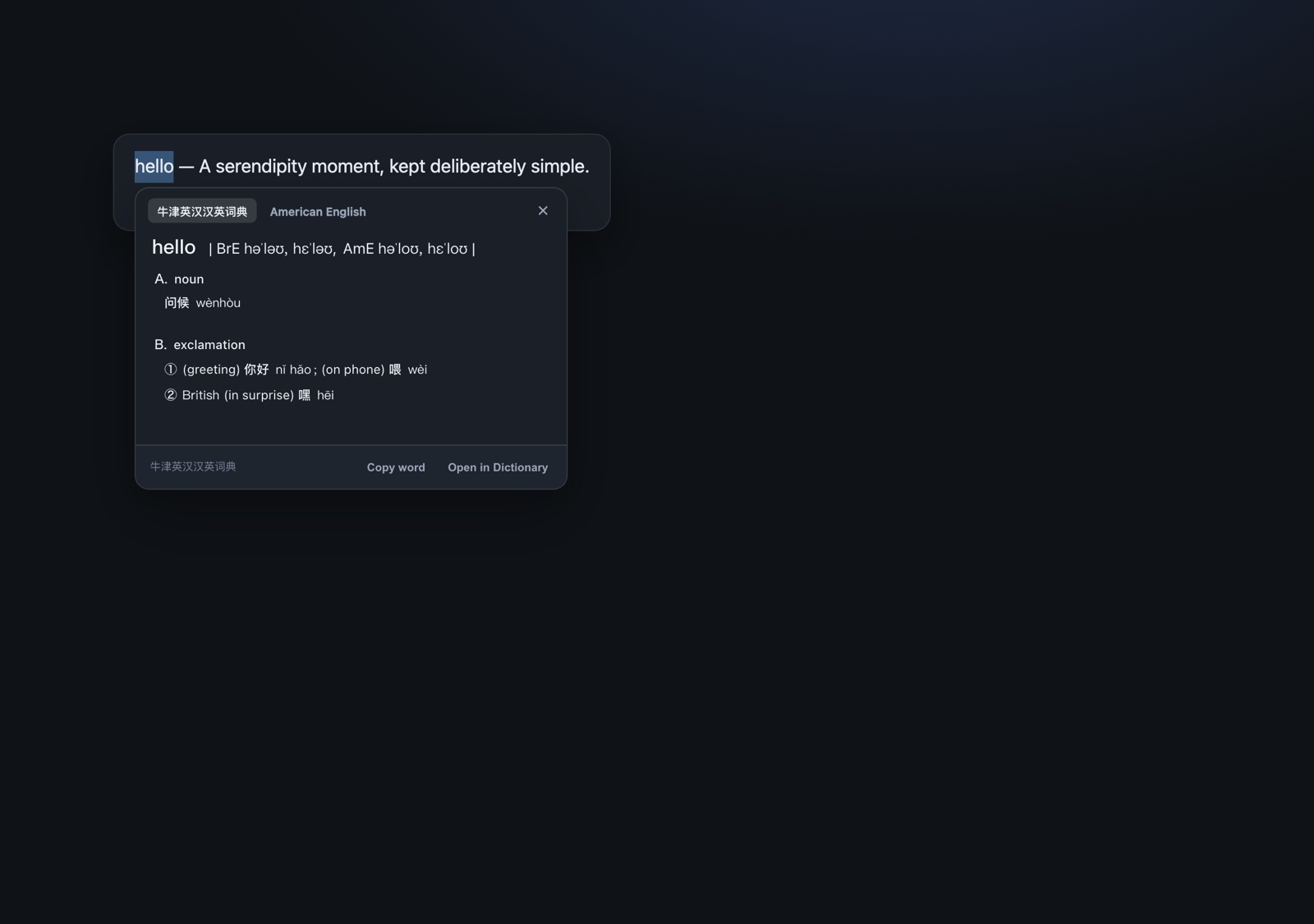
DefaultStyle.cssmacOS Dictionary uses, so examples and secondary senses are not flattened away. - Multiple dictionaries. A word that appears in several local dictionaries gets tabs (for example the bilingual 牛津英汉汉英词典 and New Oxford American Dictionary). The system's default pick comes first when its headword matches the query; for an English word that collides with a Chinese pinyin entry, the English entry is moved up.
- UK / US pronunciation. Two buttons speak the word with the system's English (UK) and English (US) voices. Playback is local and stops when the card closes.
- Offline and local. Definitions are read from local dictionary bundles. The only process boundary is a local helper executable.
- Theme aware. The entry is rendered in a sandboxed iframe with
color-schemefollowing the DSH light/dark theme; the card itself uses the DSH theme tokens.
UK / US pronunciation
The 英音 / 美音 buttons use the browser's SpeechSynthesis API with the macOS system voices (Daniel for en-GB, Samantha for en-US). No audio files are shipped and nothing is fetched. The active button pulses while speaking; closing the card cancels playback. If the system has no matching English voice, the browser falls back to its default English voice.
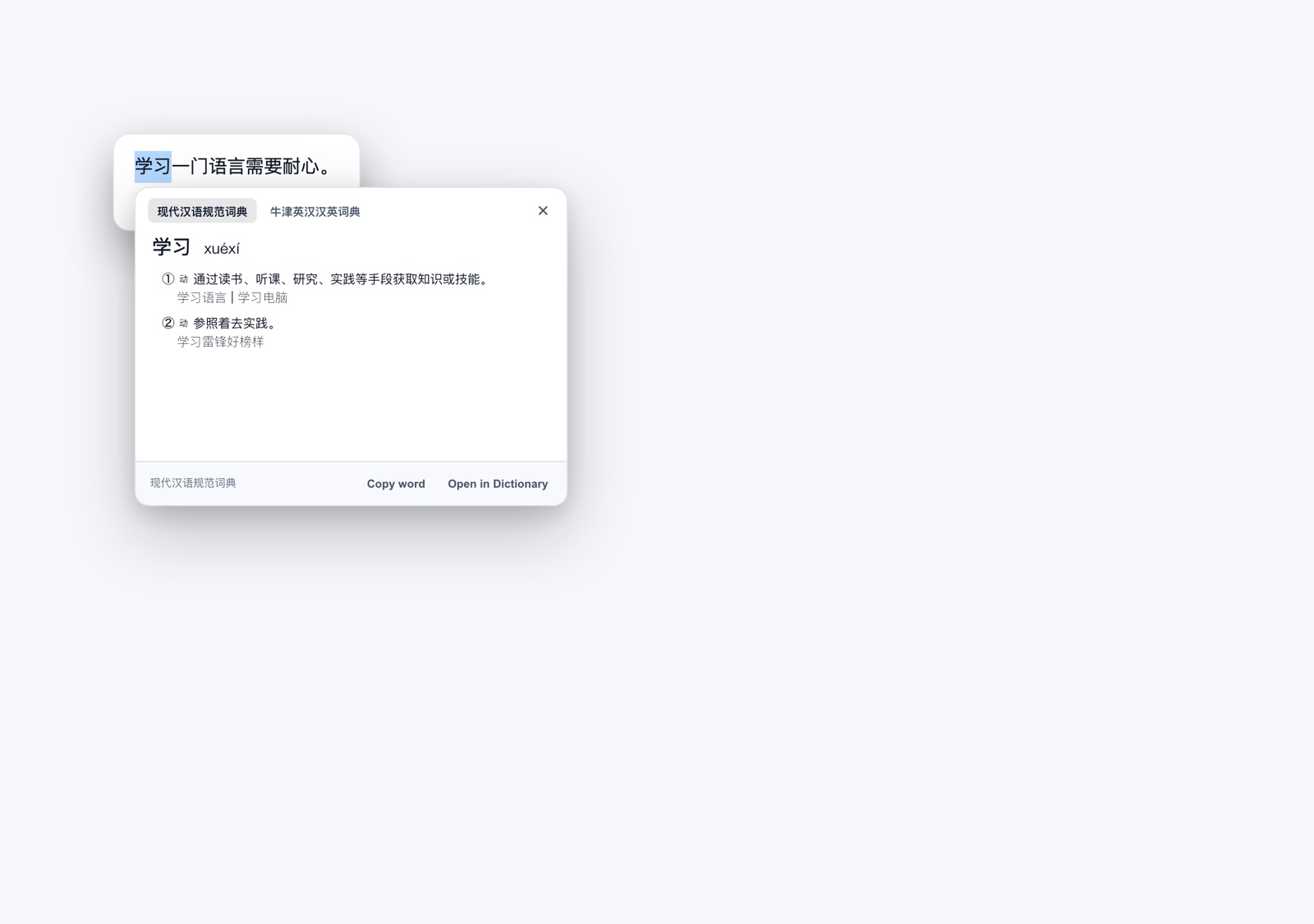
| Bilingual entry | Chinese entry (light) |
|---|---|
 |
 |
Requirements
- macOS 11 or newer.
- DSH Desktop, or the DSH Web GUI served on the same Mac.
- At least one dictionary installed in Dictionary.app (Oxford, 现代汉语词典, 新华字典, 牛津英汉汉英词典 … all work).
Install
dsh plugin --profile <profile> add [email protected]
Or install the bundle in DSH: Settings → Plugins → add [email protected], enable the Look Up row, and restart DSH once so the new Host and Client modules load.
The package ships a signed universal helper (bin/dsh-lookup-dict, arm64 + x86_64). Nothing is compiled on install.
Use
- Select a word or short phrase in a chat message.
- Click the 查词 / Look Up chip next to the selection.
- Switch dictionaries with the tabs above the entry.
- Use 英音 / 美音 to hear the word in the system's UK or US voice.
Escape, an outside click, or scrolling closes the card.复制单词copies the word;在词典中打开opens the full entry in Dictionary.app.
How it works
| File | Responsibility |
|---|---|
client.js |
Selection pill, dictionary tabs, sandboxed iframe, theme detection, dismissal. |
index.js |
Loopback-only Host routes, cache, and a fan-out to one helper per dictionary. |
bin/dsh-lookup-dict |
One DictionaryServices DCSCopyDefinitionMarkup call, plus the dictionary's DefaultStyle.css. |
The markup API is a private DictionaryServices entry point. It is not stable when several dictionaries are queried in one process (some streamed or auxiliary bundles fault inside the framework), so the helper performs exactly one markup call per process and the Host runs a few helpers in parallel. It also takes a trailing CFURLRef * out-parameter that returns the dictionary's stylesheet; leaving that uninitialized makes the framework write through garbage.
Only dictionaries that expose a local bundle URL are queried. The default entry is always included; for Latin words the Host additionally asks the bilingual Oxford and the two Oxford English dictionaries, and for Chinese words the modern-Chinese and bilingual dictionaries.
Why not the native Look Up panel?
The system panel belongs to the Electron shell: DSH runs its Host in an Electron utilityProcess without webContents, and the renderer preload exposes a fixed action whitelist, so a plugin cannot call webContents.showDefinitionForSelection(). A native helper can display the panel, but it steals keyboard focus and dismisses itself when the user clicks back into DSH — a poor fit for a chat overlay. The card reproduces the native content and stylesheet inside the conversation instead.
Privacy
The selected word is passed to a local helper executable. The helper reads local dictionary bundles and prints JSON. There is no telemetry and no network call; the routes reject non-loopback hosts.
Limits
- macOS only.
- Only dictionaries installed and enabled in Dictionary.app are used; streamed/partially downloaded dictionaries are skipped.
- Audio pronunciation buttons and cross-reference links in the entry HTML are inert; images that point into the dictionary bundle are not proxied.
- A word with no entry in any local dictionary shows “no entry”.
- Pronunciation needs a system English (UK/US) voice; without one the browser falls back to its default English voice.
Development
npm run build:helper   # rebuild + re-sign bin/dsh-lookup-dict
npm test               # Host route tests (real dictionary lookups)
npm run check          # syntax-check the two entry points
中文说明
在 DSH 对话里选中单词,点击「查词」,直接在原位展开 完整的 macOS 系统词典词条:义项、例句、词性、词源,排版和「词典」App 本体一致;还可以点「英音 / 美音」听系统语音朗读。
- 词条来自本机「词典」App 已安装的本地词典;同一个词命中多本词典时,卡片顶部会出现词典标签页。
- 默认优先显示系统默认词典;英文词如果误命中中文拼音词条(例如
run),会把英文词典排到前面。 - 英音 / 美音使用 macOS 系统语音(Daniel / Samantha),不下载音频、不联网。
- 完全离线,不联网、不需要 API key、不需要辅助功能权限。
- Esc、点击卡片外、滚动页面关闭;支持「复制单词」和「在词典中打开」。
安装:
dsh plugin --profile <profile> add [email protected]
已知边界:原生 Look Up 面板无法被第三方插件直接调用(Host 在 Electron utilityProcess 里,渲染层 preload 只暴露固定动作白名单),所以用同一份系统词典数据和词典自带样式在对话内复刻;词典里的发音按钮和交叉引用链接不可交互。
License
MIT © 2026 huanglianqi