dsh-local-agent-claude-code
Verified@khorsheed/dsh-local-agent-claude-code · v0.2.2 · MIT · Web UI
Claude Code harness for dsh-local-agent: scoped CLAUDE_CONFIG_DIR, one-shot claude -p delegation visible in the 子代理 surface, project-file session records; the session-granted `subagent_claude_code` delegation tool ships as the package's `./tool` compositi
Install
dsh plugin add @khorsheed/dsh-local-agent-claude-code Confirm the layer applied with dsh --profile default --dump-config — see the install guide.
Source
Published to npm without a public repository. Inspect the package contents before installing.
Tags
Readme
@khorsheed/dsh-local-agent-claude-code
English | 中文
把编码任务交给你电脑上的 Claude Code:思考、工具调用和回复实时流回来,还能接着聊。
想让 Claude Code 帮一把,以前得自己开终端、复制粘贴、再把结果搬回来。装上之后,你在会话里说一句「这个交给 Claude Code」,agent 就把任务交给本机的 Claude Code;它的思考、工具调用和回复实时出现在子会话里,跑完把结果带回来。每一次调用用了多少 token、实际跑的是哪个模型,都按真实数字记下。Claude Code 在自己单独的目录里运行,你电脑上原来的 ~/.claude 配置和登录一点不碰。
能做什么
- 一句话交出去:告诉 agent 哪段活给 Claude Code,它会自己写好要求交过去,结果回到当前会话。
- 过程实时流回:思考、工具调用和回复边跑边出现在子会话里;中途停下,已经做完的部分和用量都留着。
- 账算得清:子会话里每一次调用的用量单独记录,在上下文透镜里能逐次看到花在哪。
- 接着聊,不冷启动:让 agent 追问,或者打开子会话直接发消息,继续的是同一个 Claude Code 会话。
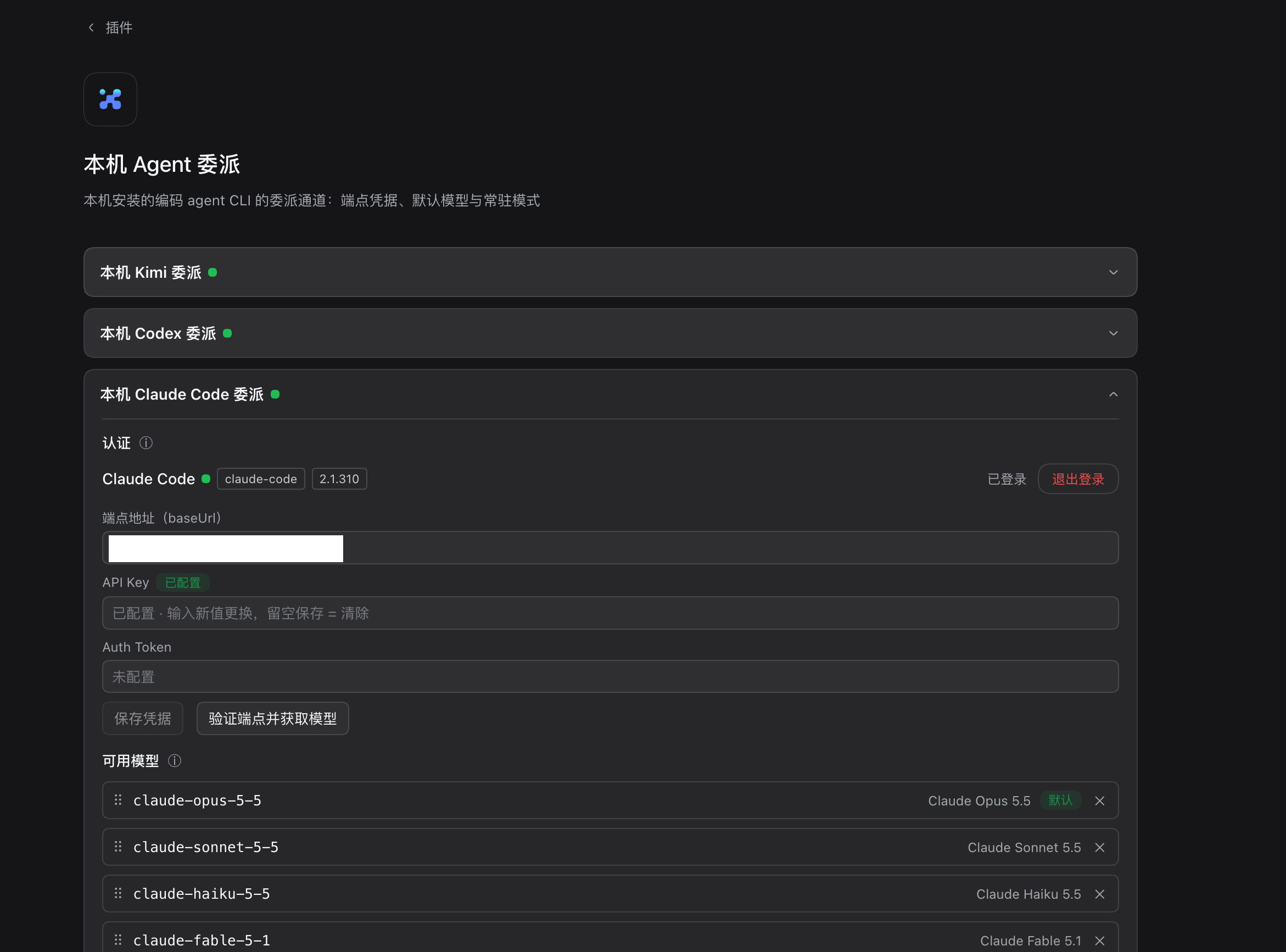
- 填好 key 就能用:在设置卡片里填端点地址和 API Key(或 Auth Token),点「保存凭据」,再点「验证端点并获取模型」确认能连上。
- 自己挑模型:在「可用模型」里勾选、拖动排序,排第一的就是默认模型;子会话里也能临时换模型和推理强度。
- 常驻模式更快:「常驻模式(live)」默认开着,Claude Code 进程常驻,停下不杀进程,崩溃后自动续上原来的会话。
安装
先在电脑上装好 Claude Code CLI(命令行里能运行 claude),插件不替你装。然后在 DSH 的「插件 → 添加插件」里输入下面的包名,点安装:
@khorsheed/dsh-bundle-local-agent
Claude Code 会跟着「多Agent协作」套件一起装好(各家本机 agent 共用同一个底座,单装用不起来);如果你主要写代码,直接装开发套件 @khorsheed/dsh-dev-suite 也包含它。装完重启 DSH,到「插件」页的「本机 Agent 委派」卡片里,展开 Claude Code 一节填好端点和 key。
把活交给 Claude Code 要在带委派的模式里进行,比如「开发模式」:开一个新会话、选这个模式,对 agent 说「把这个交给 Claude Code」。在其它模式里看不到它是正常的。
已知限制
- 只支持端点和 key,没有网页登录。
- key 填错时,Claude Code 会先反复重试(实测约 8 分钟)才报错,这一轮结束后卡片上才显示凭据被拒。
/claude-code这组命令只能在网页会话里用。
Compatibility
需要 DSH 0.1.5-rc.1 或更新版本,已在 0.2.1-rc.1 上验证。
给开发者
- 配置项、可用模型名单、端点凭据的存放、实时流镜像与用量回读等细节,都在完整参考里。
- 单独安装要连同底座一起点名:
dsh plugin --profile web add @khorsheed/dsh-local-agent @khorsheed/dsh-local-agent-claude-code;委派工具由模式授予,没有模式点名时不会出现。 - 隶属 dsh-plugins,问题与贡献请到该仓库;变更见 CHANGELOG.md。