dsh-pages
Verified@lybx-leyw/dsh-pages · v0.1.3 · MIT · Web UI
Product pages on top of DeepSeek Harness: a page slot tree that hosts the native workbench as one page
Install
dsh plugin add @lybx-leyw/dsh-pages Confirm the layer applied with dsh --profile default --dump-config — see the install guide.
Source
Tags
Creators
Readme
dsh-pages
Scoped npm package: @lybx-leyw/dsh-pages. The repository and plugin id stay dsh-pages.
English | 中文
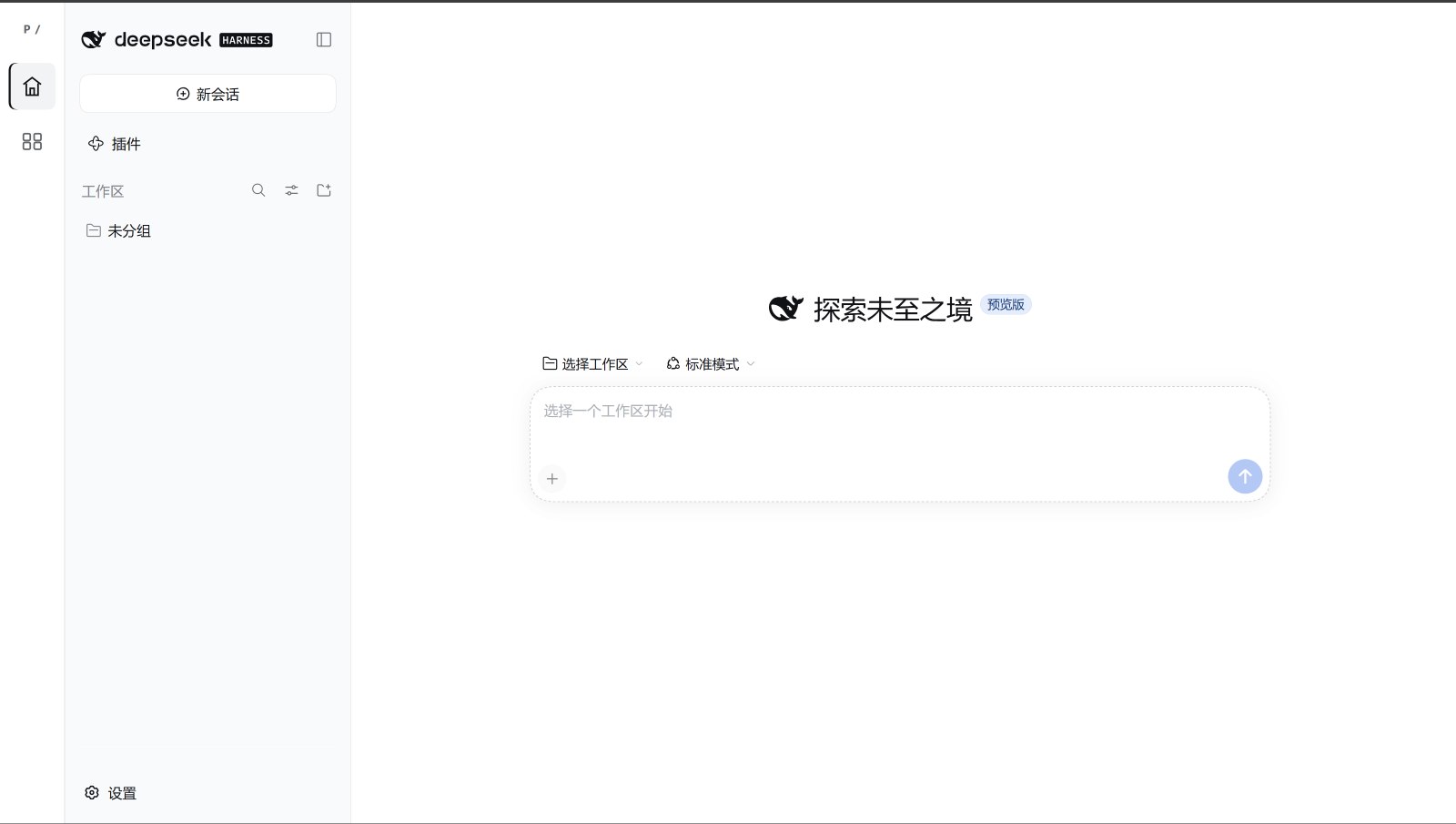
A persistent page rail for DeepSeek Harness, with DSH workbench and Page manager built in. Add your own pages without replacing or remounting the native workbench.
Install
Requires Node.js 22.19+ in the 22.x line, or 24+, and a DSH web host. This is a DSH plugin, not a standalone web application.
Run in your target DSH profile directory:
npm install @lybx-leyw/dsh-pages
Append @lybx-leyw/dsh-pages to that profile's dsh.profile.bundles. Keep the host bundles and any existing plugins; for example:
{
  "dsh": {
    "profile": {
      "bundles": ["@deepseek-ai/dsh-base", "@deepseek-ai/dsh-web-app", "@lybx-leyw/dsh-pages"]
    }
  }
}
Restart the target DSH host and refresh its web page after installation.
Manage pages
Open Page manager to arrange navigation:
- Top: normal entries at the top of the rail.
- Recycle: collapsed pages, reachable through … whenever the group is nonempty.
- Bottom: entries at the bottom of the rail.
- Change groups, reorder, open, or recycle pages—including the manager itself.
- Pin a recycled page to append a shortcut after … in the top group. It stays in the recycle menu; unpinning removes only the shortcut.
- Dock the persistent rail on the left, top, bottom, or right; default left. The choice applies immediately and persists across reloads.
- Adjust navigation size from 40–96px, default 64px: width on the sides, height at the top/bottom. Icons, buttons, spacing, and padding scale together. Horizontal rails place the top group at the start and the bottom group at the end; overflow scrolls along the rail.
- Both the native workbench and external pages reserve space on the chosen edge. The More menu opens inward and stays within the viewport on scroll and resize.
Changes apply immediately. Arrangement and width are saved locally for the same browser and origin; they do not sync across devices or tabs.
Add a page
A contributing client plugin must inject pages and slots. Register navigation metadata and content using the same id, and own both registrations through effects:
export const inject = ['pages', 'slots'];

export function apply(ctx) {
  ctx.effect(() => ctx.pages.registerPage({
    id: 'notes', label: 'Notes', region: 'top', order: 10,
  }));

  ctx.effect(() => ctx.slots.inject('page.content', () =>
    ctx.slots.register({ name: 'page.content', key: 'notes' }, NotesPage)
  ));
}
NotesPage is your React component. Live ids must be unique. Removing the active page returns to the workbench; saved preferences never recreate uninstalled pages. The example uses the default content-slot name.
A product bundle may instead install the shell programmatically with apply or applyWithConfig from @lybx-leyw/dsh-pages/client. Inject slots and locale in the installing plugin; do not inject the pages service it creates. Use one installation method, not both. The ./client conditional export keeps the DSH host's default entry on the self-registering loader bundle, while standard ESM import selects the importable module.
Current-page rail action
The keyed page.rail-action slot replaces the top P / marker. Its key is the active page id (including home and pages); components receive pageId, railWidth, and railPosition. Render an icon or your own accessible button with page-specific handlers. The shell adds no button wrapper or click behavior.
ctx.effect(() => ctx.slots.inject('page.rail-action', () =>
  ctx.slots.register({ name: 'page.rail-action', key: 'notes' }, NotesAction)
));
ctx.effect(() => {
  const previous = ctx.pages.getSnapshot().railPlaceholderIcon;
  ctx.pages.setRailPlaceholderIcon(ProductIcon);
  return () => ctx.pages.setRailPlaceholderIcon(previous);
});
Fallback: active-page slot contribution → user/product railPlaceholderIcon component → P /. A registered component returning null intentionally stays empty. Switching pages unmounts the old component and cleans up its React effects; registrations remain owned by their plugin effects. Icons are not persisted to localStorage. Code-based installation also accepts railPlaceholderIcon and railActionSlot (a distinct page.* slot). Native DSH slot protocols remain unchanged.
Limits
- Native settings remain with DSH. No native-slot export, replacement settings page, or automatic floating-window conversion.
- Covered native UI stays mounted. Switching pages does not stop native plugins, background tasks, or global shortcuts.
- Plugins share the document and services; this is not a sandbox.
- Compatibility depends on host slot contracts, overlay layering, root geometry, and browser CSS support. Arbitrary third-party combinations are not verified.
- Storage failure leaves controls usable in memory, but preferences may not survive reload.