dsh-plugin
Verified@mebular/dsh-plugin · v0.2.3 · MIT · Web UI
Mebular memory, task graph, and shared Console for DeepSeek Harness
Install
dsh plugin add @mebular/dsh-plugin Confirm the layer applied with dsh --profile default --dump-config — see the install guide.
Source
Tags
Creators
Readme

一份记忆,每个助手,每台设备。
面向 AI 助手的分布式记忆网络。记忆和任务留在你的设备上,设备之间直接同步。





不需要托管账号 · 没有中心协调者
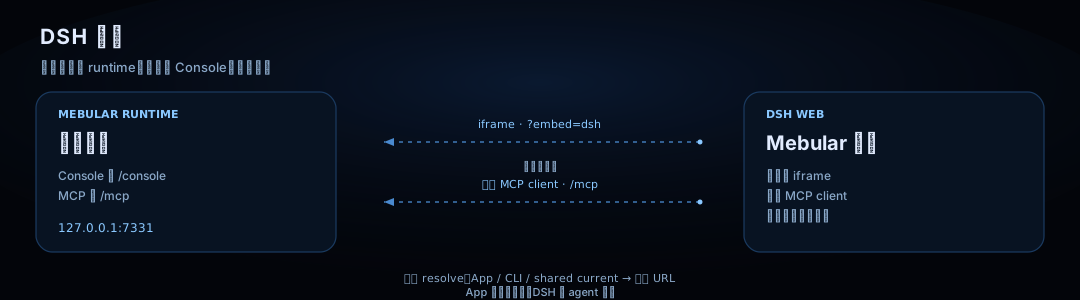
App 与 DSH Plugin 是同一套本机 Mebular runtime 的两个入口。插件默认 attach,
不会因安装而静默启动或下载;已有 App/CLI 时直接连接。没有 runtime 时,面板会先询问,
再按需安装固定版本共享 runtime。


静止时的星图:设备与共同订阅关系。 · 悬停时:任务域航道与实时 fleet 流量。蓝线与金线表示本机 ↔ 各设备的任务域双向可达关系,不是设备之间的互连。
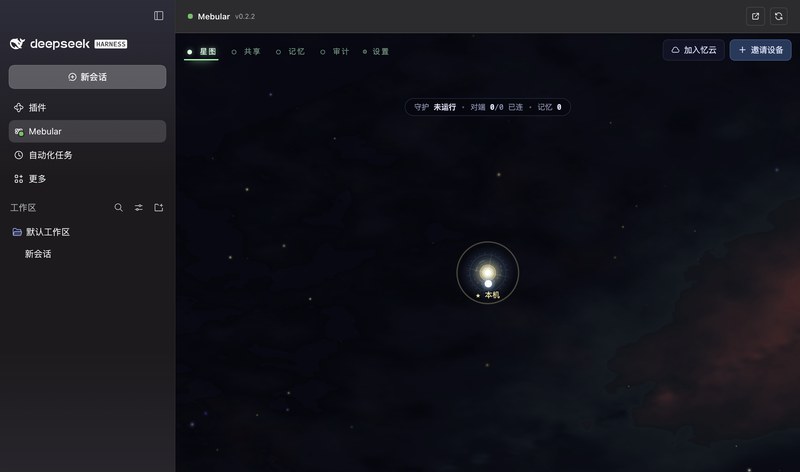 完整 DSH 面板 · 入口与星图 |
 折叠侧栏 · Console 全宽 |
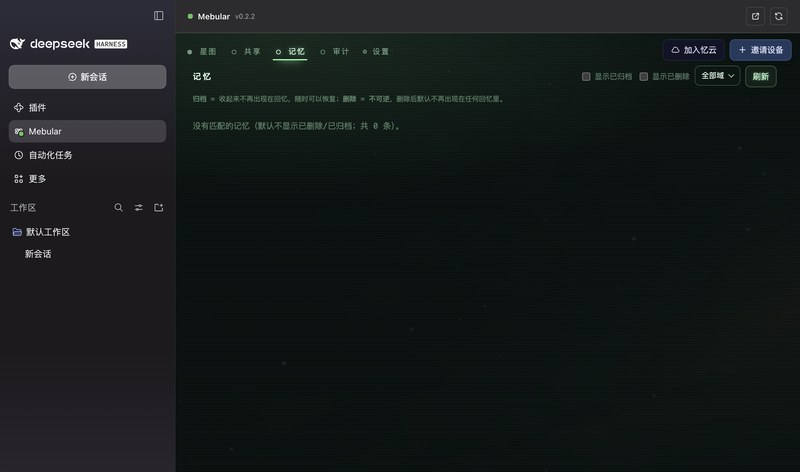 共享记忆视图 |
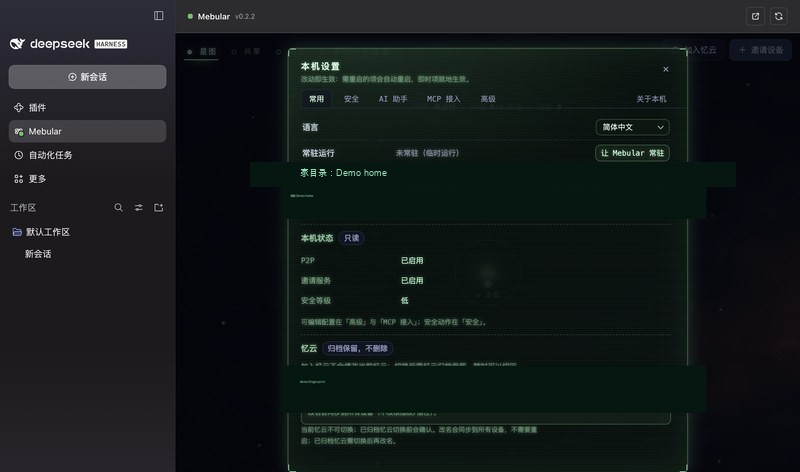 设置与常驻配置 |
DSH 接入
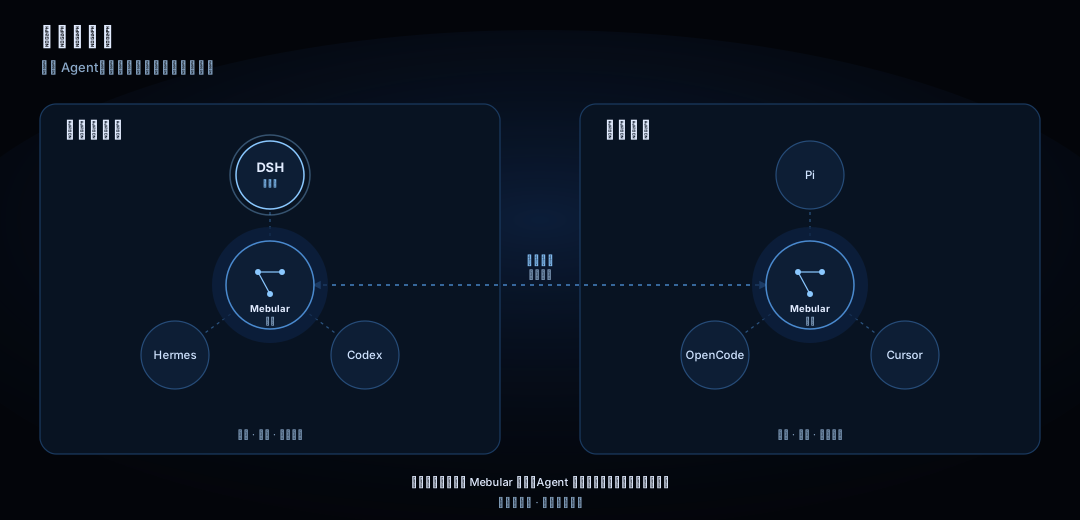
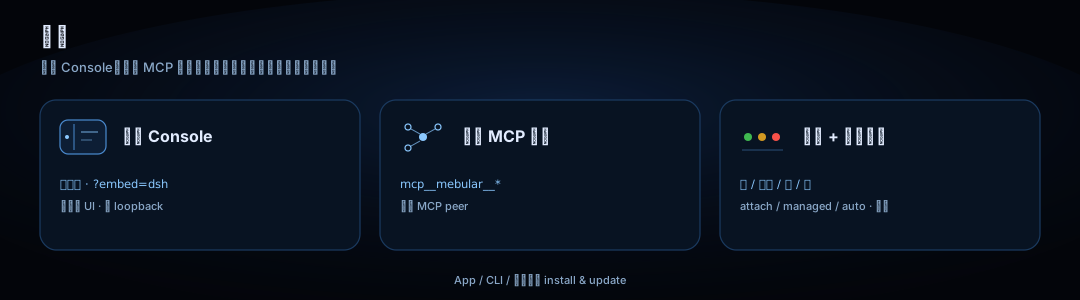
使用说明
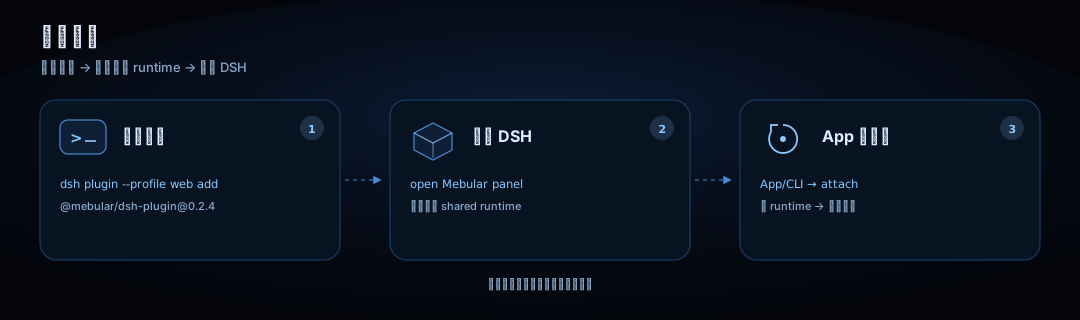

已有 Mebular App 或 CLI 时,插件会自动连接;没有 runtime 时,打开 Mebular 面板按提示安装共享 runtime。只有 CLI 方式需要手动 mebular serve。
命令行:安装 / 开发安装 / 卸载
# 安装插件(不会静默启动或下载 Mebular)
dsh plugin --profile web add @mebular/[email protected]

# 开发安装
dsh plugin --profile web add ./packages/dsh-plugin

# 验证:在 DSH 中调用任意 mcp__mebular__* 工具
# 卸载
dsh plugin --profile web remove @mebular/dsh-plugin
MCP 工具
DSH 通过官方 MCP client 连接同一个 daemon 的 /mcp;工具在 DSH 里显示为 mcp__mebular__*。
| 能力 | 工具 | MCP 说明 |
|---|---|---|
| 记忆写入 | memory_write memory_write_batch |
写入单条/批量事实、偏好、情节与技能;写入即签名并参与同步 |
| 记忆召回 | memory_query memory_search memory_graph |
语义/关键词召回、图遍历;可按时间与关系过滤 |
| 画像与历史 | memory_profile memory_skills memory_history |
读取用户偏好、技能清单与会话情节 |
| 记忆维护 | memory_import memory_status memory_sync memory_delete memory_archive |
导入、状态、同步、墓碑删除、归档/解除归档 |
| 任务派发 | task_submit task_submit_batch task_cancel task_retry task_status task_list task_history task_children task_summarize |
派发、取消、重试与查询任务 DAG |
| 协作协商 | task_subscribe task_negotiate chatter_send chatter_inbox task_quota task_targets board_create |
变更订阅、协商、配额闲聊、目标与任务板 |
文档
| 开始 | 理解 | 运维 | 信任 |
|---|---|---|---|
| 快速上手 安装与配对 |
架构 节点与同步 |
控制台 本地界面 |
限制 敏感数据 |
| Agent 部署规约 |
Fleet 多机操作 |
共享 runtime 安装、升级与回滚 |
封板契约 协议红线 |
| 变更日志 发布说明 |
参与贡献 质量门禁 |
安全 报告漏洞 |
官网 产品站点 |
| DSH 集成说明 完整配置 |
DSH E2E CI 门禁 |
npm 包页面 |
awesome-dsh-plugin 插件列表 |
兼容发现
| 场景 | 解析方式 |
|---|---|
| 共享 runtime 可用 | 优先使用共享 runtime resolve(App / CLI / shared provider + 动态 URL) |
| 没有共享 CLI 的旧环境 | daemonUrl > MEBULAR_HTTP_PORT > runtime.json > 7331 |
MEBULAR_HOME |
只用于定位 runtime.json |
| Mebular App | 继续独立运行;插件只连接同一个 daemon |
v0.2.3 · early · MIT · © 2026 Sobert Li