dsh-sandbox
Verified@neevcloud/dsh-sandbox · v0.2.0 · Apache-2.0
NeevSandbox execution providers for DeepSeek Harness
Install
dsh plugin add @neevcloud/dsh-sandbox Confirm the layer applied with dsh --profile default --dump-config — see the install guide.
Source
Tags
Creators
Readme




@neevcloud/dsh-sandbox
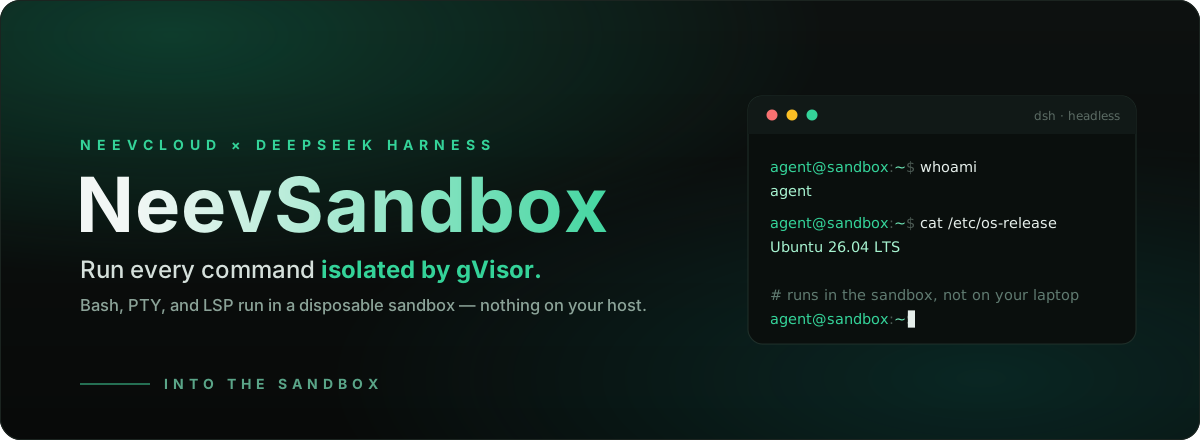
Give your DeepSeek Harness agent a clean, disposable Linux box for every run.
This bundle relocates the Harness's execution world — files, Bash, PTY, and
LSP — into a short-lived, gVisor-isolated NeevSandbox.
Files the agent writes and commands it runs share one sandbox, nothing runs on
your machine, and there's nothing to fork: drop the bundle into any dsh
install and the stock tools keep working, now executing remotely.
npm install --global @deepseek-ai/dsh
dsh plugin --profile headless add @neevcloud/dsh-sandbox
NEEV_API_KEY=... NEEV_ORG_ID=... NEEV_PROJECT_ID=... \
  dsh --profile headless "clone my repo, run the tests, and summarize the failures"
Your agent's pwd, id, files it writes, servers it starts — all live in the
sandbox, not on your laptop.
Why
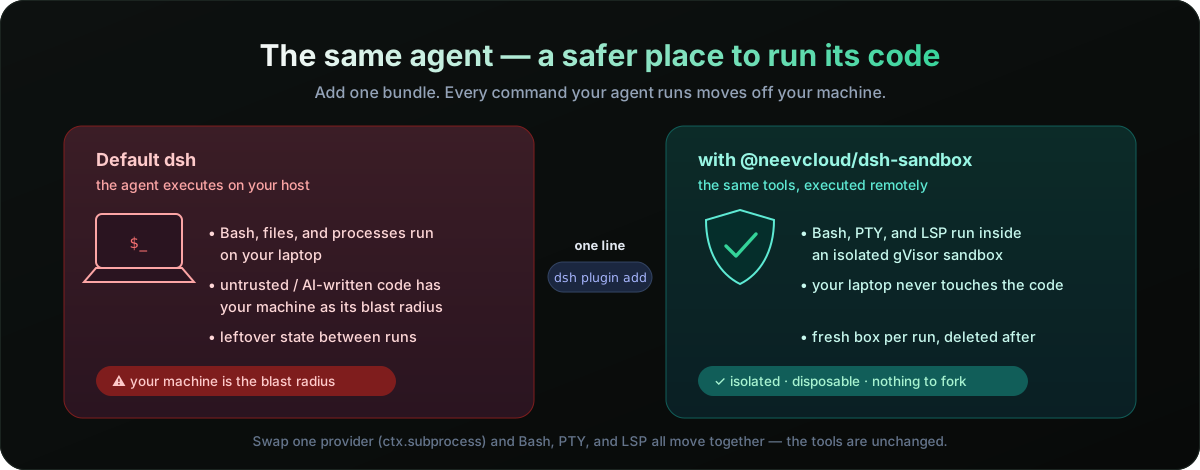
DeepSeek Harness is built on capability seams: swappable interfaces that
providers implement and tools consume. The Harness Bash, terminal, and LSP
tools delegate every execution-world operation to one seam — ctx.subprocess.
Replace that single provider and all of them move together, with no changes
to the tools themselves. That's the whole idea here: one small bundle, and your
agent's execution world is a remote sandbox.
Follows the Harness capability-seam model and installs through the standard
dsh pluginbundle mechanism — no Harness source changes, no monorepo checkout.
How it works
Three Cordis services, shipped as one bundle:
| Entry point | Registers | Role |
|---|---|---|
@neevcloud/dsh-sandbox/runtime |
ctx.neev |
Owns one sandbox: create → ready → delete on exit |
@neevcloud/dsh-sandbox/subprocess |
ctx.subprocess |
Runs processes and PTYs in that sandbox |
@neevcloud/dsh-sandbox/filesystem |
ctx.fs |
Reads, writes, edits, and lists files in that sandbox |
A shipped cordis.patch.yml wires them in: it disables the local subprocess
provider, inserts the two Neev rows, and sets the sandbox-aware Bash executor to
delegate straight through. dsh plugin add applies it for you.
Use cases
- Run untrusted or AI-generated code off your machine — the blast radius is a disposable gVisor sandbox that's deleted when the run ends.
- A fresh box per task. Every
dshrun gets its own clean Linux environment; no leftover state, no "works on my laptop." - Fan out agents in parallel, each isolated in its own sandbox, without them stepping on each other's files or processes.
- Reproducible, CI-like execution decoupled from whatever is installed on the host.
- Long-running or interactive work — dev servers, REPLs, and TUIs run over a real PTY inside the sandbox.
Install
npm install --global @deepseek-ai/dsh
dsh plugin --profile headless add @neevcloud/dsh-sandbox
Set your Neev credentials in the host environment (never commit them):
export NEEV_API_KEY=...      # your Neev API key
export NEEV_ORG_ID=...       # organization id
export NEEV_PROJECT_ID=...   # project id
New to NeevCloud? Create an API key and find your organization and project ids by following Retrieve organization and project IDs in the Agentic Studio quickstart.
Then run a task:
dsh --profile headless "use Bash to run 'cat /etc/os-release' and 'id -un', and report the output"
A successful run reports the sandbox's OS and user — not your host's — and prints the sandbox id at both lifecycle boundaries:
NeevSandbox created: <sandbox-id>
NeevSandbox terminated: <sandbox-id>
Verify the wiring anytime with dsh --profile headless --dump-config: the
subprocess row is disabled and the neev-runtime / neev-subprocess rows are
inserted.
Local development install
git clone https://github.com/NeevCloudAI/dsh-neev-sandbox && cd dsh-neev-sandbox
npm install && npm run build
dsh plugin --profile headless add .
Configuration
The runtime module accepts these Cordis config fields (all optional):
| Field | Default | Meaning |
|---|---|---|
orgId |
NEEV_ORG_ID |
Organization id |
projectId |
NEEV_PROJECT_ID |
Project id |
templateId |
sb-ubuntu-26-04-minimal |
Sandbox template the server provisions from |
image |
— | Explicit OCI image; takes precedence over templateId |
cwd |
discovered | Absolute working directory; discovered via pwd when omitted |
persist |
— | A stable sandbox name. When set, the sandbox is reused across runs (reconnected by name) and paused instead of deleted on exit, so its files survive. Omit for the default, fully-ephemeral behavior. |
idleTimeoutMs |
— | Auto-pause the sandbox after this much inactivity to save cost, resuming lazily on the next operation. Omit to never auto-pause. |
orphanTimeoutSeconds |
900 |
Backstop for a harness that exits without cleaning up (crash, kill). The runtime sends a keepalive heartbeat while it runs; after this many seconds without one, the server pauses the sandbox, and an ephemeral one is deleted after a day paused. If the host sleeps past the window, the next operation resumes the sandbox. 0 turns the backstop off: the sandbox then has no server idle limit, so a crashed harness leaves it running. |
The API key is read only from NEEV_API_KEY — it is never a config field,
so a secret can never end up in a committed profile patch, and it is never
forwarded into the sandbox.
Override a row in your profile's cordis.patch.yml (a patch replaces the whole
config, so restate what you need):
- id: neev-runtime
  name: '@neevcloud/dsh-sandbox/runtime'
  config:
    templateId: sb-ubuntu-26-04-minimal
Scope and limitations
- File versions are metadata-derived. The SDK exposes no native version
token, so the freshness token guarding
writeText/editTextis a hash of the file's mtime, size, and mode. Guards work; there is a small non-atomic window between the version check and the write. - Writes are atomic via temp + rename, and paths resolve without symlink
canonicalization (
realpath) in this release. - Interactive stdin flows through the terminal (PTY); ordinary managed processes take startup stdin only.
- Environment: only your explicit entries are forwarded; credential-shaped
and
NEEV_*names are always stripped, and the sandbox keeps its own base environment (a base-image variable cannot be unset through the spawn env). - PTY working directory and environment follow the sandbox defaults.
Resources
- Create your first sandbox (Agentic Studio, JS SDK) — get an API key and your org/project IDs
- Sandbox Runtime API reference — the sandbox APIs this bundle builds on
- AI Agent API reference — the agent platform APIs
@neevcloud/sdk— the JavaScript SDK the providers use- DeepSeek Harness capability seams — the
ctx.subprocess/ctx.fsmodel this plugs into
FAQ
Does it change my Harness tools? No. The stock Bash, terminal, and LSP
tools are untouched — the plugin only swaps the providers they delegate to
(ctx.subprocess and ctx.fs), so everything relocates at once.
How is the sandbox isolated? Each sandbox is a gVisor (runsc) environment
— a user-space kernel that mediates syscalls, giving container-like ergonomics
with a stronger boundary than a shared-kernel container.
Do files and Bash share state? Yes. They run in the same sandbox, so a file the agent writes with its file tools is visible to Bash, and vice versa.
Does my API key reach the sandbox? No. NEEV_API_KEY is read host-side by
the SDK only; it is never passed into the sandbox, and credential-shaped
environment names are stripped from anything forwarded to a process.
Is the sandbox persistent? By default it's created on boot and deleted on
exit. Set persist to a stable name and the sandbox is reconnected across runs
(paused on exit, resumed on the next run) with its files intact; set
idleTimeoutMs to auto-pause it while idle to save cost. If a reconnected
sandbox restarted with an empty filesystem, the runtime warns on stderr.
What if the harness crashes? The sandbox is not left running. Without the
runtime's heartbeat, the server pauses it after orphanTimeoutSeconds, and an
ephemeral sandbox is deleted a day later.
Which model does it use? Any model provider DeepSeek Harness is configured with; the plugin only provides the execution world, not the model.
Develop
npm install
npm run check      # lint · typecheck · test · build
npm pack
Live tests exercise a real sandbox and skip automatically unless NEEV_API_KEY
(with NEEV_ORG_ID / NEEV_PROJECT_ID) is set. Both Loader entry points
default-export their service class.
For a self-contained taste of the providers without dsh or a model, run
examples/quickstart.mjs — it runs a command in the
sandbox, writes a file with ctx.fs, and reads it back with Bash:
npm install && npm run build
NEEV_API_KEY=... NEEV_ORG_ID=... NEEV_PROJECT_ID=... node examples/quickstart.mjs
License
Apache 2.0 — see LICENSE.