onebox-dsh-bridge
Verifiedonebox-dsh-bridge · v0.2.0 · MIT
DeepSeek Harness plugin: bridge local dsh web to the OneBox Android app over the public internet (scan-to-pair, E2E encrypted tunnel). 万宝盒 App 的 DSH 云端中继桥插件。
Install
dsh plugin add onebox-dsh-bridge Confirm the layer applied with dsh --profile default --dump-config — see the install guide.
Source
Tags
Creators
Readme
onebox-dsh-bridge
English | 简体中文


万宝盒云端中继桥 —— DeepSeek Harness(dsh)插件。让本机 dsh web 经万宝盒云端中继(https://api.wanbaohe.com 的 /dsh/* 路由)被手机上的万宝盒 App 公网访问:扫码配对、token 管理、隧道帧多路复用全部在插件内完成,dsh web 启动即在线。
本插件是开源 App 万宝盒 OneBox 的电脑端搭档;插件页面里也放了 App 下载指引,跑 DSH 的人一分钟就能配上手机。
工作原理
万宝盒 App ⇅ https://api.wanbaohe.com/dsh/*(国内)或 https://api.oneboxable.com/dsh/*(海外)
                    ⇅ 出站 WSS(控制隧道,JSON 帧多路复用)
            onebox-dsh-bridge(本插件)
                    ⇅ loopback
            本机 dsh web(127.0.0.1:3080)
- 插件在 dsh web GUI 挂
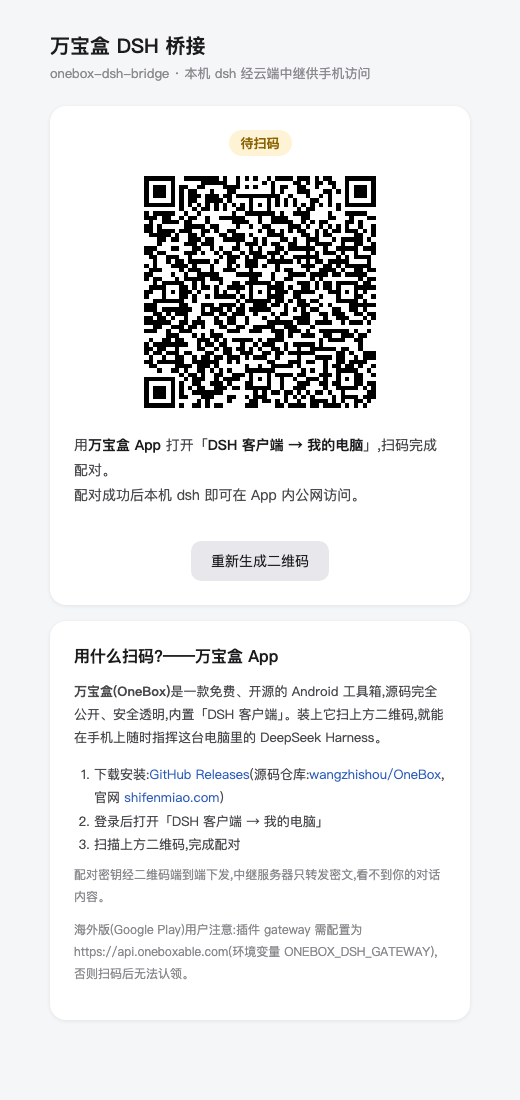
/onebox-bridge页面(自包含 HTML,无外部依赖),显示配对二维码与在线状态 - 配对走
POST /dsh/pair-sessions→ 本地生成 ≥128bit secret 编入 QR(oneboxdsh://pair?v=1&g=…&p=…&s=…)→ 2s 轮询GET /dsh/pair-sessions/:id/status?s=…,App 扫码 claim 后取回设备 token - 上线走出站 WSS
/dsh/agent?token=…;隧道帧:http→ 本地POST /api/<method>回http-resp;ws-open/ws-frame/ws-close桥接本地/api/events.mux|host - 控制 WS 断开 → 关闭全部本地桥接,指数退避重连(1s→30s);token 401(失效/被吊销)→ 删除本地 token,自动回到扫码配对态
- 端到端加密:配对密钥只通过二维码下发、不经过服务器;手机 ↔ 电脑全程 AES-256-GCM,中继服务器只转密文
安装
已安装 dsh CLI:
dsh plugin --profile web add onebox-dsh-bridge
源码检出运行 dsh 的(命令前缀换成 pnpm dsh,在 deepseek-harness 仓库根目录执行):
pnpm dsh plugin --profile web add onebox-dsh-bridge
包声明了 dsh.bundle,add 会自动把插件行并入 profile 的组合层。重启 dsh web 生效。
兼容性:桥插件本身与协议无关——HTTP 只转发 /api/<method>、WS 只透传帧,不硬编码任何 DSH 端点名。已在 dsh 0.1.5-rc.2(npm next)上验证:配对页、状态 API、二维码配对会话创建,以及隧道 /api/remote.mux WebSocket 全部通过。更老的版本(0.1.0-rc.7 / 0.1.0-rc.8,用 /api/events.mux 与 /api/events.host)隧道依然可用,但万宝盒 App 需要 dsh 0.1.2 或更新——详见 OneBox DSH 客户端里的兼容性提示。插件必须装在 web profile(它注入的 webServer 服务只有 web 组合提供)。
dsh 0.1.5 与浏览器鉴权
从 dsh 0.1.5 起,/api 的每一个请求(含 /api/remote.mux 的 WebSocket 升级)都要过 connection 的
Host 围栏加浏览器鉴权:loopback 不豁免、Authorization: Bearer 不被识别、--trusted-host 只放宽
Host 围栏(403)不解决鉴权(401)。因此插件会用 ctx.connection.authenticatedUrl 换取本机会话 cookie
(lib/session-cookie.js),给所有隧道 HTTP 与 WS 升级带上,并在 401 时重换一次重试。
本地联调测试(局域网直连,不需要中继)
不想部署中继就想拿手机试:用仓库里的 LAN 反代,它注入同样的会话 cookie 并改写 Host,
于是 App 的「直连」模式在同一局域网里就能用:
# 1) 起 dsh web,从它打印的 URL 里复制 ?token=…
# 2) 在本仓库执行:
node tools/lan-proxy.mjs --token <token> --port 3081
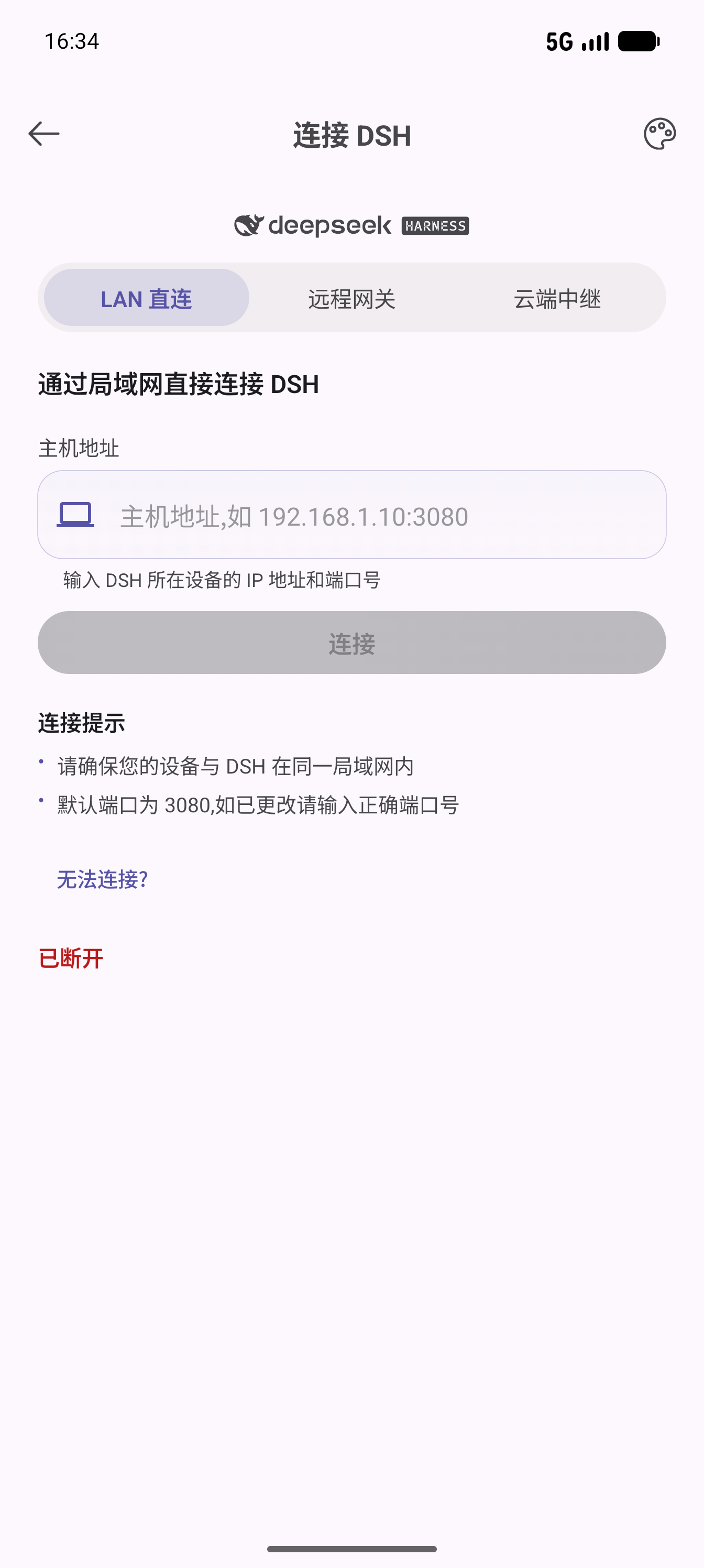
# 3) App:DSH 客户端 → 直连 → http://<你的局域网 IP>:3081
它会把本机 dsh 的 /api(浏览器会话权限)暴露给局域网,只在你信任的网络里临时使用,用完 Ctrl-C 关闭。
也可以直接从 GitHub 安装:
dsh plugin --profile web add github:wangzhishou/onebox-dsh-bridge
使用
- 打开 dsh web 的
http://127.0.0.1:3080/onebox-bridge(端口按你的部署) - 万宝盒 App 打开「DSH 客户端 → 我的电脑」,按你的 App 渠道扫对应的二维码(国内版/海外版各一张)
- 页面状态变为「已上线」后,在 App 里选择本设备即可连接
页面按钮:重新生成二维码(旧会话作废,建新配对会话;二维码有效期 10 分钟,过期也会自动重建)、解除绑定并重新配对(删除本地 token,回到待扫码)。
下载万宝盒 App
插件是电脑端的一半,手机端是免费开源的万宝盒 Android App:
- 源码:github.com/wangzhishou/OneBox(Apache-2.0)
- 国内:万宝盒官网 · 小米 / 应用宝 / OPPO / vivo / 华为应用商店搜索「万宝盒」
- 海外:Google Play · 官网
截图
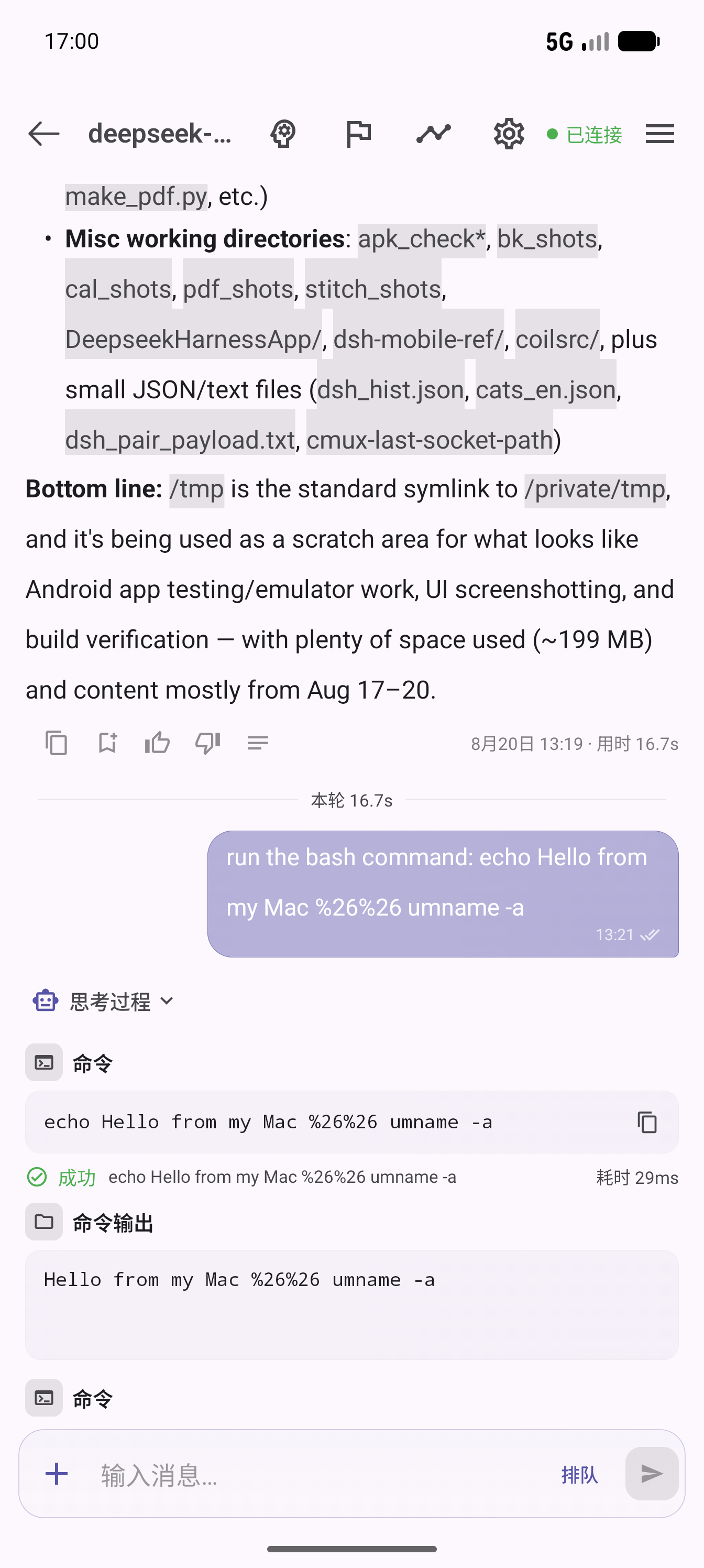
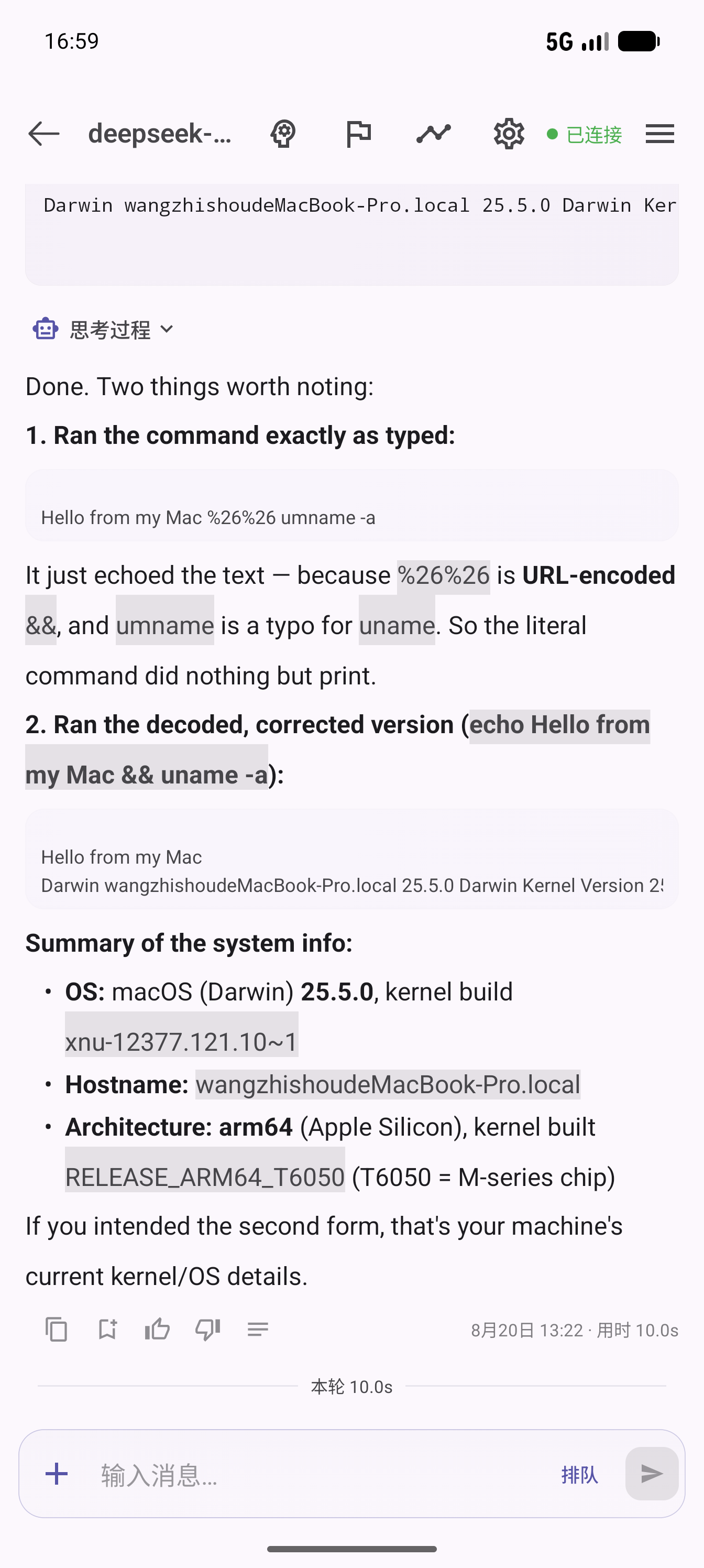
| 插件配对页 | App 连接页 | App 聊天指挥 | 消息反馈与统计 |
|---|---|---|---|
 |
 |
 |
 |
配置项
全部可省。优先级:环境变量 > 插件 config > 默认值。
| 项 | 环境变量 | 默认 | 说明 |
|---|---|---|---|
gateways |
ONEBOX_DSH_GATEWAYS(逗号分隔) |
https://api.wanbaohe.com + https://api.oneboxable.com |
万宝盒网关列表。默认同时对国内、海外两套部署各建配对会话,页面按 App 渠道各出一张二维码,先被扫的生效;App 登录 JWT 只在所属部署有效,双配对免去一切手工配置 |
gateway |
ONEBOX_DSH_GATEWAY |
— | 单网关覆盖(等价于单元素 gateways) |
upstream |
ONEBOX_DSH_UPSTREAM |
127.0.0.1:3080 |
本机 dsh 地址(host:port) |
deviceName |
— | 系统 hostname | 配对时上报给 App 的设备名 |
dataDir |
ONEBOX_DSH_DATA_DIR |
~/.dsh/profiles/web/onebox-dsh-bridge |
token 存储目录(token.json,0600;凭据的网关不在配置列表里即自动作废) |
改 config:在 profile 的 ~/.dsh/profiles/web/cordis.patch.yml 里覆盖整行(patch 替换整个 config 值,需列全所有键):
- id: onebox-dsh-bridge
  name: 'onebox-dsh-bridge'
  config:
    gateways:
      - https://api.wanbaohe.com
      - https://api.oneboxable.com
    upstream: 127.0.0.1:3080
    deviceName: 我的 Mac
卸载
dsh plugin --profile web remove onebox-dsh-bridge
按需手动删除凭据目录 ~/.dsh/profiles/web/onebox-dsh-bridge/;已配对的设备可在 App 端「我的电脑」里吊销。
注意
/onebox-bridge页面与 dsh web 本身一样不做额外鉴权(默认仅 loopback 可达);二维码内含配对 secret,不要把 dsh web 直接暴露到公网- 插件依赖仅
ws+qrcode