dsh-task-notifier
Verified@polunzh/dsh-task-notifier · v1.2.1 · MIT · Web UI
任务通知台:任务完成时响提示音并弹系统/浏览器通知,侧边栏「任务」面板可筛选待回复、进行中与已完成未读的任务。Task-completion chime + system/browser notifications, plus a Tasks sidebar panel that surfaces sessions waiting on your input, running, and unread-completed.
Install
dsh plugin add @polunzh/dsh-task-notifier Confirm the layer applied with dsh --profile default --dump-config — see the install guide.
Source
Tags
Creators
Readme
任务通知台 · Task Notifier
中文 | English




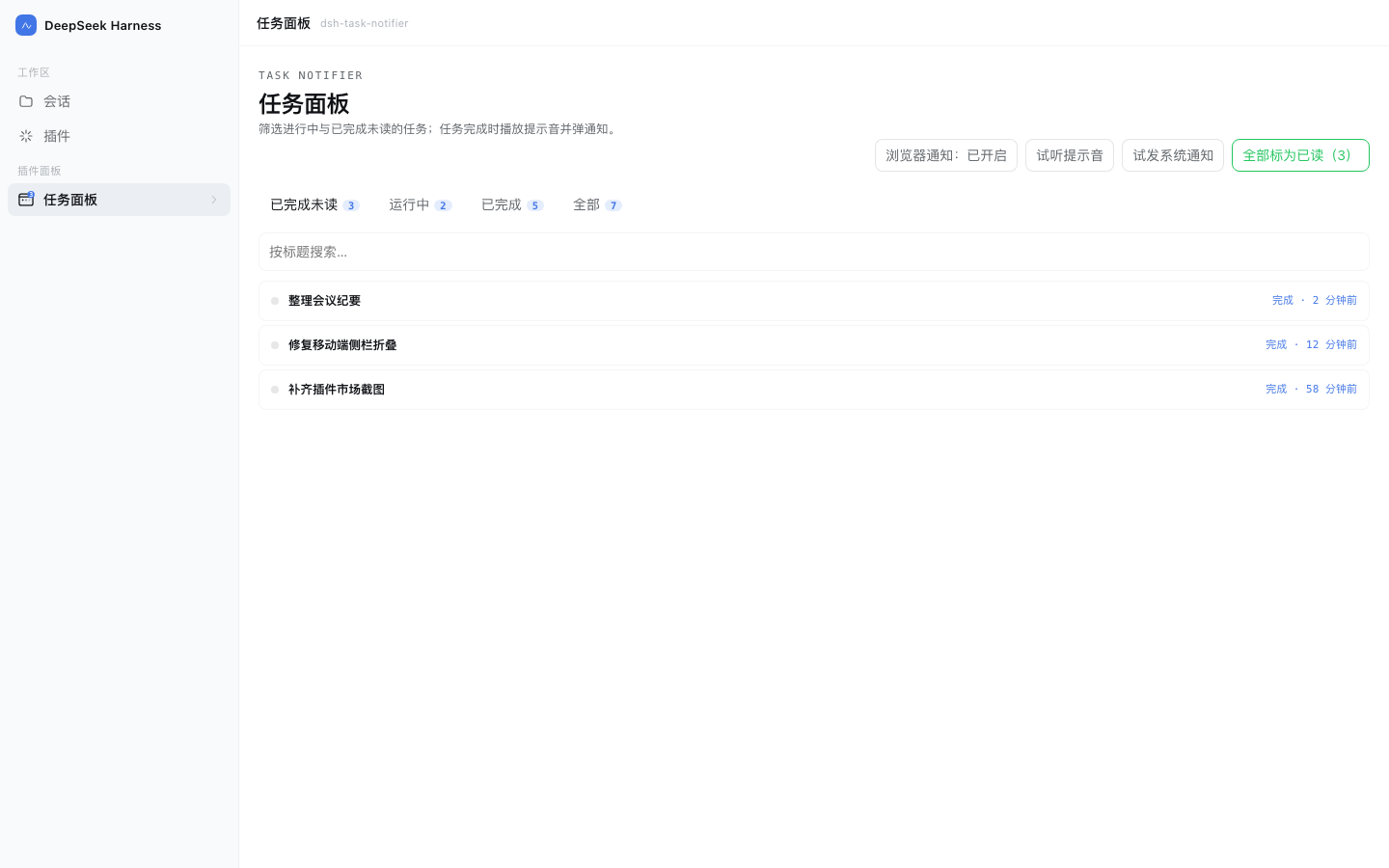
DeepSeek Harness(DSH)Web 插件:任务完成时提醒你,并提供一屏同时展示「待回复 / 运行中 / 已完成未读」的三列看板任务面板。
它解决什么
DSH 跑长任务时,你切走去干别的,回来才发现早就跑完了。这个插件把「完成」这件事推到你能看到的地方:
- 提示音:任意会话一轮结束,浏览器合成一段上行 chime(G5→C6),不需要音频素材。
- 通知双通道:
- 页面开着且已授权 → 浏览器
Notification,点一下跳回对应会话; - 页面关了或未授权 → 宿主在 macOS 上弹系统通知(
osascript),不会双弹(心跳判重)。
- 页面开着且已授权 → 浏览器
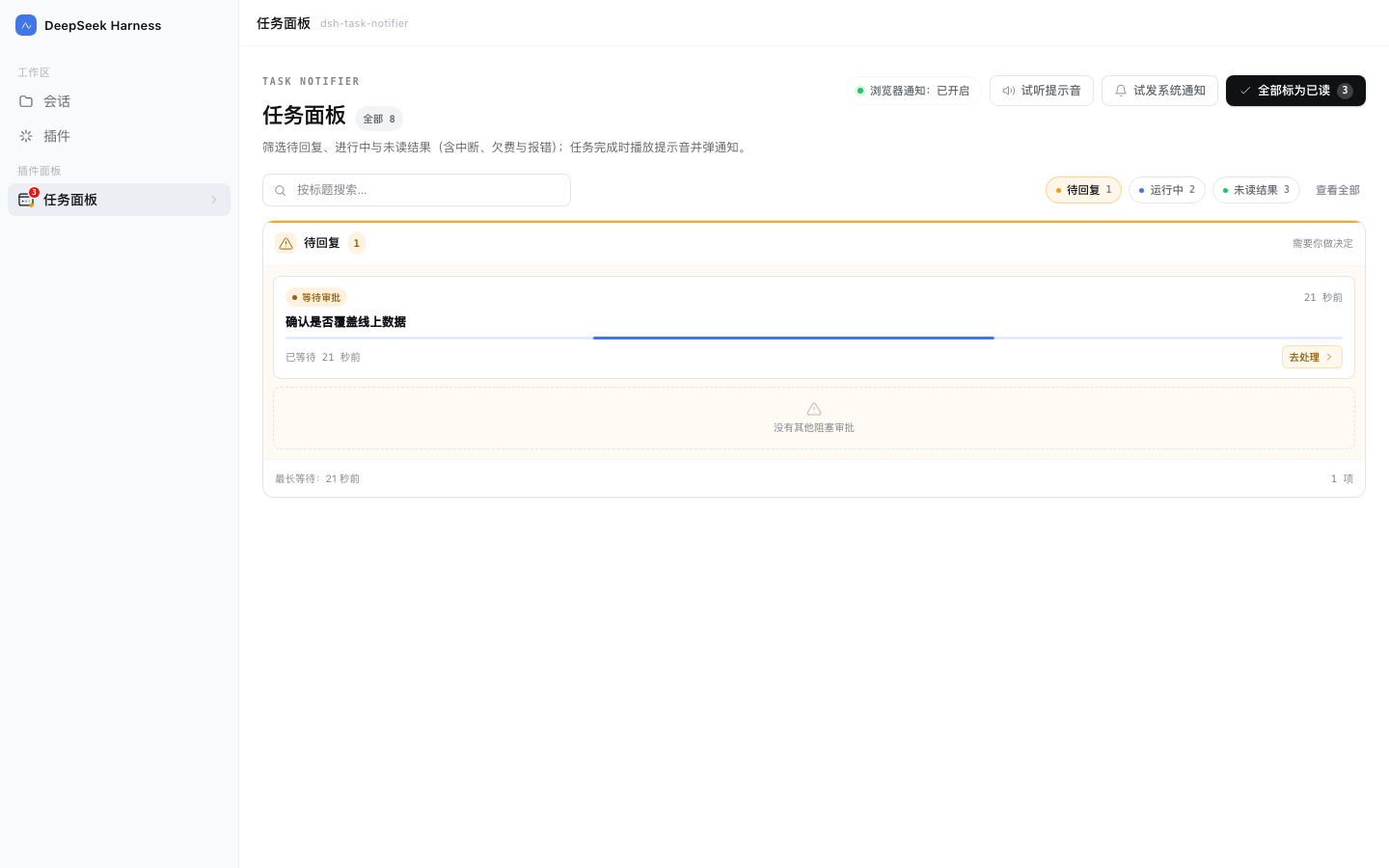
- 待回复状态:Agent 向你提问、等你审阅计划或等你审批时,侧栏图标亮起琥珀色脉冲点,面板「待回复」列置顶提示,点开直接回到那个等你决定的会话。
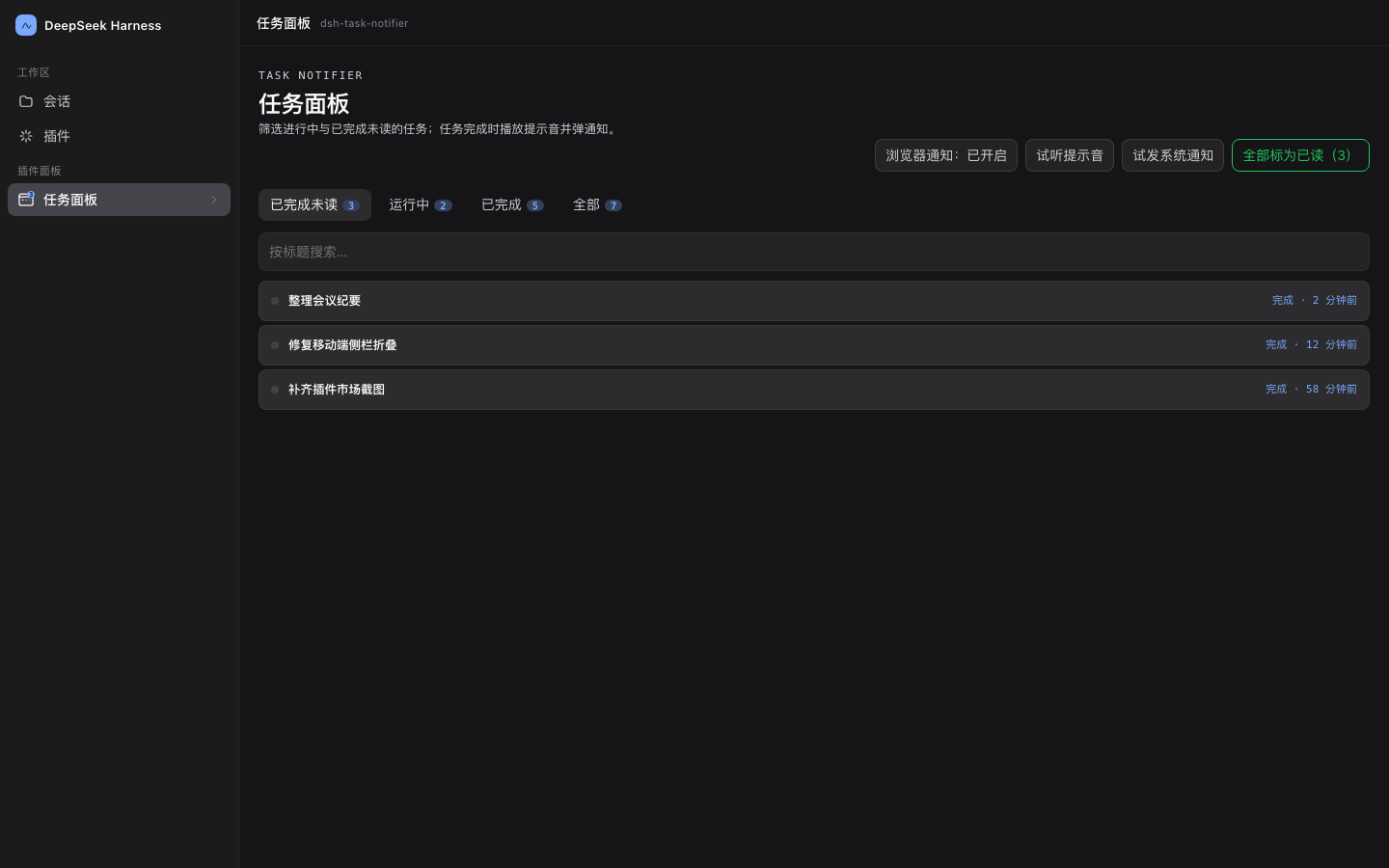
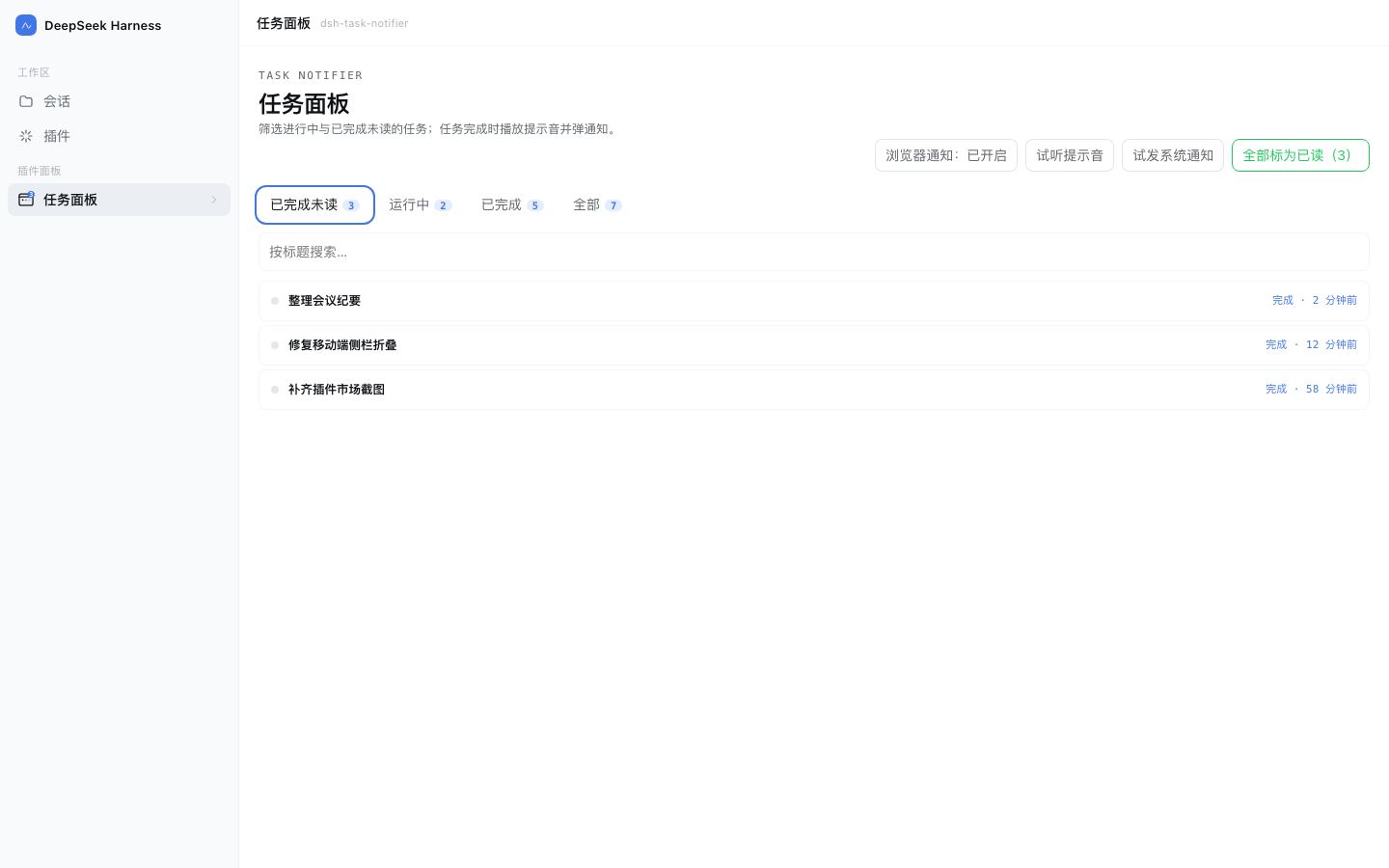
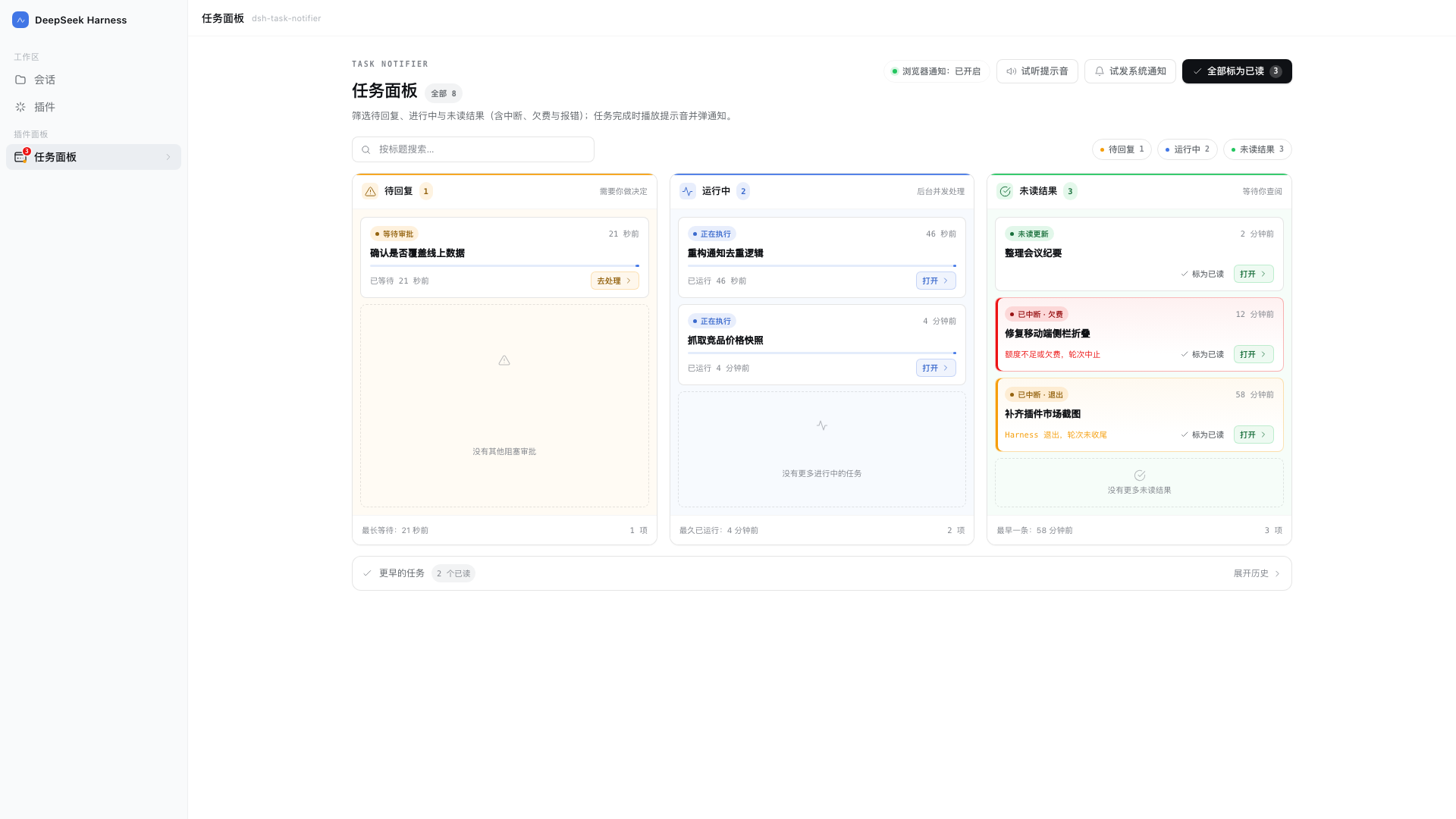
- 三列看板面板:侧边栏图标(带未读角标)→ 一屏同时看到待回复 / 运行中 / 已完成未读三列,顶部 chip 可单独筛选单列,底部「更早完成」可展开历史;支持按标题搜索、全部标为已读、试听提示音、试发系统通知。
- 自动同步已读:切换会话时自动标记未读任务为已读。
- 未读不丢:状态写在
$DSH_HOME/storages/dsh-task-notifier/state.json,重启后还在。 - 中英双语:界面与系统通知文案跟随宿主语言(zh / en)。
安装
方式一:开放插件市场安装(推荐,可在市场点赞)
已收录进社区市场(分类「工作流与协作」,已通过源码级验证 ✅):在「插件 → 实验性插件」打开「自定义插件市场」→ 发现 → 添加索引源,粘贴:
https://dshopen.org/index.json
之后搜索「任务通知台 / Task Notifier」安装;市场页与点赞见 dshopen 插件页。
方式二:从自建索引安装(可自动检测更新)
同样在「发现 → 添加索引源」粘贴:
https://dsh.127.dev/index.json
之后搜索「任务通知台 / Task Notifier」安装;有新版本时列表会显示可更新,卸载在「已安装」里。 索引每 6 小时随 npm 刷新,源码见 dsh-plugins-index。
方式三:npm 安装
dsh plugin --profile desktop add @polunzh/dsh-task-notifier
配置
全部可省略,写在你的 profile 的 cordis.patch.yml 里:
- insert:
    - id: polunzh-task-notifier
      name: '@polunzh/dsh-task-notifier'
      config:
        osNotify: auto            # auto | always | off
        sound: true               # 浏览器端提示音开关
        osSound: Glass            # macOS 系统提示音名
        osTitle: DeepSeek Harness # 系统通知标题
| 字段 | 默认 | 说明 |
|---|---|---|
osNotify |
auto |
auto=页面在线交给浏览器通知、离线兜底系统通知;always=恒发系统通知;off=不发 |
sound |
true |
浏览器合成提示音 |
osSound |
Glass |
macOS 自带提示音名(Glass / Ping / Pop …) |
osTitle |
DeepSeek Harness |
系统通知标题 |
隐私与安全
- 不联网:没有任何出站请求、遥测或远程资源。
- 不上传:会话标题只写本机
state.json,目录 0700、文件 0600。 - 不读凭据:不碰
~/.dsh/.credentials.yaml、.env、keychain、SSH key。 - 路由 fail-closed:宿主连接守卫缺失时直接拒绝,不做"没守卫就放行"。
- 无安装期脚本:
package.json里没有preinstall/postinstall/prepare。
细节、威胁模型与限流参数见 SECURITY.md。
兼容性
| 项目 | 要求 |
|---|---|
| DSH | >=0.2.0-rc.2(写在 engines.dsh) |
| Node | >=20 |
| 平台 | Web UI 全平台;系统通知仅 macOS,其他平台只发浏览器通知 |
| 浏览器通知 | 需要用户点击授权(插件不在后台自动请求) |
截图
| 浅色看板 | 深色看板 |
|---|---|
|
 |
| 已完成未读(单列筛选) | 待回复(单列筛选) |
|---|---|
 |
 |
| 宽屏收敛(1920×1080) | 移动端响应式(390×844) |
|---|---|
 |
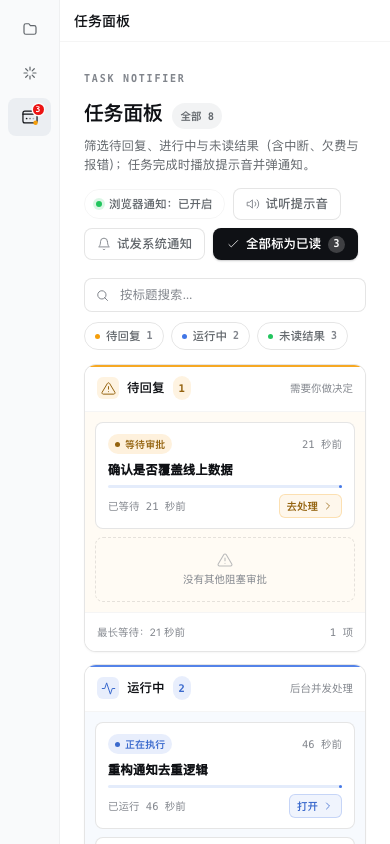 |
截图为真实界面 + 示例数据,由
npm run screenshot用 headless Chrome 渲染生成。
开发
npm test              # node:test,60 个用例(含侧边栏已读同步、安全边界与中英字典一致性)
npm run preview       # 本地预览页(真实 client.js + 模拟数据)
npm run screenshot    # 重新生成 preview/screenshots/*.png