dsh-chat-width
Verified@ray666/dsh-chat-width · v1.0.0 · MIT · Web UI
Separate Chat column width and Composer width sliders for the DSH Web UI — wide screens stop wasting the middle column.
Install
dsh plugin add @ray666/dsh-chat-width Confirm the layer applied with dsh --profile default --dump-config — see the install guide.
Source
Tags
Creators
Readme
@ray666/dsh-chat-width
Separate Chat column width and Composer width sliders for the DeepSeek Harness Web UI.
On large screens the stock UI caps the conversation column at 920px, leaving most of the window empty. This plugin adds two independent sliders under Settings → General:
| Setting | Controls | Default |
|---|---|---|
| Chat column width | the answer / user message column | the stock width, unchanged (Reset → stock) |
| Composer width | the input box card and the queue above it | follows the chat column (stock link: column + 32px) |
Both rows are inert until you move them: with no stored preference the plugin injects no CSS at all, so the page is exactly what it would be without the plugin. Widths are stored in pixels, and the label shows the real value (1200px) or the state (Default / Follow chat).
Screenshots
| Stock (plugin installed, rows untouched) | Widened with the two sliders |
|---|---|
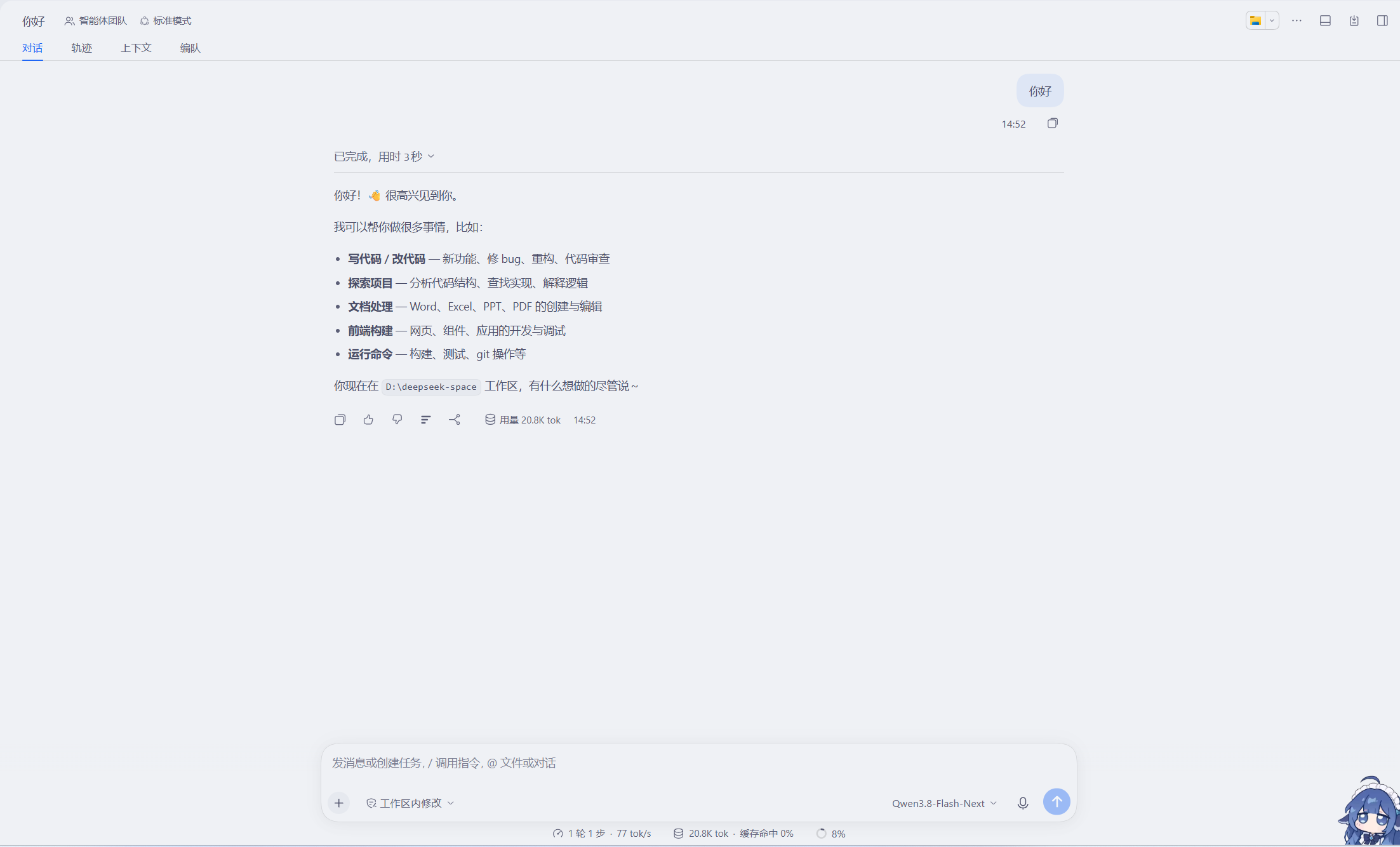 |
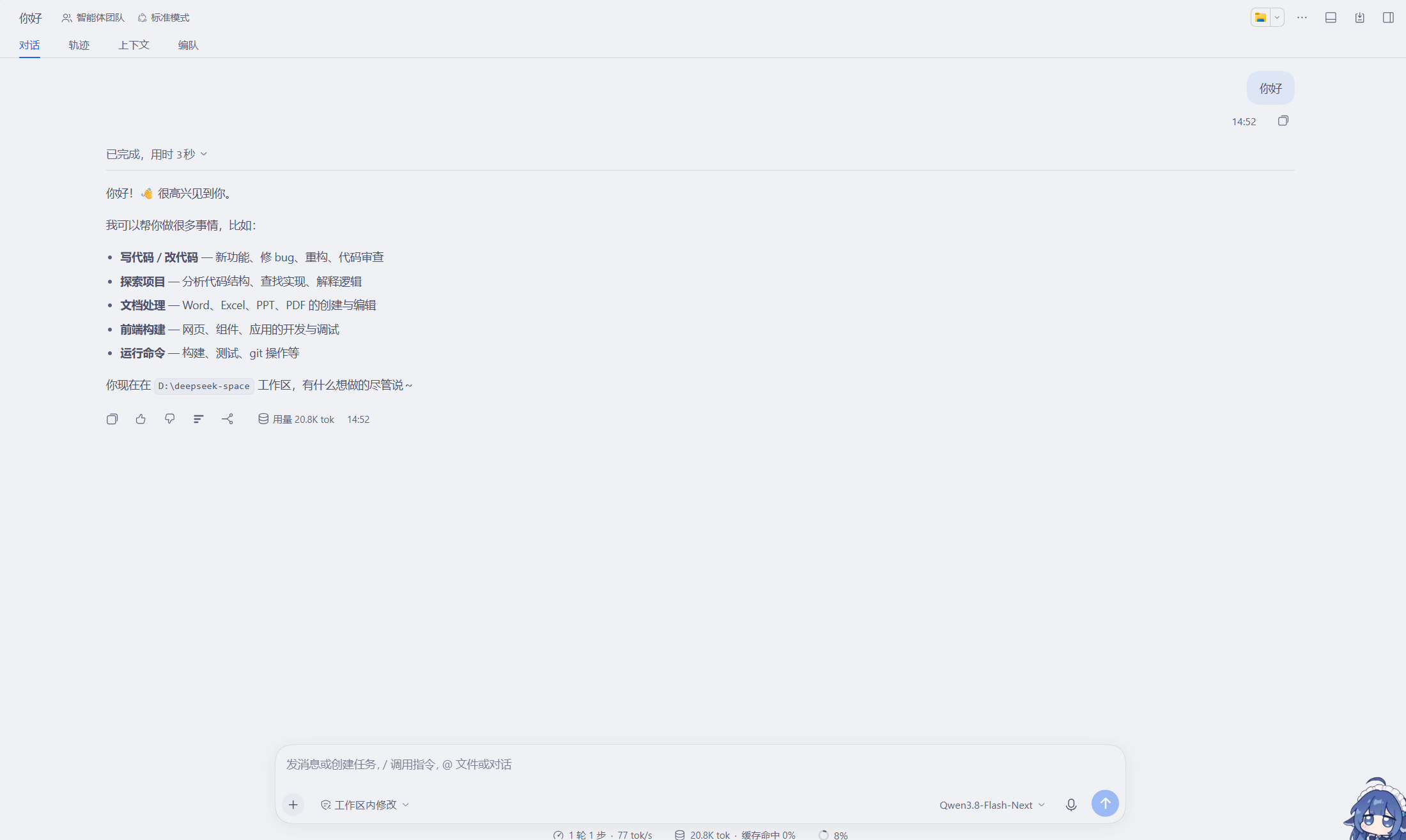 |
How it works
The host declares, on the conversation body element:
--dsh-chat-content-width: var(--dsh-chat-user-width, clamp(680px, calc(var(--dsh-conversation-column-width,0px) * .64), 920px));
--dsh-composer-card-max-width: calc(var(--dsh-chat-content-width) + 32px);
The plugin breaks the link between the two variables:
- Chat column width declares
--dsh-chat-user-widthon the conversation root (div:has(> [data-conversation-content])) — the element that carries the host's own--dsh-conversation-column-widthand receives the native edge-drag override, so the built-in 176px edge budget and the drag handle keep working in-page. - Composer width overrides
--dsh-composer-card-max-widthdirectly on the conversation body element viadiv:has(> [data-conversation-scroll]):not([class*="embeddedBody"]), which outranks the inherited value without touching hashed class names. Embedded conversation surfaces keep their stock widths.
Each rule is a fixed pixel width, bounded by the live column so it can never overflow: max(680px, min(<width>px, calc(var(--dsh-conversation-column-width,0px) - 176px))). Both rows share the same 176px bound, so whatever size relationship you set (chat wider or composer wider) holds at every window size — when the window narrows, both clamp down together instead of the composer keeping extra slack and ending up wider than the chat column. Pixels are deliberate: --dsh-composer-card-max-width is consumed at several nesting levels (hero width → hero stack → card), so a percentage would be re-resolved against each smaller containing block and the card would shrink away from the hero chrome that aligns the workspace chips. A px value is substituted once, so every consumer sees the same width, and the calc bound still adapts to window and sidebar changes with no JavaScript measuring.
The host also ships a built-in drag-to-resize on the conversation edges (memory key dsh.conversation.contentWidth). While the plugin is installed it takes over that memory, so the rows stay authoritative across reloads; edge dragging still fine-tunes within the current page. Reset on either row restores the stock behavior.
Preferences persist in localStorage under dsh-chat-width.contentPx / dsh-chat-width.composerPx (plus dsh-chat-width.col, the last measured column width, used only to place the handles while the conversation view is unmounted).
Install
dsh plugin --profile <name> add @ray666/dsh-chat-width
or via the in-app plugin manager. Refresh the Web UI afterwards.
Uninstall
Disable or remove the bundle and press Reset on both rows first (or clear the two localStorage keys) to hand the width back to the host.
License
MIT