ds-hentai
已验证ds-hentai · v0.6.0 · MIT · Web 界面
ExHentai.org-inspired dark gallery skin for the DeepSeek Harness Web GUI: gallery chrome, optional native sidebar, mutually exclusive skin/native composer, per-option [...] panels, and reversible settings.
安装
dsh plugin add ds-hentai 用 dsh --profile default --dump-config 确认 layer 已生效 —— 参见安装指南。
源码
标签
作者
说明文档
ds-hentai
English | 简体中文
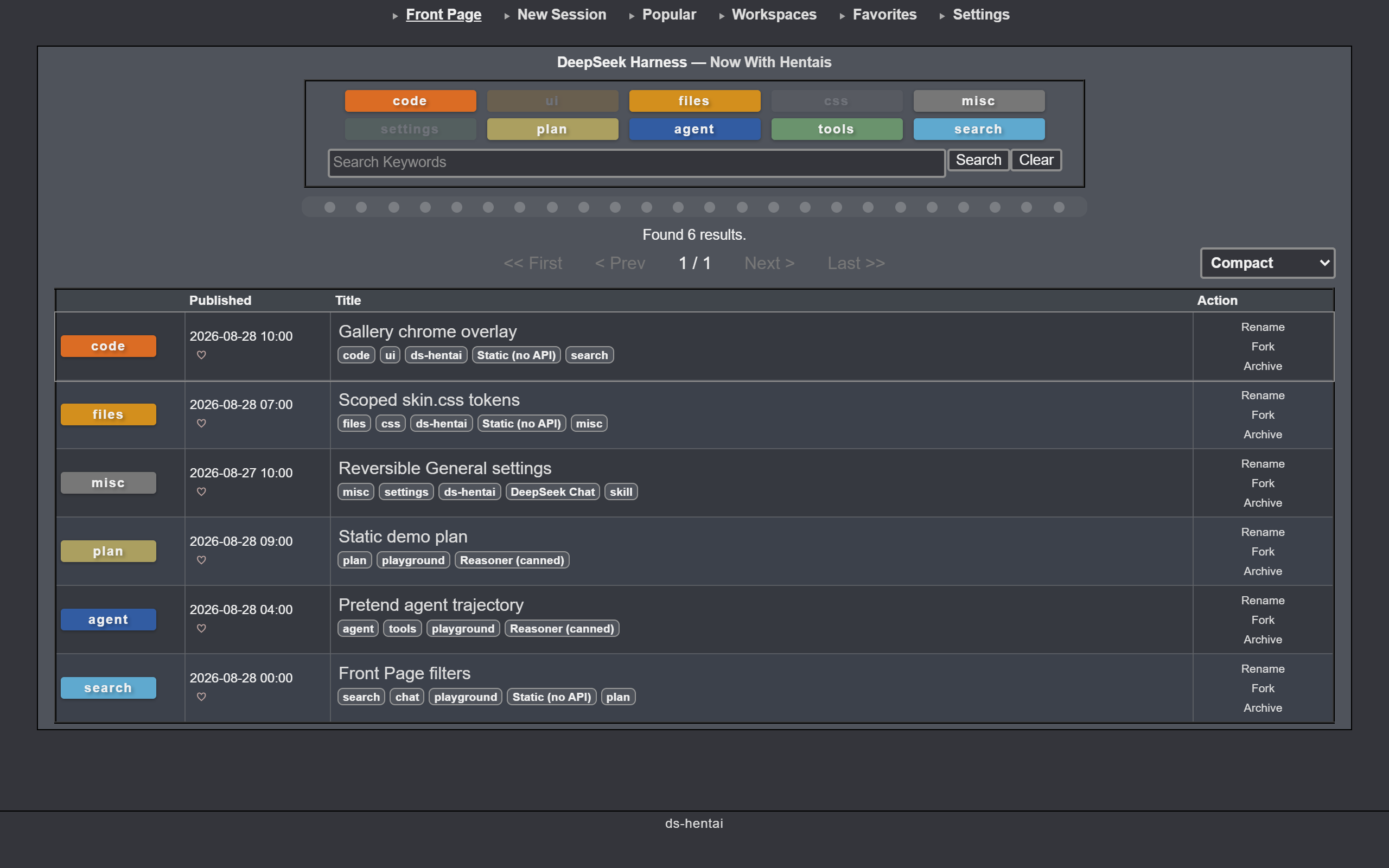
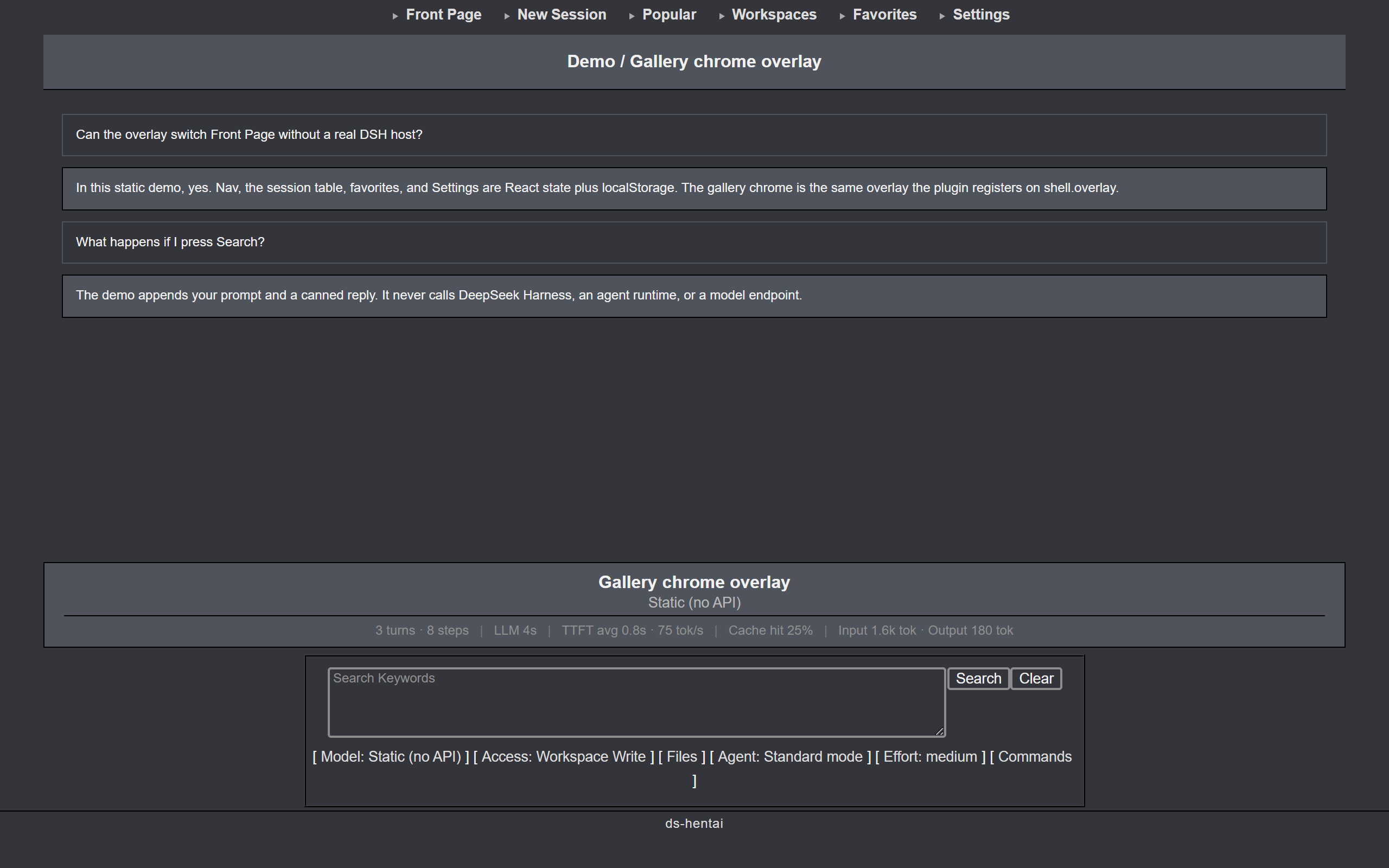
ExHentai.org 皮肤 for DeepSeek Harness。深炭底、浅灰文字、灰色边框;会话列表像画廊索引,发送框像搜索栏。
在线演示 —— 静态预览(假宿主,不跑 harness)。
安装
# 从 npm(预构建)
npx @deepseek-ai/dsh plugin --profile web add ds-hentai
# 或直接从 GitHub
npx @deepseek-ai/dsh plugin --profile web add github:<owner>/ds-hentai
重启 dsh web 后刷新页面。之后更新皮肤,刷新即可。
功能
- 顶部导航 —— Front Page、New Session、Popular、Workspaces、Favorites、Settings。
- Front Page —— 按类别筛选、搜索会话;列表可切换表格或缩略图。Compact / Extended 下每行有 Rename / Fork / Archive。
- 会话页 —— 对话仍是原来的内容;可选皮肤搜索坞(Search / Clear,以及 Model、Access、Agent、Effort、Commands、Files)或继续用原生输入框。
- 收藏 —— 列表里点心形,Favorites 只显示已收藏的会话。
设置
在 Settings → General,或顶部导航 Settings 里改。文案跟随宿主界面语言(zh / en):
- 启用皮肤 / 系统外观 —— 总开关。关掉即回到切换前的 DSH 外观。
- 原生侧边栏 —— 会话页要不要显示左侧会话栏。隐藏后从 Front Page 点进会话。
- 对话输入框 —— 皮肤输入框和原生输入框二选一。
- Front Page 显示模式 —— 会话列表怎么排。Front Page 底栏下拉也可以改。
| 模式 | 看到什么 |
|---|---|
| Minimal | 表格,不显示 tags |
| Minimal+ | 表格,显示 tags |
| Compact | 表格,tags + Rename / Fork / Archive(默认) |
| Extended | 同 Compact |
| Thumbnail | 卡片网格 |
恢复内建外观:把总开关切到 系统外观。若设置打不开:
dsh plugin --profile web remove ds-hentai
dsh web
开发
npm install
npm run build      # src/client.js + src/skin.css → lib/client.js
npm run check      # 校验 bundle 信封/占位符/无 ESM import/大小预算
npm run build:demo # 静态演示 → demo/(源码在 demo-src/,假宿主,不跑 harness)
npm run preview    # build:demo 后本地 http://127.0.0.1:4173/
npm test           # build + check + L1 + demo
npm run test:compat  # L2:扫描已发布 DSH 包(pin + latest)
npm run test:compat:all  # 对每个已发布 @deepseek-ai/dsh 版本跑 L1+L2,写回兼容矩阵
npm run test:e2e     # L3:隔离 DSH_HOME + Playwright,对 0.1.0-rc.6
npm pack --dry-run # 发布视图关门
静态演示复用 src/client.js 和 src/skin.css。demo-src/ 只提供假 DSH 宿主、夹具数据和会话气泡;npm run build:demo 把静态站写到 demo/(Vercel 输出目录)。搜索、设置、翻页都在浏览器里完成,不会调用 DeepSeek Harness、Agent 或模型接口。在线副本:dshentai-demo.arkady14.site。
目录
src/client.js—— 插件主体(THEME、apply状态机、设置行、shell.overlay画廊壳)src/skin.css—— 作用域装饰 + 布局重建demo-src/—— 静态演示宿主(夹具 + 假ctx);不打进 npm 包scripts/build-client.mjs—— 组装window.__ModuleLoader__.load(...)信封到lib/client.jsscripts/build-demo.mjs—— 把插件 bundle 嵌进demo/scripts/capture-preview.mjs—— 从本地 demo 截 Front Page / 对话页到docs/preview*.pngdocs/ARCHITECTURE.md—— 运行时数据流与边界docs/COMPATIBILITY.md—— 基线、分层稳定性、恢复方式test/compat/catalog.json—— L1/L2/L3 可执行探测目录
说明
纯浏览器端插件,不改 DSH 文件。会话、回复和设置仍走 DeepSeek Harness;皮肤只换壳。偏好存在本机浏览器里。安装下限是 DSH 0.0.1-rc.5(第一个带 shell.overlay 的版本);之后的 harness(含当前 0.1.x-rc)都放行。测试钉住 0.1.0-rc.6。详见 docs/COMPATIBILITY.md。