dsh-dev-memory
Đã xác minhdsh-dev-memory · v0.4.17 · MIT · Giao diện web
Lightweight project memory library for DeepSeek Harness: markdown files, three tools, session-start retrieval. No Claude Code or extra skill required.
Cài đặt
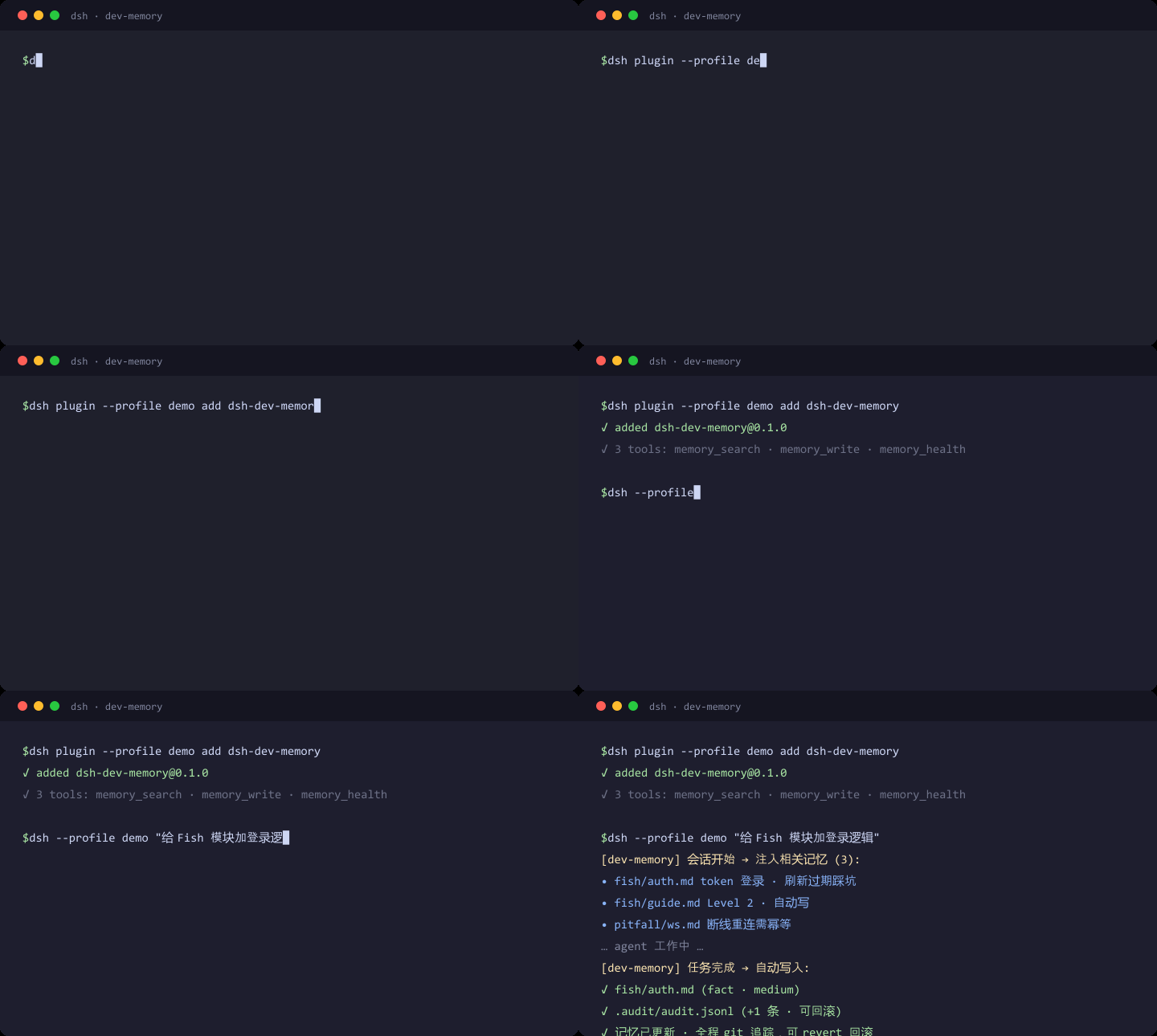
dsh plugin add dsh-dev-memory Xác nhận layer đã áp bằng dsh --profile default --dump-config — xem hướng dẫn cài plugin.
Mã nguồn
Thẻ
Tác giả
Readme
dsh-dev-memory


English: see English.
面向 DeepSeek Harness(DSH)的 轻量项目记忆库。 记忆是普通 markdown;插件在会话开始检索并注入,在合适的边界提醒写入。
能力
- 自动检索 — 会话开始时按当前工作区检索相关记忆,按 token 预算注入上下文。
- 按需查询 —
memory_search - 结构化写入 —
memory_write(分类门:fact/pitfall/open_question,需证据) - 健康检查 —
memory_health(索引、孤儿、断链) - 自动更新(可关) — idle / goal 完成时提醒写盘;输入栏「自动记忆」只改当前对话
- 写盘可停 — 输入框上方「正在写入记忆 / 停止」;用户排队消息会打断催写并优先处理
对话里调用 memory_write 即为确认,不再经过设置页审核。
依赖
| 需要 | 说明 |
|---|---|
| Node.js ≥ 18 | 运行时 |
| DeepSeek Harness | 作为 DSH Cordis 插件加载(例如 dsh web) |
运行时脚本随 npm 包发布,安装插件即可,无需额外技能或其它工具链。
安装
dsh plugin --profile <name> add dsh-dev-memory
开发安装:dsh plugin --profile <name> add <local-path>。
安装后 重启 DSH。profile 里是静态副本,当前进程不会热替换。
记忆存在哪
每个工作区一份 markdown 目录。slug = 工作区路径中的 :、\、/、_ 换成 -。
默认根目录:~/.dsh/dev-memory/projects/<slug>/memory
若该工作区已经存在 ~/.claude/projects/<slug>/memory,则继续使用它(兼容已有库)。也可用配置项 memoryRoot 指定任意路径。
建议对记忆根 git init。所有 DSH profile 共用 ~/.dsh/dev-memory/workspaces.json。
设置页可浏览其它工作区,不会改变当前会话的写入目标。
配置
写在 cordis.patch.yml 的 config 段:
| 键 | 默认 | 含义 |
|---|---|---|
memoryRoot |
''(自动) |
显式记忆根;空则按上一节规则选择 |
scriptsDir |
''(包内脚本) |
覆盖运行时脚本目录;空则使用插件自带脚本 |
maxInjectTokens |
1500 |
会话开始注入的 token 预算 |
writeConfidenceMin |
'medium' |
写入最低置信度 |
autoWrite |
true |
新对话是否自动催写。关掉后仍会在会话开始检索,三个工具仍可用 |
设置页「新对话默认」写入 ~/.dsh/dev-memory/config.json,重启后仍有效。输入栏「自动记忆」只覆盖当前对话(session-auto-write.json)。
工具
memory_search — query(必填),top(可选,默认 5)。
memory_write — proposal:module、category、confidence、evidence(非空)、draft.relPath + draft.content。changelog 不落盘。
memory_health — 无参数。
限制
- 这是 DSH 插件,不能脱离 DSH 运行。
- 设置页浏览其它工作区不会切换当前写入根。
- 从列表隐藏工作区不会删除记忆文件。
开发
node --test
dsh plugin --profile <name> add <repo-root>
License
MIT
English
A lightweight project memory library for DeepSeek Harness. Memory is plain markdown. The plugin retrieves at session start and prompts for writes at the right boundaries.
Capabilities
- Auto retrieve — search and inject workspace memory at session start (token-bounded)
- On-demand search —
memory_search - Structured write —
memory_write(categories:fact/pitfall/open_question; evidence required) - Health check —
memory_health - Optional auto-update — idle / goal-complete write-pass; composer toggle is per conversation
- Stoppable write-pass — status row above the composer; a queued user message preempts it
Calling memory_write in the conversation is the confirmation.
Dependencies
| Required | Notes |
|---|---|
| Node.js ≥ 18 | Runtime |
| DeepSeek Harness | Loaded as a Cordis plugin (e.g. dsh web) |
Runtime scripts ship in the npm package. No extra skill or toolchain.
Install
dsh plugin --profile <name> add dsh-dev-memory
Restart DSH after install.
Where memory lives
One markdown tree per workspace. Slug = workspace path with : \ / _ replaced by -.
Default: ~/.dsh/dev-memory/projects/<slug>/memory
If ~/.claude/projects/<slug>/memory already exists, that library is reused. Override with memoryRoot.
Configure
| Key | Default | Meaning |
|---|---|---|
memoryRoot |
'' (auto) |
Explicit memory root |
scriptsDir |
'' (bundled) |
Override script directory |
maxInjectTokens |
1500 |
Session-start inject budget |
writeConfidenceMin |
'medium' |
Minimum write confidence |
autoWrite |
true |
Auto write-pass for new conversations |
The settings “new conversation default” is stored in ~/.dsh/dev-memory/config.json and survives restart. The composer control overrides the current session only.
License
MIT