dsh-theme-machine
Đã xác minhdsh-theme-machine · v0.1.3 · MIT · Giao diện web
Person-of-Interest skin for DeepSeek Harness: THE MACHINE surveillance-HUD theme (dark, cyan-on-black). Token override layer + HUD chrome + live telemetry panel for the dsh web UI.
Cài đặt
dsh plugin add dsh-theme-machine Xác nhận layer đã áp bằng dsh --profile default --dump-config — xem hướng dẫn cài plugin.
Mã nguồn
Thẻ
Tác giả
Readme
dsh-theme-machine
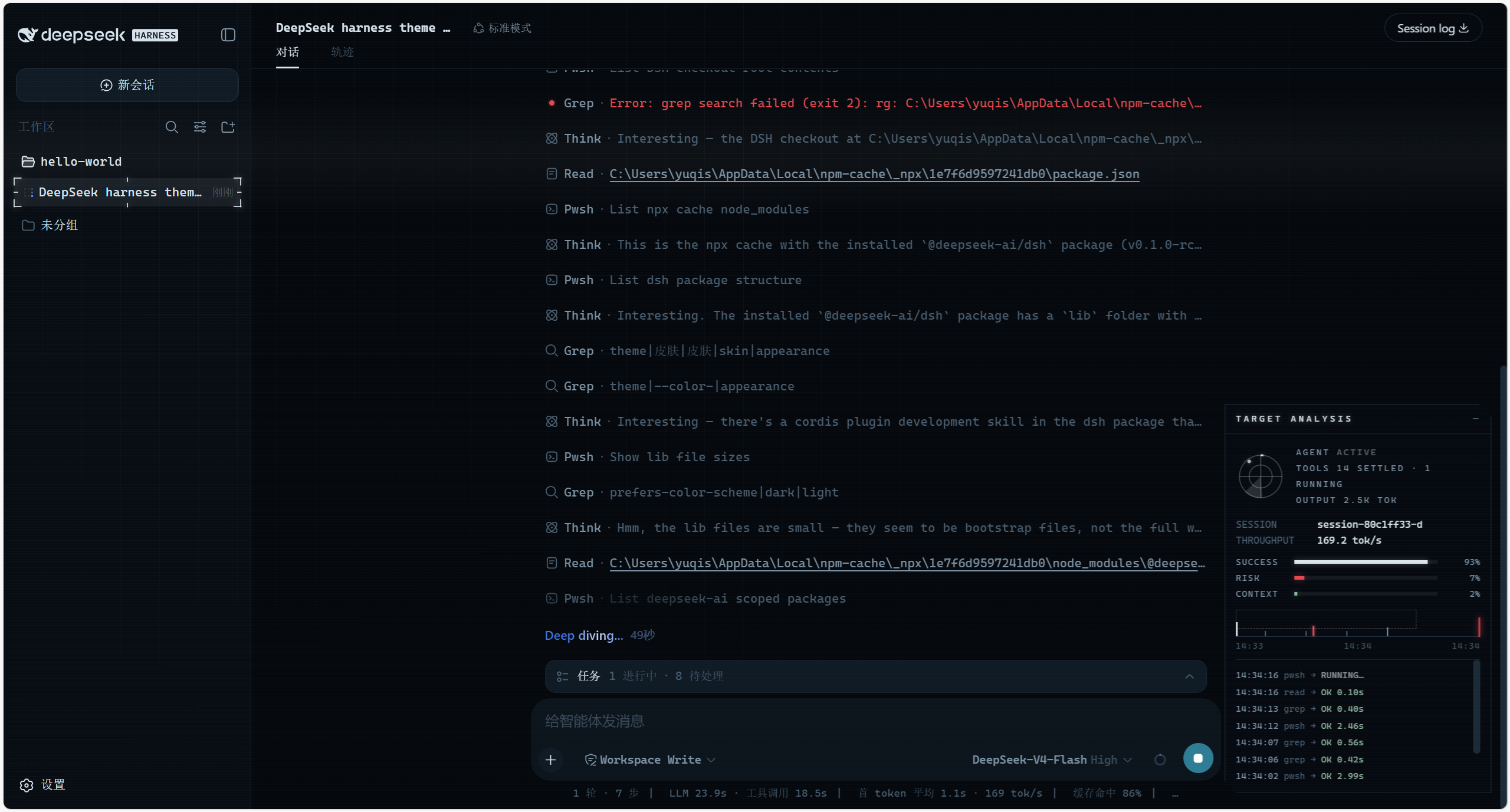
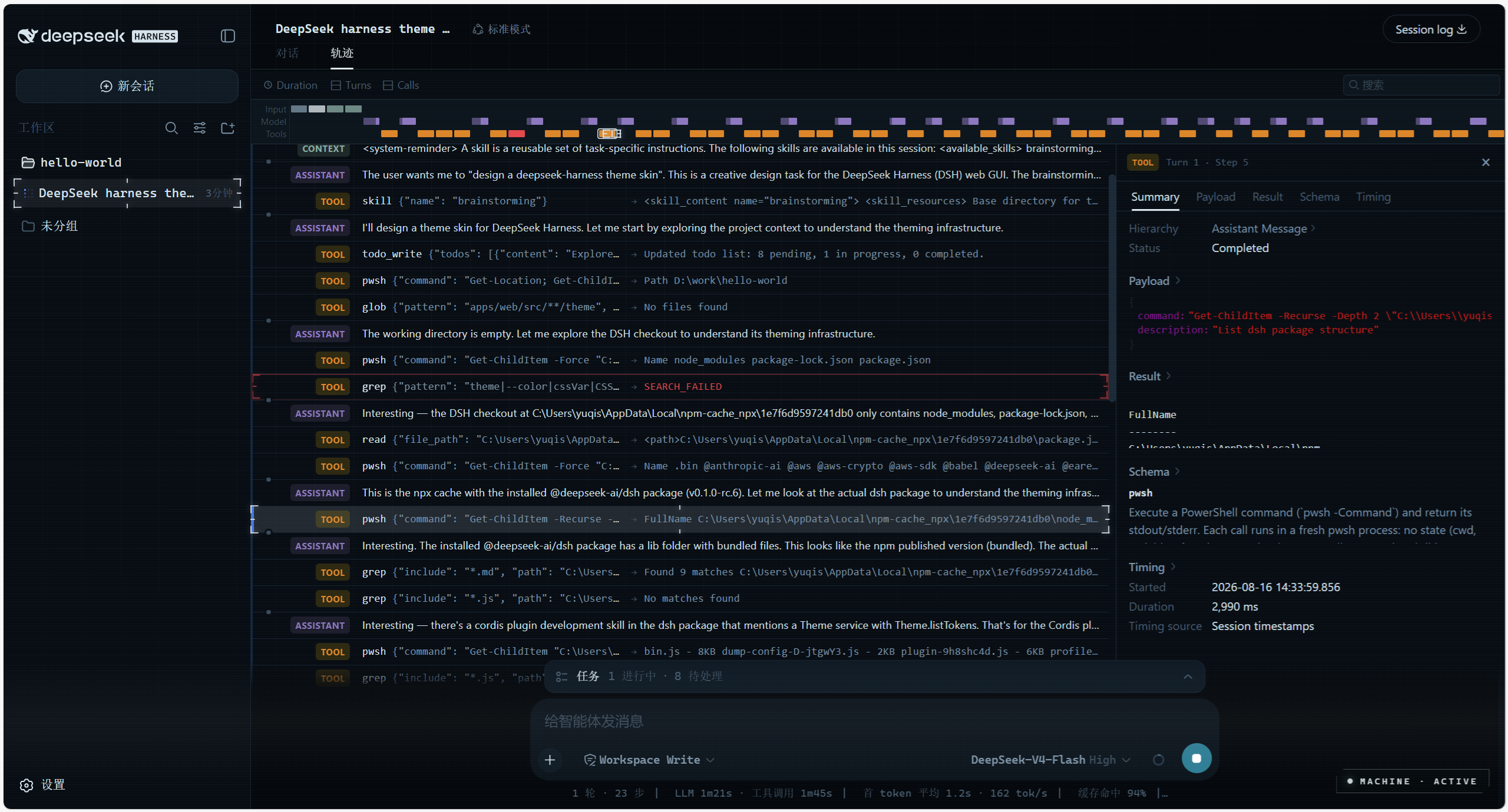
《疑犯追踪》(Person of Interest)「机器」风格的 DeepSeek Harness(dsh)皮肤——为 Web UI 打造的 THE MACHINE 监视式 HUD 主题:深空蓝黑底色、机器青点缀、扫描线与网格氛围层,以及一个接入真实会话遥测的悬浮面板,让界面看起来像是有一台超级智能在背后驱动。
预览
功能
《疑犯追踪》THE MACHINE 深色 HUD 皮肤——安装即生效,卸载即完整还原官方外观。
- Token 覆盖层——通过
ctx.theme.overrideTokens()重绘整个界面(约 50 个--dsw-alias-*语义 token)。安装即生效、卸载即还原;可叠加在内置浅色/深色偏好之上(本皮肤设计上仅支持深色,并固定两套调色板)。 - HUD 镀铬效果——等宽字体排版、微妙的 HUD 网格、缓慢的扫描线、青色选中色。以
<style data-plugin>加两个氛围<div>注入,卸载时一并移除。 - 实时遥测面板(
shell.overlay悬浮座,右下角):- Radar(雷达)——仅当智能体真正在运行时才扫描(
ConversationSnapshot.running) - SUCCESS / RISK(成功 / 风险)——真实已定局的工具调用成功率与错误率(
tool-result节点) - CONTEXT(上下文)——来自 token 计量器
contextPressure投影的真实上下文窗口占用率(与官方输入框圆环同源) - THROUGHPUT(吞吐)——由助手时间戳与 provider 用量折算的解码 tok/s
- EVENT STREAM(事件流)——会话中真实的工具调用及其耗时与错误状态
- Radar(雷达)——仅当智能体真正在运行时才扫描(
折叠后收缩为 MACHINE LINK 胶囊按钮,智能体工作时会脉冲闪烁。
安装
需要 DeepSeek Harness(dsh CLI)。插件通过 dsh plugin 管理,--profile web 指向 Web 配置。任选一种来源:
# 从 npm(推荐)
dsh plugin --profile web add dsh-theme-machine

# 从本地检出
dsh plugin --profile web add link:/path/to/dsh-theme-machine

# 从 GitHub——pnpm ≥10 会询问是否允许 prepare 脚本
# (零依赖构建,见 scripts/build.mjs),随后重新执行 add
dsh plugin --profile web add github:yuqisun/dsh-theme-machine
然后:
- 执行上面的
add命令。 - 重启
dsh web——皮肤在加载时生效。 - 可选——验证插件已加载:
dsh web --dump-config | grep dsh-theme-machine
卸载
dsh plugin --profile web remove dsh-theme-machine
- 执行
remove移除插件依赖。 - 重启
dsh web——完整还原官方外观。
注意:如果 Loader 行是手动写入
$DSH_HOME/cordis.patch.yml的,remove不会改写那行补丁——请手动删除对应的insert条目。
许可证
MIT