dsh-codex-ui
Đã xác minh@michengai/dsh-codex-ui · v1.1.34 · Apache-2.0 · Giao diện web
DSH Codex UI — 为 DeepSeek Harness Web 提供 Codex 风格侧栏、工作区会话树、全局搜索和轮次导航 · A Codex-style sidebar, workspace session tree, global search, and turn navigation for DSH Web
Cài đặt
dsh plugin add @michengai/dsh-codex-ui Xác nhận layer đã áp bằng dsh --profile default --dump-config — xem hướng dẫn cài plugin.
Mã nguồn
Readme
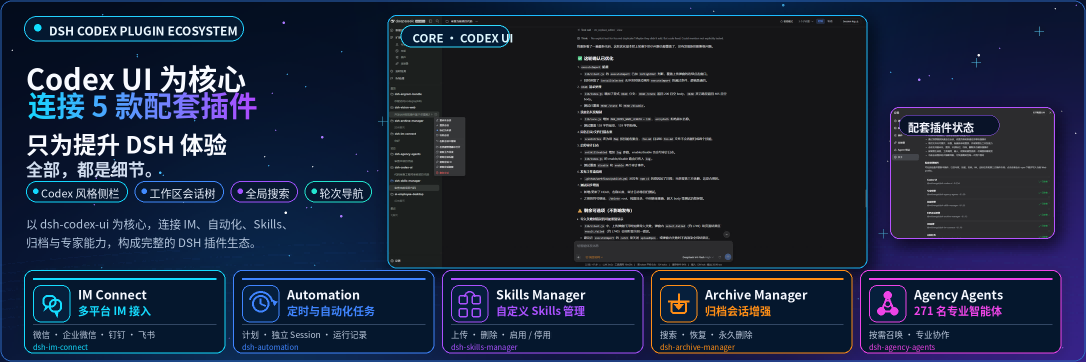





DSH Codex UI 是社区维护的 DeepSeek Harness(DSH)界面增强插件,并非 DeepSeek AI 官方产品。
在 DSH Web 中同时处理多个项目和会话时,DSH Codex UI 帮你整理左侧导航、快速找到任务,并在长对话中跳回之前的提问。它提供 Codex 风格的界面,支持浅色和深色主题。
宿主兼容性
当前工作区已显式声明支持 DSH 0.1.2-rc.1、0.1.5-rc.1、0.1.5-rc.2、0.1.5-rc.3、0.1.7-rc.1、0.1.7-rc.2、0.2.0-rc.1 或 0.2.0-rc.2。开发依赖钉在 0.2.0-rc.2。代码已不再引用 @deepseek-ai/dsh-client-runtime:它既不是 peer、也不写入客户端 inject;设置生命周期用例改用官方 @deepseek-ai/dsh-client-ui-renderer/client 装配包里的生产 SlotRegistry 后,这条开发依赖也已移除。隔离宿主检查覆盖 0.1.2-rc.1、0.1.5-rc.1、0.1.5-rc.2、0.1.5-rc.3、0.1.7-rc.1、0.1.7-rc.2、0.2.0-rc.1 或 0.2.0-rc.2。
你可以用它做什么
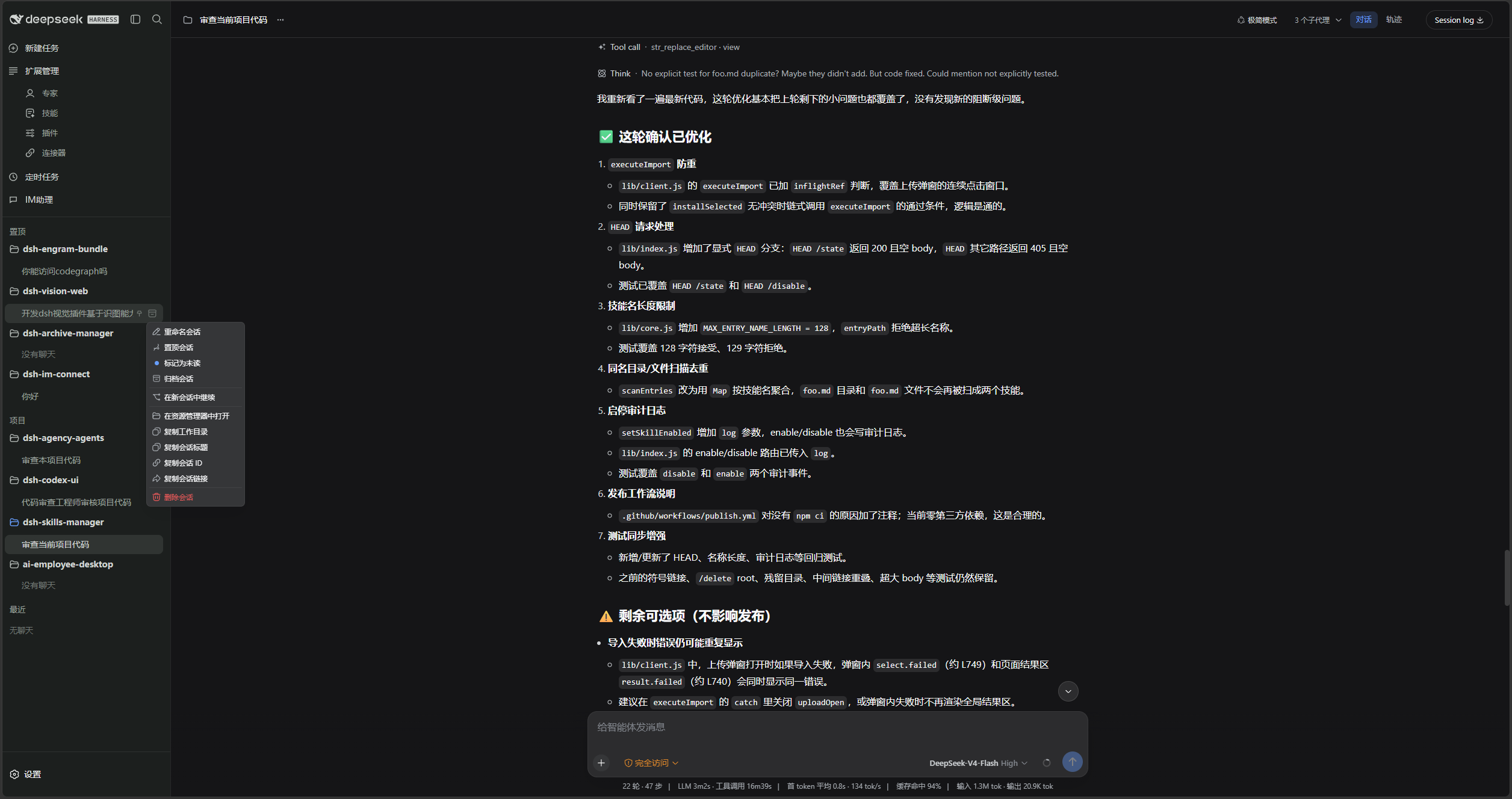
- 整理项目与会话:展开或折叠项目、拖拽调整顺序、置顶常用项目,查看未读提醒和运行状态。
- 快速找到内容:通过顶部搜索查找会话、设置和快捷操作。
- 管理日常任务:在项目或会话菜单中重命名、归档、派生会话,或打开项目目录。
- 回看长对话:点击轮次导航,直接跳到对应提问。
- 复用之前的输入:输入框为空时,按上下方向键找回当前工作区中已提交的文本。
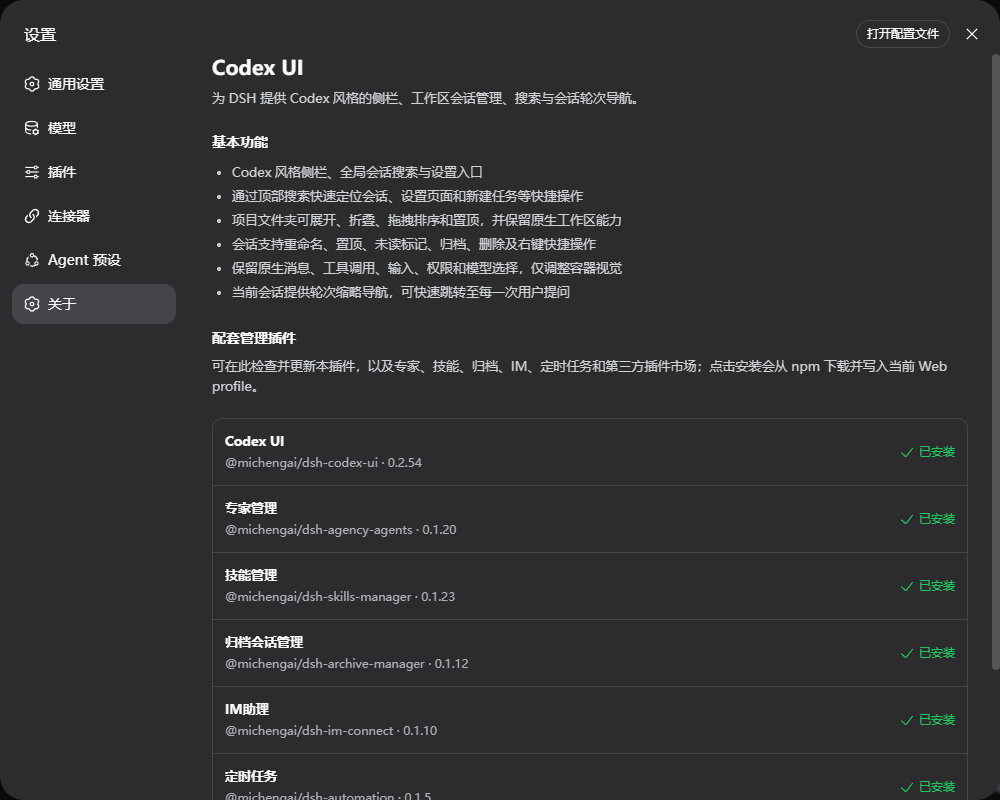
- 按需扩展功能:在「设置 → 关于」查看配套插件,安装或更新需要的功能。
界面预览
浅色主题:工作区会话树、新建会话建议与底部输入框。
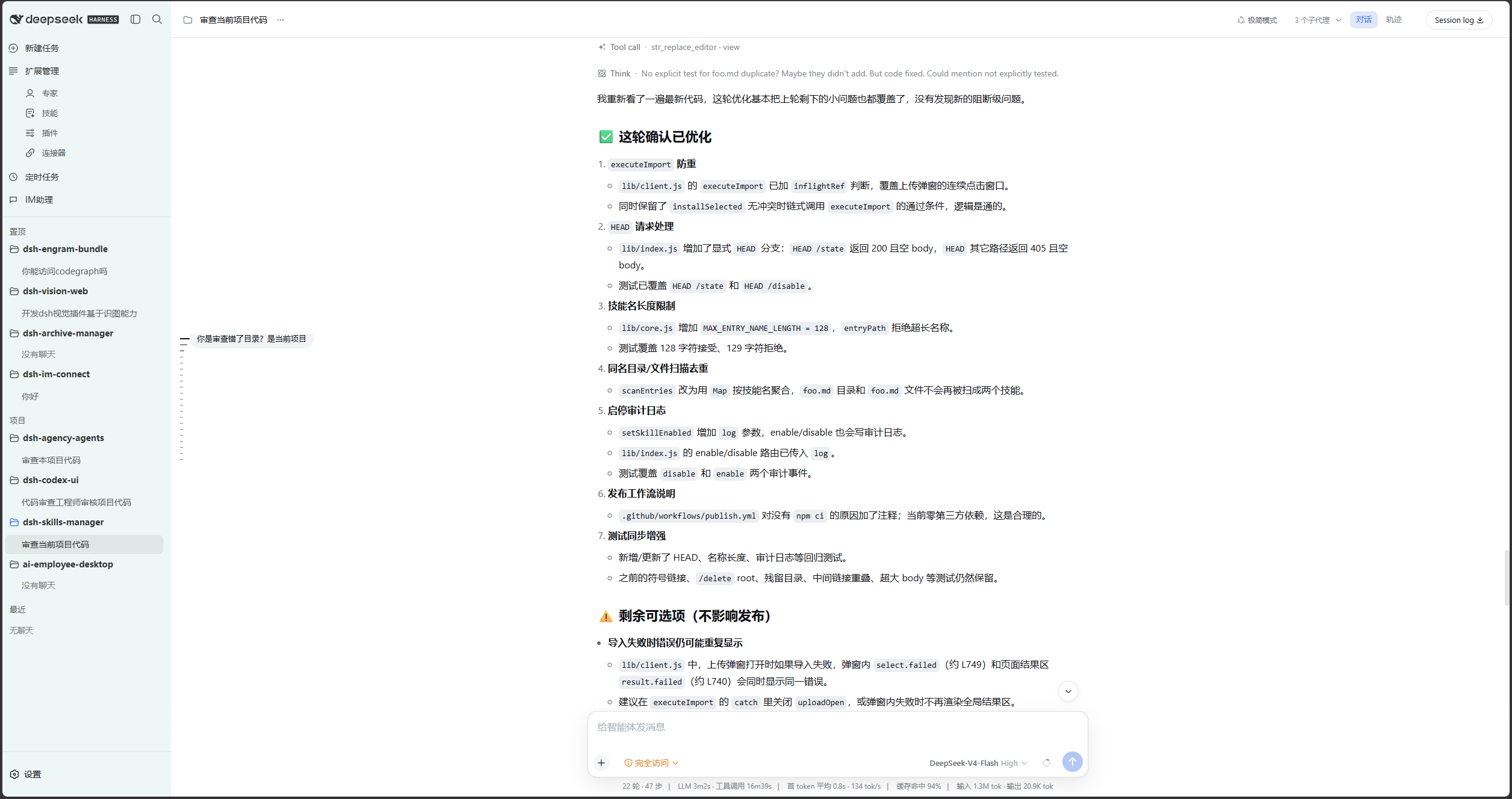
深色主题:定时任务总览与新建会话页。
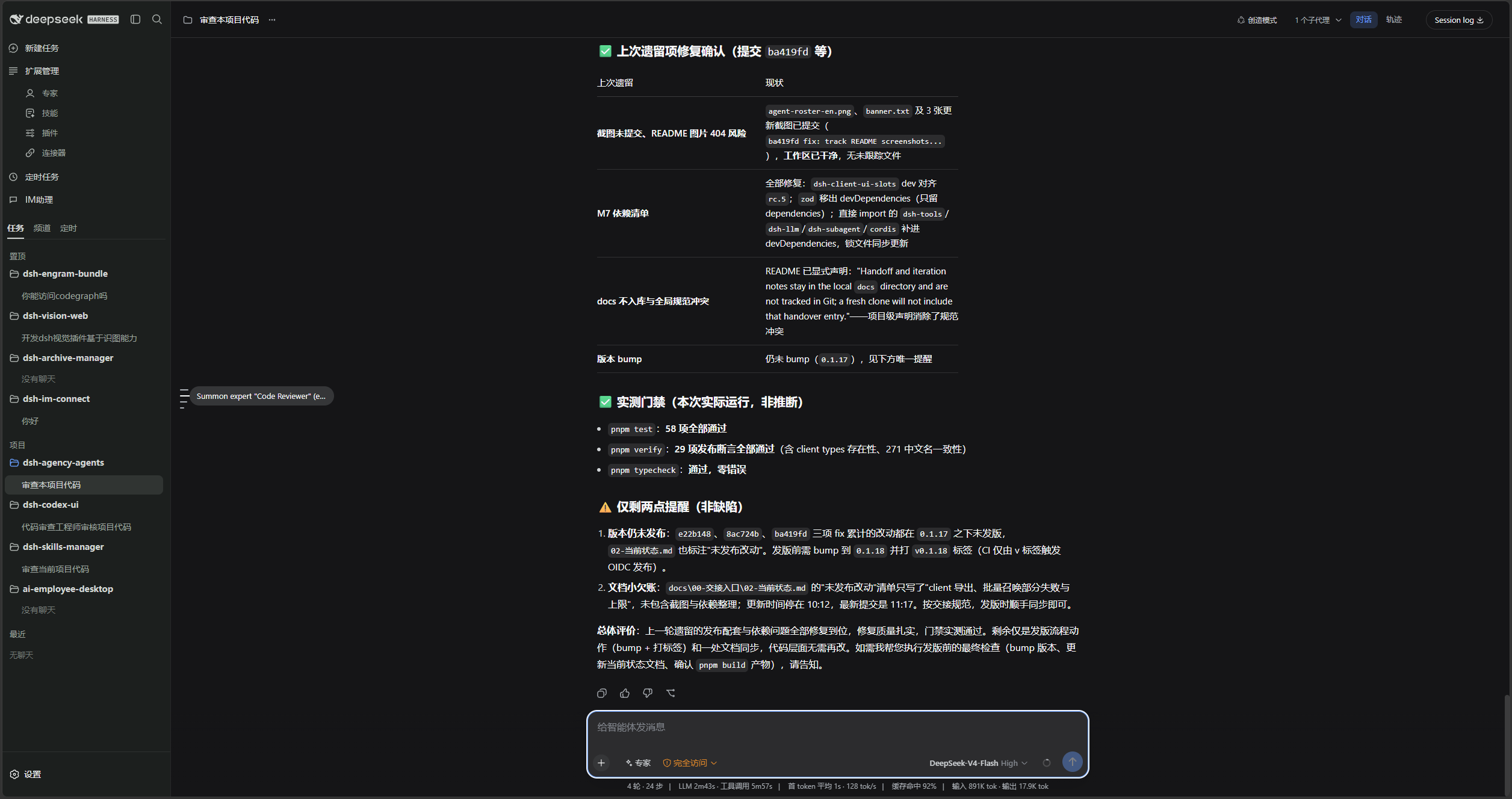
常规设置:浅色主题下的独立设置页与分区导航。
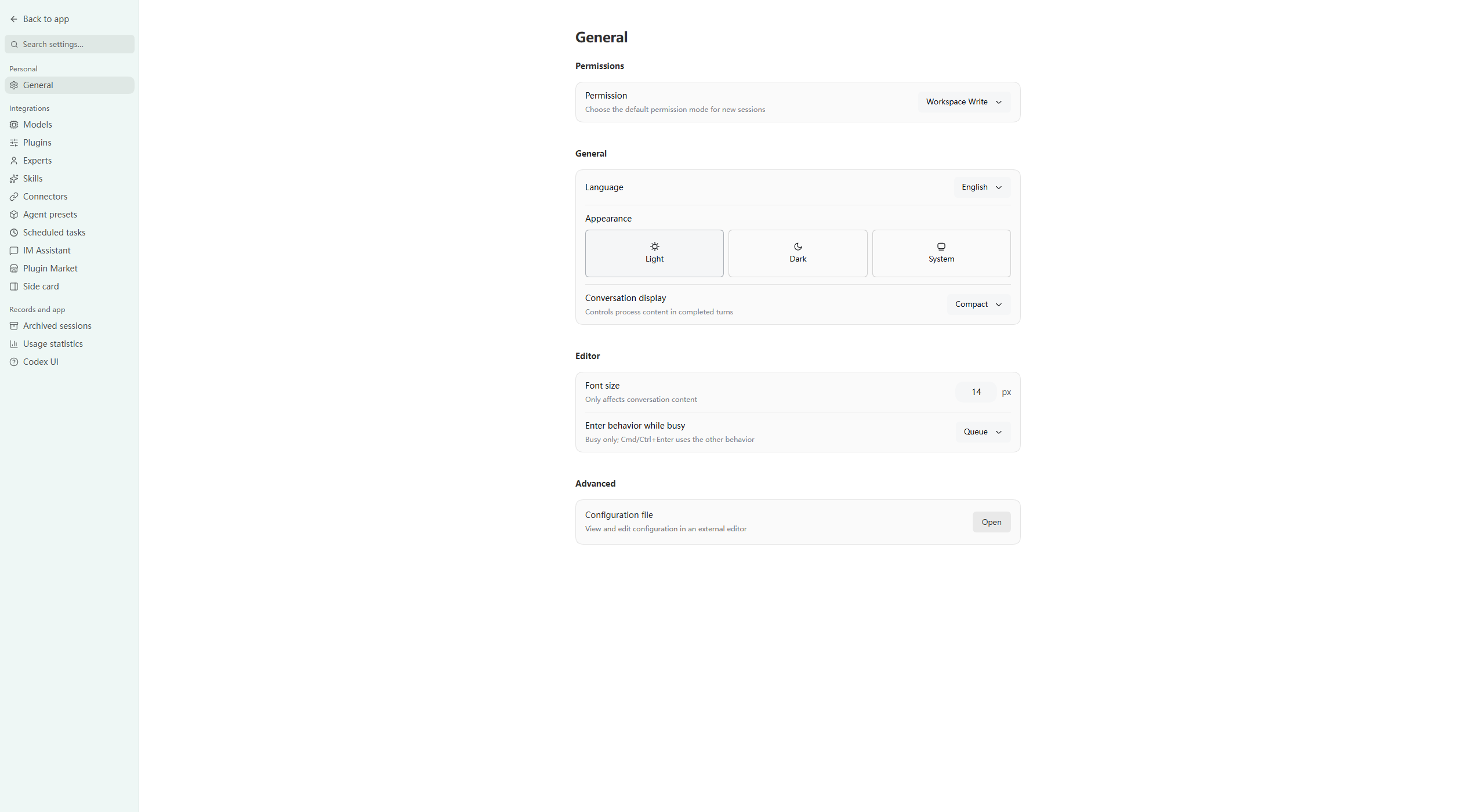
会话菜单:重命名、置顶、未读、归档、派生、复制和删除。
「设置 → 关于」列出配套插件及其安装状态。
前置条件
- 已可正常运行 DeepSeek Harness Web,且可在 PowerShell 中使用
dsh。 - 以下示例使用
webprofile;请替换为实际目标 profile。 - 运行环境需满足 Node.js
^22.19.0 || >=24.0.0;从源码安装还需要 pnpm。
DSH 产品生态
想使用桌面工作台,可下载 DSH Codex Desktop;已有 DeepSeek Harness 环境,可按各项目 README 按需安装。以下列出 11 个自研插件;桌面端实际随附范围以对应版本的发行说明和内置清单为准。
| 插件 | 你可以用它做什么 |
|---|---|
| Codex UI | 整理项目与会话、搜索任务、跳转对话轮次 |
| Agency Agents | 按任务选择并召唤专业角色 |
| Skills Manager | 统一查找、启停、创建和导入本机技能 |
| Archive Manager | 搜索、恢复或清理已归档会话 |
| IM Connect | 从消息平台下任务、收回复 |
| Automation | 按计划执行任务,查看每次运行的结果 |
| BTW | 在当前上下文中临时旁问,不打断主任务 |
| Simplify | 用 /simplify 整理 Git 改动范围内的代码 |
| PUA | 引导 Agent 在失败时换方法、查原因,并在完成前验证结果 |
| Code Review | 用 /review 发起独立 Agent 代码审查,在当前会话接收报告 |
| Codex Pet | 通过桌面宠物查看会话提醒、处理工具审批和问题回答 |
安装
下面提供 Agent 代装和手动安装两种方式,使用同一条安装命令。示例指定最新版和官方 npm 源。
让 Agent 帮你安装(推荐)
把下面这段话发给任意能够执行本机终端命令的 Agent。将 web 替换为实际使用的 profile;安装完成后,在 DSH 中使用本插件。
请将 DSH 插件 @michengai/dsh-codex-ui 安装到本机 web profile,执行:dsh plugin --profile web add @michengai/dsh-codex-ui@latest --registry=https://registry.npmjs.org/。安装后执行 dsh --profile web --dump-config,确认配置包含 codex-ui,并告诉我如何重新加载 DSH 和开始使用。
手动安装
[Console]::OutputEncoding = [System.Text.Encoding]::UTF8
$OutputEncoding = [System.Text.Encoding]::UTF8
dsh plugin --profile web add @michengai/dsh-codex-ui@latest --registry=https://registry.npmjs.org/
dsh --profile web --dump-config
安装后重启 DSH Web,并硬刷新浏览器(通常为 Ctrl+Shift+R)。看到新的侧栏后即可开始使用。禁用或卸载后官方侧栏会回来。若 profile 的 cordis.patch.yml 里还有 ui-sidebar 或 ui-settings-general 的 disabled: true,删掉这两行后再重载。
使用
打开 DSH Web 后,左侧导航即由本插件渲染。
| 目标 | 操作 |
|---|---|
| 新建会话 | 点击「新建任务」,或使用项目中的「+」/「新建会话」。 |
| 查找会话或设置 | 使用顶栏搜索,选择会话、设置页或快捷操作。 |
| 折叠侧栏 | 使用顶栏面板按钮。折叠后展开入口保留在窄轨顶部。 |
| 置顶项目 | 拖到「置顶」区域,或在项目菜单中选择「置顶项目」。 |
| 管理会话 | 打开会话菜单,进行重命名、置顶、未读、归档、派生、复制或删除。 |
| 复用输入 | 输入框为空时按上下方向键,召回当前工作区中之前提交的文本。 |
| 跳转轮次 | 使用当前会话左侧的轮次刻度跳转到对应提问。 |
| 查看连接器 | 打开「设置 → 连接器」。不会展示地址、命令或凭证。 |
| 查看配套插件 | 打开「设置 → 关于」,安装或更新各个配套插件。 |
常见问题
置顶和未读状态会保留吗?
置顶项目保存在 DSH 配置中,重启后仍保留。未读标记仅保存在当前浏览器,不会跨浏览器同步。
为什么找不到以前的输入?
输入历史按工作区分别保存在当前浏览器,每个工作区最多保留 200 条。它从功能启用后的新输入开始记录,不会从已有会话补录;浏览器存储不可用时,仅在内存中临时保留。无需额外安装 BTW 插件。
移除项目会删除本地文件吗?
删除项目注册不会删除项目目录或会话记录。归档会话的永久删除功能由配套的 Archive Manager 插件提供。
安装后没有看到变化怎么办?
确认安装命令中的 profile 与正在运行的 DSH Web 一致,再重启 DSH Web 并硬刷新浏览器。可运行 dsh --profile web --dump-config 检查是否已挂载 codex-ui。
开发与贡献
GitHub 与 npm 都包含可直接运行的 lib。修改源码后,提交前运行 pnpm build。
从源码安装
适用于调试或使用未发布改动。克隆后的目录会直接作为插件安装路径:
[Console]::OutputEncoding = [System.Text.Encoding]::UTF8
$OutputEncoding = [System.Text.Encoding]::UTF8
Set-Location D:\Repository\deepseek-harness-plugin
git clone https://github.com/MichengAI/dsh-codex-ui.git
Set-Location .\dsh-codex-ui
pnpm install --frozen-lockfile
pnpm build
dsh plugin --profile web add .
dsh --profile web --dump-config
完成后重启 DSH Web 并硬刷新浏览器。不要手工复制 lib;本地目录安装会同时读取包信息和 cordis.patch.yml。
- src\index.ts:Host 入口,以及不含敏感信息的连接器目录接口。
- src\client\index.ts:客户端入口,注册侧栏、工作区树、轮次导航和设置分区。
- src\client\CodexSidebar.tsx:侧栏壳、搜索面板和视觉样式。
- src\client\CodexWorkspaceBrowser.tsx:工作区和会话交互。
tests\*.assert.ts与tests\*.spec.ts:交互、样式和运行时集成验证。
修改 src 后重新构建、测试,并以本地目录安装验证:
[Console]::OutputEncoding = [System.Text.Encoding]::UTF8
$OutputEncoding = [System.Text.Encoding]::UTF8
pnpm build
pnpm test
dsh plugin --profile web add .
新增功能应复用已有 DSH 插槽和公开服务;不要依赖宿主私有 DOM 或写入会话数据。
许可证
本项目采用 Apache License 2.0。